
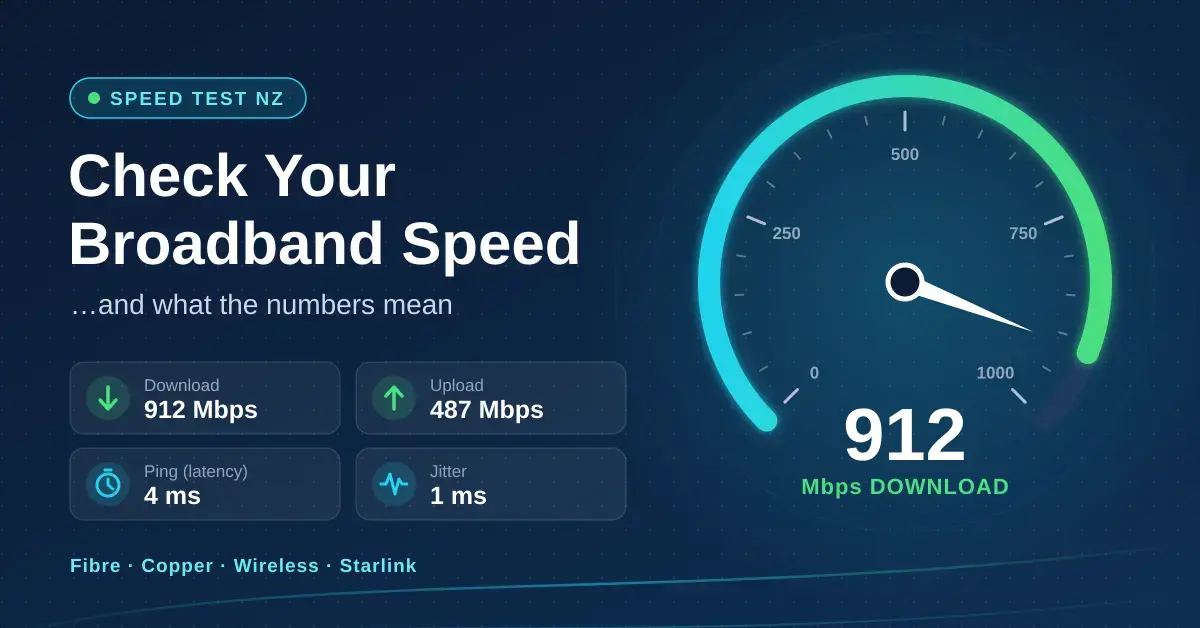
Use the free speed test at the top of this page to check your broadband in about 20 seconds. It measures your download speed, upload speed, latency (the round-trip delay to the server, usually called ping) and jitter directly in your browser, then tells you how the result compares with the plan you pay for and with what New Zealand connections actually deliver. The test runs against Cloudflare’s speed test endpoints, which include a server in Auckland, so most Kiwis are measuring against nearby hardware rather than a server on the other side of the world.
A single number rarely tells the whole story, so the rest of this guide explains what “good” looks like for fibre, copper, wireless broadband and Starlink, why Wi-Fi so often gets the blame, and exactly what to check before you ring your provider. If you are still putting the pieces together, our step-by-step home network setup guide covers the bigger picture, from the fibre box to the far corners of the house.
Key takeaways
- In April 2026 testing, Fibre Max connections averaged about 877 Mbps down and Fibre 100 about 106 Mbps, so most fibre plans deliver what is on the box when you test over a cable.
- Wi-Fi is the most common reason a speed test looks slow. Test next to the router or over Ethernet before blaming the line.
- For most homes, 100 Mbps comfortably covers several 4K streams, video calls and gaming at once. Upload speed and latency matter more than people expect.
- Latency under 30 ms feels instant; fibre typically sits at 5–8 ms, Starlink around 25 ms and 4G wireless around 50 ms.
- Test at different times of day. A result that drops sharply every evening points to congestion rather than a faulty connection.
How to run an accurate speed test
An online speed test measures everything between your device and the test server: the device itself, your Wi-Fi, the router, the line to the exchange or cabinet, and your provider’s network. To test the connection rather than your living room, strip away as many variables as you can before you press start.
- Use a cable if you can. Plug a laptop into one of the router’s LAN ports with an Ethernet cable. If you only have Wi-Fi, stand in the same room as the router with a clear line of sight.
- Pause other traffic. Stop cloud backups, game downloads, 4K streams and phone updates on the rest of the network, because anything running in the background is counted against your result.
- Turn off VPNs and ad-blockers for the test. A VPN routes your traffic through another server and can easily halve the figure you see.
- Run it three times, then repeat once in the evening between 7pm and 11pm. An average across a few runs is far more useful than a single reading.
- Note the latency and upload numbers, not just the headline download figure. They decide how video calls and online games actually feel.
Why results differ between speed-test sites: each tool uses different servers and methods. Ours measures against Cloudflare’s network; others use Ookla or your provider’s own servers. Expect a spread of roughly 5–15% between tools, and always compare like with like when you raise a result with a provider.
What is a good internet speed in NZ?
The most reliable yardstick is the Commerce Commission’s Measuring Broadband New Zealand programme, which tests real home connections with dedicated hardware plugged straight into the router. That takes Wi-Fi out of the picture, so it shows what the line itself can do rather than what your laptop can see over the air. The figures below come from the Measuring Broadband New Zealand report 28, based on testing carried out in April 2026.
NZ broadband speeds by connection type
| Connection | Average download | Average upload | Average latency |
|---|---|---|---|
| Fibre Max | 877 Mbps | 502 Mbps | 5 ms |
| Fibre 500 | 508 Mbps | 109 Mbps | 7 ms |
| Fibre 100 | 106 Mbps | 25 Mbps | 6 ms |
| 5G wireless (Spark 5G Max) | 412 Mbps | 56 Mbps | lower than 4G |
| Starlink Max (LEO satellite) | 245 Mbps | 50 Mbps | 26 ms |
| Starlink 100 (LEO satellite) | 130 Mbps | 47 Mbps | 25 ms |
| 4G fixed wireless | 66 Mbps | 23 Mbps | 48 ms |
| VDSL (copper) | 63 Mbps | 21 Mbps | 20 ms |
| ADSL (copper) | 11 Mbps | 1 Mbps | 32 ms |
Two things stand out. Fibre plans are remarkably consistent, with evening results only a few Mbps below daytime ones. Wireless technologies are not: 4G fixed wireless dropped to about 52 Mbps at peak against 66 Mbps overall, and Starlink figures also dip in the evening. If you are on wireless broadband or satellite, an evening slowdown is normal behaviour rather than a fault.
How much speed do you actually need?
Less than most plans advertise. Everyday tasks barely touch the sides — email, browsing, music and even online card games use only a fraction of a modern connection. The heavy lifting comes from video, and even a busy household rarely needs more than 100 to 300 Mbps of download to keep everyone happy at once.
| Activity | Speed it needs | Notes |
|---|---|---|
| Netflix in 4K | 15 Mbps per stream | Netflix’s own recommendation |
| Netflix in HD (1080p) | 5 Mbps per stream | SD needs about 1 Mbps |
| YouTube in 4K | 20 Mbps per stream | Google’s recommendation |
| HD video call (Zoom, Teams, Meet) | about 3–4 Mbps each way | Upload matters as much as download |
| Online gaming | 5–10 Mbps | Latency and jitter matter far more |
| Cloud photo backup | as much upload as you can get | Fibre 100 uploads at 20–25 Mbps |
Those minimums come straight from the services themselves: Netflix and YouTube publish their streaming recommendations, and Zoom lists the bandwidth its calls use. A useful rule of thumb is to add up what happens at the same time on a busy weeknight, then allow about 50% headroom. Two 4K streams, a video call and a game download all fit comfortably inside Fibre 100. Households that upload a lot — content creators, home offices sending large files, or anyone running a home NAS with off-site backup — feel the difference on Fibre 500 or Fibre Max, because upload speeds climb with the plan.
Why is my speed test slower than my plan?
When a wired test gets close to the plan speed but Wi-Fi does not, the line is fine and the problem is inside the house. These are the usual culprits, roughly in the order they cause trouble.
Wi-Fi range and walls
Wi-Fi speed falls away quickly with distance and with every wall, floor and appliance in the way. Brick, concrete and foil-backed insulation block signal far more than timber and plasterboard. The 5 GHz band is much faster than 2.4 GHz but has shorter range, so a device at the far end of the house often drops back to the slower band without telling you. If coverage is the issue, a mesh Wi-Fi system or a well-placed Wi-Fi extender usually fixes it; where Wi-Fi simply cannot reach, powerline adapters carry data over the house wiring.
The device you test on
An older phone or laptop running Wi-Fi 4 or Wi-Fi 5 can top out well below a Fibre Max plan, so the bottleneck is the device, not the line. Many laptops also have 1 Gbps Ethernet ports, which cap wired tests at roughly 940 Mbps once protocol overhead is taken off. Hyperfibre customers therefore need 2.5 Gbps or faster hardware before a speed test can show the difference they are paying for.
The router and its settings
ISP-supplied routers from a few years ago often struggle beyond a few hundred Mbps. Firmware updates, choosing a clear Wi-Fi channel and separating the 2.4 and 5 GHz networks can all help; our guide to the best router settings for faster internet walks through each one, and our modem router buying guide covers when a hardware upgrade is genuinely worth it. An upgrade need not be a big one-off cost either — options such as MTF Finance let you spread it — but always confirm the Wi-Fi basics first, because a new router will not fix a signal that cannot get through the walls.
Congestion at busy times
If every test between 8pm and 10pm is much slower than a morning test over the same cable, the bottleneck is upstream: your provider’s network, a busy wireless tower or a crowded satellite cell. Keep a record of dates, times and results before you raise it, because the pattern is what makes the case.
Other traffic on the network
A single cloud backup or console update can saturate an upload link and send latency through the roof for everyone else. Routers with Smart Queue Management or Quality of Service (QoS) settings can keep calls and games smooth while big transfers run in the background.
Download, upload, latency and jitter explained
- Download (Mbps) is how fast data reaches you: streaming, browsing and downloads. Mbps means megabits per second; divide by eight for megabytes, so 100 Mbps is about 12.5 MB/s.
- Upload (Mbps) is how fast you send data out: video calls, cloud backups and sending large files. It is often a fraction of the download speed on copper and wireless.
- Latency (ms), or ping, is the round-trip delay to the server. Under 30 ms feels instant; above 60 ms is noticeable in fast games.
- Jitter (ms) is how much the latency varies from moment to moment. Steady latency matters more for calls and gaming than a low average with big spikes.
For gamers, latency to the game server is what really counts, which is why a wired connection helps even when the download figure looks identical. Our guide to lowering ping for gaming in NZ goes deeper on bufferbloat, QoS and realistic pings to Australia, the US and Asia.
What to expect on each type of connection
Fibre
Fibre is the benchmark. Wired tests should land within about 10% of the plan speed at any hour, with latency in single digits. If yours does not, check the router’s WAN port speed, try another cable, and restart the fibre box and router before you contact your provider.
Copper VDSL and ADSL
Copper speed depends on your distance from the cabinet or exchange, so two neighbours on the same plan can see very different results. VDSL averaged about 63 Mbps down and ADSL about 11 Mbps in 2026 testing. Chorus is gradually withdrawing copper where fibre is available, so if fibre reaches your street, switching is usually the single biggest upgrade you can make.
4G and 5G wireless broadband
Wireless broadband shares a tower with everyone nearby, so evening dips are expected. Router placement matters far more than on fibre: moving the modem to an upstairs window facing the tower can add a surprising amount of speed. In covered areas, 5G plans now rival mid-tier fibre on download speed, though latency and consistency still trail a wired connection.
Starlink and rural wireless
Starlink typically delivers 100 to 250 Mbps with latency around 25 ms, which comfortably handles video calls and most online gaming. Short drop-outs are usually caused by obstructions such as trees, so check the obstruction map in the Starlink app. For rural options side by side, see our Wireless Nation review and the Starlink plans and prices guide.
Common speed-testing mistakes to avoid
Most “slow internet” complaints come down to how the test was run, not the connection. Steer clear of these traps before you conclude the line is at fault.
- Testing over Wi-Fi and blaming the line. A weak Wi-Fi result tells you about coverage, not the broadband speed. Always confirm with a wired test first.
- Trusting a single reading. Speeds vary minute to minute; run several tests and look at the average.
- Leaving a VPN or ad-blocker on. Both can cut the result dramatically and make a healthy line look broken.
- Testing on old hardware. A five-year-old phone cannot show gigabit speeds no matter how good the fibre is.
- Ignoring upload and latency. A high download number hides the figures that actually decide how calls and games feel.
- Comparing different tools without noting it. Different servers give different numbers; quote the same tool each time when you contact a provider.
- Not recording the time of day. A big evening drop is the clearest sign of congestion, and you can only spot it by testing at different hours.
What to do if your speed is consistently low
- Run three wired tests at different times of day and note every result, including latency.
- Restart the fibre box or modem, then the router, and test again.
- Check you are on the plan you think you are on; plan changes do not always reach the router settings straight away.
- Replace old or damaged Ethernet cables and confirm the router’s WAN port is linking at 1 Gbps or faster.
- Contact your provider with your dated, wired results. Providers take those far more seriously than a single Wi-Fi test.
- If the line tests fine but Wi-Fi does not, fix the Wi-Fi: move the router to a central spot, add mesh nodes or replace an ageing router.
The bottom line
- Test over a cable first. If that is close to your plan speed, your broadband is doing its job and any slowness is Wi-Fi or the device.
- For most homes, Fibre 100 or Fibre 300 is plenty; pay for Fibre 500 or Max only when upload speed matters or several heavy users share the connection.
- Latency and consistency matter as much as the headline download figure. Fibre wins on both, with 5G and Starlink the strongest options where fibre is not available.
Results from any online speed test vary with your device, your Wi-Fi and the time of day, so treat a single reading as a snapshot rather than a verdict. The averages quoted on this page come from the Commerce Commission’s independent broadband monitoring, checked in September 2026. Nicegear is independent and has no commercial relationship with any provider named here.
Sources
Frequently asked questions (FAQ)
What is a good internet speed in NZ?
For a typical household, 100 Mbps download is a good speed: it handles several 4K streams, video calls and gaming at the same time. Fibre 100 averaged about 106 Mbps in the Commerce Commission’s 2026 testing, while Fibre 500 and Fibre Max averaged roughly 508 and 877 Mbps.
Why is my Wi-Fi speed test slower than my Ethernet test?
Wi-Fi loses speed with distance, walls and interference, and many phones and laptops cannot reach gigabit speeds wirelessly. If the wired result matches your plan, the connection itself is fine and it is the Wi-Fi coverage that needs attention.
What is a good ping for gaming in New Zealand?
Under 30 ms is excellent and under 60 ms is fine for most games. Fibre usually gives 5 to 10 ms to Auckland servers, while game servers in Australia add roughly 25 to 40 ms on top of that.
Is 100 Mbps fast enough for working from home?
Yes, for almost everyone. Video calls need only 3 to 4 Mbps each way, so 100 Mbps down and 20 Mbps up leaves plenty of room. Upload speed becomes the limit only if you regularly send very large files.
Why does my speed drop in the evening?
Evening drops usually mean congestion on a shared part of the network, most often 4G wireless, satellite or a busy provider link. Fibre results barely change at peak times, so a large evening drop on fibre is worth raising with your provider.




