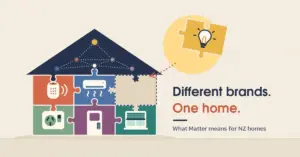
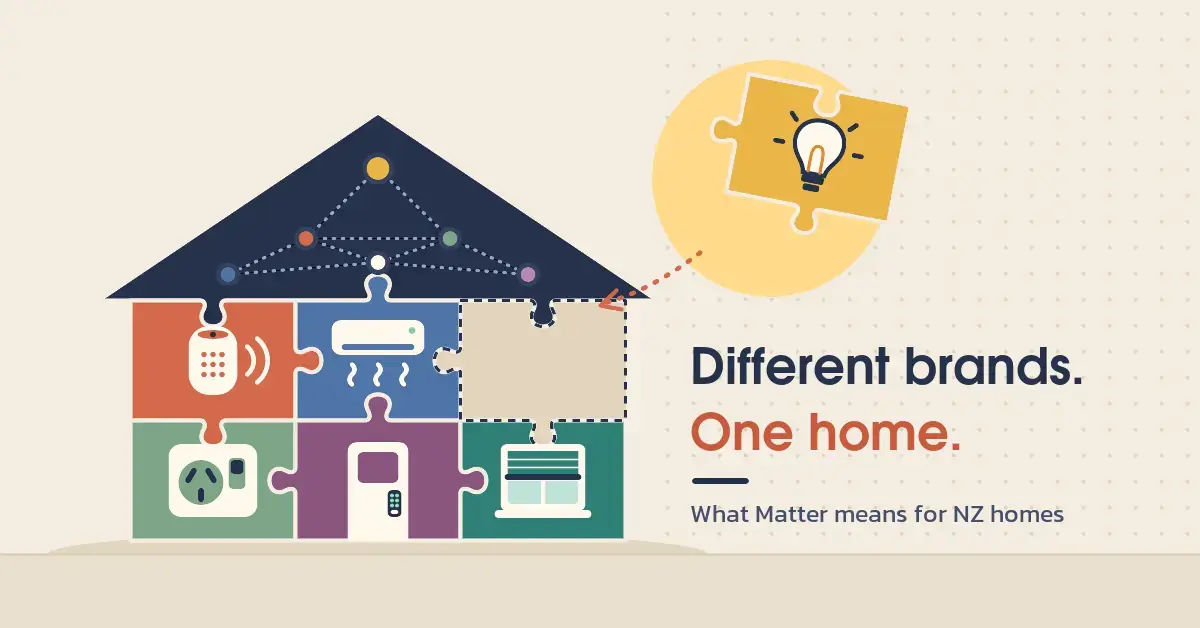
Matter is an open smart-home standard that lets certified devices from different brands talk to each other on your home network, without a separate hub or app for every brand. For New Zealand households juggling a plug from one maker, a bulb from another and a speaker from a third, that is the whole point: buy gear with the Matter logo and it should set up and run together. This guide explains what Matter is, how it works, what you need to start, and how to buy it sensibly in NZ.
Key points
- Matter is an open, royalty-free smart-home standard from the Connectivity Standards Alliance (CSA). The first version shipped in October 2022; the current release is Matter 1.6 (June 2026).
- It lets certified devices from different brands — Apple, Google, Amazon, Samsung and others — work together on your local network, without a brand-specific hub for each.
- Matter runs over Wi-Fi, Ethernet or Thread. Low-power battery devices usually use Thread, which needs a Thread border router in your home.
- Multi-admin lets one device be controlled from several apps at once, for example Apple Home and Google Home together.
- In NZ, buy the AU/NZ (Type I) model and look for the Matter logo; certified plugs, bulbs and sensors are stocked at PB Tech and other local retailers.
What is Matter?
Matter is a royalty-free connectivity standard built by the Connectivity Standards Alliance (CSA), the industry group behind it whose members include Apple, Google, Amazon and Samsung. The first version, Matter 1.0, was published on 4 October 2022; the current release is Matter 1.6, published in June 2026. The aim is interoperability: a Matter-certified device is designed to work with any Matter controller, no matter who made it.
Matter is IP-based, which means devices communicate using the same internet protocol your phone and laptop already use. It is also local-first: everyday commands run over your home network rather than a manufacturer’s cloud server, so a Matter light can still switch even when your broadband drops. Certification is the key word here — only products that pass CSA testing may carry the Matter logo and make that promise.
How Matter works
Matter works by putting every certified device onto a shared, secure local network and letting any approved controller send it commands. Three ideas do most of the heavy lifting: the network it runs over, the border router that extends that network, and the multi-admin feature that lets several apps share one device.
Wi-Fi, Ethernet or Thread
Matter runs over three network types: Wi-Fi, Ethernet and Thread. Mains-powered devices such as smart plugs, bulbs and TVs usually connect over your existing Wi-Fi. Low-power battery devices — door and window sensors, buttons and some locks — usually use Thread, a low-power wireless mesh in which every device relays messages for the others, so the network extends its range as you add more nodes rather than needing extra extenders. Bluetooth is mainly used to set up a new device, after which the device joins the Thread network for everyday use.
What a Thread border router does
A Thread border router is the bridge between your Thread devices and the rest of your home network. Without one, Thread gadgets have no path to your phone or the internet, so they simply will not work. The good news is that you may already own a border router: it is built into popular hubs such as the Apple HomePod mini, newer Apple TV 4K models, the Google Nest Hub (2nd gen), several Amazon Echo models and the Samsung SmartThings Station. People running Home Assistant Green can add one with a dedicated Thread radio such as the Home Assistant Connect ZBT-1.
Multi-admin: one device, several apps
Multi-admin lets a single Matter device be controlled from several platforms at the same time. In practice, one Matter plug can appear in both Apple Home and Google Home: you commission it to the first app, then open a pairing window in that app to generate a fresh setup code, which you enter in the second app. Matter 1.6 extends this with a feature called Joint Fabric, which lets several user-authorised controllers co-administer one shared Matter network instead of each keeping its own separate list of devices.
What you need to get started
To run Matter you need three things: a controller, a compatible app, and — for Thread devices — a Thread border router.
- A controller (or hub): the device that manages your accessories, such as an Apple HomePod or Apple TV, a Google Nest Hub, an Amazon Echo, a Samsung SmartThings hub, or a Home Assistant box.
- A compatible app: you set up and control devices through your chosen platform’s app, for example Apple Home, Google Home, Alexa or SmartThings.
- A Thread border router: only needed if your devices use Thread. Wi-Fi and Ethernet Matter devices do not need one.
Setup is by QR code in most cases: scan the code printed on the device or its box using your app, and it joins your network. Matter 1.6 also added NFC commissioning, so some newer devices can be set up by tapping them with your phone, even before they are fully powered on.
Matter controllers compared
| Platform / app | Example controller hardware | Thread border router built in? | Good to know |
|---|---|---|---|
| Apple Home | HomePod mini, HomePod (2nd gen), Apple TV 4K (Wi-Fi + Ethernet model) | Yes | Set up and controlled from the Home app on iPhone or iPad. |
| Google Home | Nest Hub (2nd gen), Nest Hub Max, Google TV Streamer | Yes (most models) | Uses the Google Home app on Android or iOS. |
| Amazon Alexa | Echo (4th gen), Echo Hub | Yes (select models) | Uses the Alexa app; Thread support varies by model. |
| Samsung SmartThings | SmartThings Station, SmartThings Hub | Yes (select models) | Uses the SmartThings app. |
| Home Assistant | Home Assistant Green or Yellow + Connect ZBT-1 radio | Via a dedicated Thread radio | Local and self-hosted; the most flexible option for tinkerers. |
The table above lists common controllers sold in or shipped to NZ. Model support changes often, so check the current spec sheet before buying — not every model in a product line is both a controller and a Thread border router.
Which devices work with Matter?
Matter supports a growing list of device categories, added one specification at a time. Today that includes smart plugs and switches, light bulbs, thermostats, door locks, window coverings, motion and contact sensors, air-quality and smoke/CO sensors, robot vacuums, major appliances, energy devices and — since late 2025 — cameras. Each new version adds categories rather than replacing the old ones, and devices stay backward compatible.
Device types added by Matter version
- Matter 1.0 (October 2022): lighting, plugs and switches, thermostats and HVAC controls, door locks, blinds and shades, home-security sensors (door, window and motion), and TVs and streaming players.
- Matter 1.2 (October 2023): fridges, air conditioners, dishwashers, washing machines, robot vacuums, air-quality sensors and smoke/CO alarms.
- Matter 1.3 (May 2024): microwaves, ovens, cooktops, extractor hoods, EV chargers and water-management devices, plus richer energy reporting.
- Matter 1.4 (late 2024): solar panels, batteries, heat pumps and water heaters, along with Enhanced Multi-Admin and home-router support.
- Matter 1.5 (November 2025): cameras, a unified “closures” model for garage doors and shades, soil sensors, and energy features such as real-time pricing and tariffs.
- Matter 1.6 (June 2026): no new device categories; it adds NFC setup, Joint Fabric and thermostat suggestions, and tightens security.
Does my existing smart gear work with Matter?
Not every smart device supports Matter, and many older ones never will. Whether your current gear works comes down to one of two routes: a firmware update, or a bridge.
- A firmware update: some devices gained Matter after launch through a software update in their own app. Check the maker’s support page for your exact model.
- A bridge: hubs such as the Philips Hue Bridge and Aqara’s M-series hubs can expose their connected Zigbee devices to Matter, acting as a translator so those accessories appear to any Matter controller.
TP-Link shows this mixed picture well. It publishes a list of its Matter-certified models — mostly Tapo plugs, bulbs and switches, with a handful of Kasa devices — so check that list or the box for the Matter logo rather than assuming an older model qualifies. If a device has no Matter logo and no bridge, it will keep working in its own app but will not show up to other Matter controllers.
Buying Matter gear in New Zealand
When buying Matter devices in NZ, two rules matter most: get the AU/NZ model, and look for the Matter logo. New Zealand mains runs at 230 V / 50 Hz and uses the Type I (AS/NZS 3112) plug, so any plug-in device needs to match. A US or EU model bought online may not fit a Kiwi socket and may not be safe to use here, so buy the AU/NZ version even if an import looks cheaper.
Certified Matter gear is already on local shelves. PB Tech, for example, stocks TP-Link Tapo Matter plugs and bulbs — the Tapo P110M energy-monitoring plug and the L535 Matter bulbs sold for around NZ$25–30 (checked November 2026) — alongside Nanoleaf and other brands. If you are starting out, our best smart plugs for NZ homes round-up and our wider beginner’s guide to smart home devices are good places to compare models and prices.
Think about the whole system, not just one gadget. If you want to track running costs, Matter energy plugs feed into the same picture as whole-home home energy monitoring. For entry access, many smart door locks now speak Matter, and camera support arrived with Matter 1.5, though certified camera products are only starting to appear.
Common mistakes and limits
The biggest Matter mistake is assuming every smart device supports it — many do not, and the Matter logo on the box is the only reliable signal. A few other things trip people up:
- Confusing Matter and Thread. Matter is the common language devices speak; Thread is one of the networks they can speak it over. A device can be Matter over Wi-Fi and never touch Thread.
- Forgetting the border router. Thread devices will not work until there is a Thread border router in the home. If your sensors keep dropping out, patchy Thread coverage or a single distant border router is a likely cause.
- Expecting every feature over Matter. Matter may expose only the core functions of a device; advanced settings can still need the maker’s own app. Some products are Matter-certified yet do not pass every event or feature through Matter.
- Treating Matter as a brand or an app. It is neither. You still pick an ecosystem (Apple, Google, Amazon, SmartThings or Home Assistant) and use its app; Matter just lets devices cross those lines.
- Relying on Matter for security. A Matter lock or sensor is a building block, not a monitored alarm. Matter handles the plumbing, not professional monitoring.
Sources
- Wikipedia — Matter (standard): version history and overview
- Matter Smarthome — What’s new in Matter 1.2
- 9to5Google — Matter 1.3 adds appliances and EV chargers
- Hackster — Matter 1.4 brings solar, battery storage and heating
- CE Pro — Matter 1.5 adds cameras, closures and energy features
- 9to5Mac — Matter 1.6 and Product Security 1.1 officially announced
- CNX Software — Matter 1.6 specification: NFC commissioning and core enhancements
- Matter Smarthome — What is a Thread border router?
- Thread Group — Thread and Bluetooth for commissioning and operation
- PB Tech — TP-Link Tapo P110M Matter smart plug (NZ pricing)
Frequently Asked Questions
Is Matter free to use?
Yes, for the person at home there is no Matter subscription or licence fee. The standard is royalty-free, and you only pay for the certified devices themselves. Some ecosystems charge separately for extras such as cloud video storage, but that is the brand’s choice, not a Matter cost.
Does Matter work without the internet?
Local control keeps working offline because Matter commands run over your home network, so lights, plugs and switches still respond when your broadband is down. Remote access from outside the house and voice assistants, however, still need an internet connection.
Which Matter app or controller should I choose?
You still pick one main ecosystem and use its app — Apple Home, Google Home, Amazon Alexa, Samsung SmartThings or Home Assistant — and Matter then lets devices work across them. The easiest choice usually matches the phones and speakers you already own: Apple Home for an iPhone household, Google Home for Android, or Alexa if you already have Echo speakers, while Home Assistant suits tinkerers who want everything local. If you plan to use Thread devices, check that your chosen hub is also a Thread border router.
Will my Matter devices become obsolete?
New Matter versions add device types and features but stay backward compatible, so a device bought today should keep working as the standard grows. It will simply not gain functions that require hardware it does not have, such as NFC setup on a device without an NFC chip.