
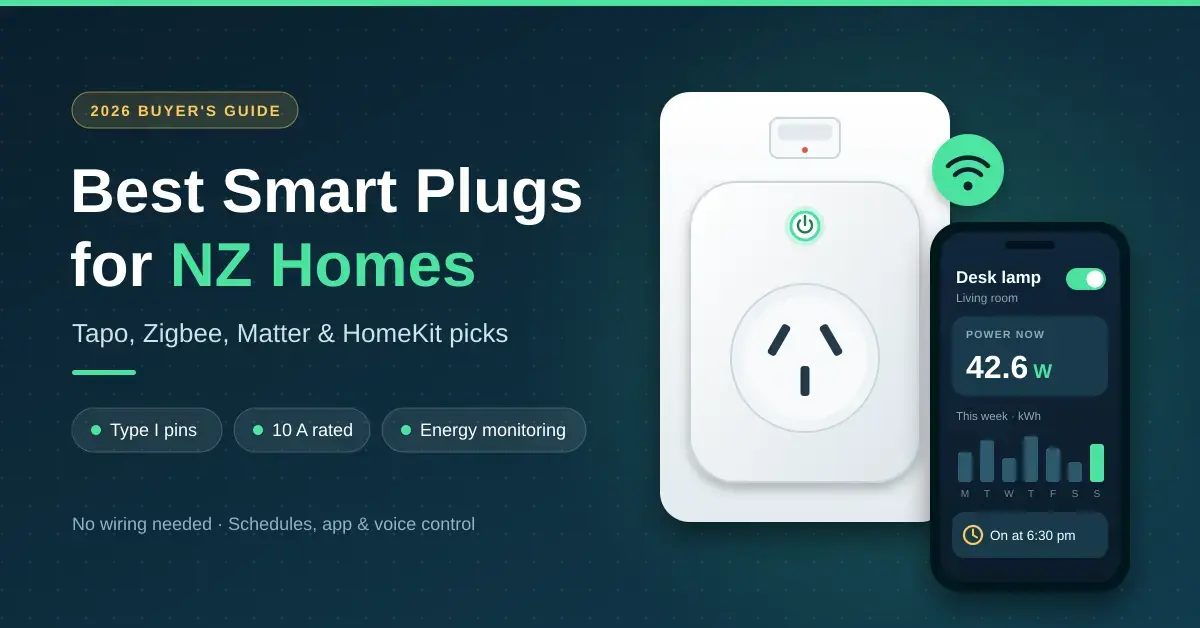
For most homes, the best smart plugs sold in New Zealand are Wi-Fi plugs with Australian/NZ pins, a 10 A rating and built-in energy monitoring — such as TP-Link’s Tapo P110 or the Matter-certified Tapo P110M, both around $30 as of September 2026. This guide is written for renters and homeowners who want schedules, remote control and real power readings without touching any wiring.
A smart plug sits between the wall socket and an appliance and switches it on a timer, from your phone or by voice. If you are still deciding which devices are worth buying at all, start with our beginner’s guide to smart home devices in NZ. Below you will find which plugs to buy, the New Zealand electrical rules that matter, and a plain running-cost breakdown that shows what scheduling actually saves.
Key points
- Buy the AU/NZ version: Type I pins (AS/NZS 3112), a 10 A (about 2,300 W) rating and the RCM mark.
- The Tapo P110 and P110M are the best value in New Zealand; the P110M adds Matter, so it also works with Apple Home.
- Zigbee and Thread plugs suit anyone running a hub such as Home Assistant, and they extend the mesh for other devices.
- Real savings come from scheduling heaters, dehumidifiers and towel rails, not from cutting 2-5 W of standby.
- Hard-wired smart switches and in-wall relays are a job for a licensed electrician.
Best smart plugs in NZ: our picks for 2026
The shortlist below reflects what New Zealand retailers stocked in September 2026, all in AU/NZ versions. Prices are typical ranges across PB Tech, Noel Leeming, JB Hi-Fi and similar stores, and they move often, so treat them as a guide rather than a quote.
| Plug | Connects via | Energy monitoring | Works with | Typical price | Best for |
|---|---|---|---|---|---|
| TP-Link Tapo P110M | 2.4 GHz Wi-Fi + Matter | Yes | Google, Alexa, Apple Home, SmartThings | About $30 | Most homes |
| TP-Link Tapo P110 | 2.4 GHz Wi-Fi | Yes | Google, Alexa | About $30 | Energy readings without Matter |
| TP-Link Tapo P100 | 2.4 GHz Wi-Fi | No | Google, Alexa | About $20 | Lamps and simple timers |
| Brilliant Smart Wi-Fi range | 2.4 GHz Wi-Fi | Selected models | Google, Alexa | Varies | USB, double and outdoor plugs |
| Eve Energy (AU version) | Thread (Matter) | Yes | Apple Home, Google, Alexa, SmartThings | Premium; stock varies | Apple households |
| Zigbee plugs (AU pins) | Zigbee | Most models | A Zigbee hub or Home Assistant | Varies | Home Assistant setups |
Quick facts
| Maker | TP-Link (Tapo) — tp-link.com/nz |
|---|---|
| Recommended model | Tapo P110M (Matter-certified) |
| Maximum load | 10 A, 2,300 W (220-240 V, 50/60 Hz) |
| Connectivity | 2.4 GHz Wi-Fi + Matter (Bluetooth for setup only) |
| Works with | Apple Home, Google Home, Alexa, SmartThings |
| Energy monitoring | Yes — live watts plus daily and monthly kWh |
| Compliance | RCM mark, AS/NZS 3112 Type I pins |
| Typical NZ price | About $30 (September 2026) |
Tapo smart plug: P100 vs P110 vs P110M
Tapo is the default choice for most Kiwi homes: it is widely stocked, the app is simple and there is no subscription. The P100 is a plain on/off plug with schedules and timers. The P110 adds energy monitoring, showing live watts plus daily and monthly kilowatt-hours (kWh, the unit your power bill is charged in).
The P110M adds Matter certification. Its official specifications list a 10 A / 2,300 W maximum, 220-240 V input, 2.4 GHz Wi-Fi and Bluetooth for setup only — see the Tapo P110M mini smart Wi-Fi plug page at TP-Link for the full datasheet. Because the P110M now sells for roughly the same price as the P110 in New Zealand, it is the sensible pick unless you are certain you will never want Apple Home, Siri control or a Matter hub.
Brilliant smart plug options
Brilliant Lighting, an Australian brand stocked by New Zealand retailers including PB Tech, sells a Wi-Fi range run through the Brilliant Smart app. The NZ line-up includes plugs with USB-A and USB-C chargers, a double plug, a four-outlet power board, an IP44 outdoor double plug and a wall plug with energy monitoring. Only some models report power use, so check the individual listing — the current range is set out on the Brilliant Lighting smart plugs and powerboards (NZ) page.
Zigbee smart plug options in NZ
Zigbee plugs do not use your Wi-Fi. They talk to a Zigbee coordinator — such as the Zigbee radio on a Home Assistant Green setup or an Aqara hub — and every mains-powered Zigbee plug also acts as a router that extends the mesh for battery sensors elsewhere in the house. The catch is availability: many are sold with EU, UK or US pins, so only buy one listed with AU/NZ pins and an RCM compliance mark.
Apple Home and HomeKit smart plugs in NZ
The easy route into Apple Home is Matter: a Matter-certified plug such as the Tapo P110M joins the Home app when you scan its setup code. Eve Energy’s AU version uses Matter over Thread, so it needs a Thread border router such as a HomePod mini or a recent Apple TV 4K — hardware you will want anyway for control while you are away from home.
Where smart plugs help in a Kiwi home
Smart plugs earn their keep on appliances that plug in and have a simple on/off switch. The best candidates are the loads people forget to turn off:
- Bedroom fan and panel heaters, set to warm a room before you get up (read the heater rules further down first).
- Dehumidifiers, timed for when the house is empty or power is cheaper.
- Plug-in heated towel rails, which are often left on all day.
- Lamps on a sunset schedule while you are away, plus Christmas lights and phone chargers.
They are the wrong tool for a few things. Heat pumps should be run from their own controls — if yours is a Mitsubishi, our guide to adding Wi-Fi control to a heat pump is the safer route than cutting its power at the wall. Fridges, freezers and anything hard-wired should never sit behind a smart plug.
New Zealand electrical safety standards
New Zealand runs on 230 V at 50 Hz with Type I sockets, the angled flat pins shared with Australia and set out in the AS/NZS 3112 standard. A standard socket is rated 10 A, about 2,300 W at 230 V (some plugs quote 2,400 W, rated at 240 V). Getting the version right is the single most important buying decision.
| Check | What you want | Why it matters |
|---|---|---|
| Pins | AU/NZ Type I (AS/NZS 3112) | Fits NZ sockets without an adaptor |
| Voltage | 220-240 V, 50 Hz | US plugs are built for 120 V and can fail dangerously here |
| Rating | 10 A, 2,300-2,400 W | Matches a standard NZ socket |
| Marking | RCM on the plug or packaging | Shows it meets electrical safety and EMC rules |
| Placement | Straight into the wall | Adaptors and power boards add heat and share one 10 A limit |
The RCM (a tick inside a triangle) shows a product complies with both electrical safety and electromagnetic-compatibility requirements; you can read what the mark covers on WorkSafe’s page on electrical marks, including the RCM, from WorkSafe Energy Safety. Buying from a New Zealand retailer is the simplest way to get the right version; overseas marketplace listings often have foreign pins, no compliance marking, or both.
Smart switches and in-wall relays need an electrician
Smart wall switches and in-wall relay modules are fixed wiring, not plug-in gear, so they are not a DIY job. WorkSafe allows homeowner-occupiers to do only very limited work, and any new wiring must be tested, connected and certified by a licensed person — the rules are laid out in WorkSafe’s guidance on doing your own electrical work. Tenants cannot do it at all. In practice, have a registered, licensed electrician fit any hard-wired smart gear.
Energy monitoring and what it saves
A plug with energy monitoring (the Tapo P110 and P110M, Eve Energy, and Brilliant’s energy-monitoring model) shows what an appliance draws right now and totals its kWh by day and month, so you can see what the dehumidifier really costs each week. The savings, though, do not come from the monitoring itself — they come from cutting the hours a big load runs. The table below uses 40c/kWh, close to the 2026 national average residential price, so adjust it to your own tariff.
| Appliance | Typical power | Use now | On a schedule | Cost now / year | Cost scheduled / year | Saving / year |
|---|---|---|---|---|---|---|
| Fan or panel heater | 2,000 W | 5 h/day, 120 days | 3 h/day, 120 days | 1,200 kWh, about $480 | about 724 kWh, about $290 | about $190 |
| Dehumidifier | 250 W | 10 h/day, 180 days | 6 h/day, 180 days | 450 kWh, about $180 | 270 kWh, about $108 | about $72 |
| Heated towel rail | 100 W | Left on 24/7 | 4 h/day | 876 kWh, about $350 | 146 kWh, about $58 | about $290 |
| TV and soundbar on standby | 5 W | Always on | Off at the wall | about 44 kWh, about $18 | near $0 | about $16 |
Worked example: a bedroom heater
A 2,000 W fan heater running five hours a day across a 120-day winter uses about 1,200 kWh, or roughly $480 at 40c/kWh. Schedule it for three hours instead and it drops to about 720 kWh, plus a few kWh for the plug itself: around $290 a year, saving close to $190. That is where a $30 plug pays for itself in a single winter. Put the same plug on a TV and soundbar idling at 5 W and it saves only about $16 a year — useful, but not the reason to buy.
What standby power really costs
Consumer NZ found that TVs, home-theatre systems, games consoles and microwaves typically draw 2-5 W on standby; their own worked example puts a microwave sitting at 5 W at close to $14 a year. You can check your own gear against the figures on Consumer NZ’s guide to how much power your appliances use. At 40c/kWh, each watt left on all year costs about $3.50, so the maths is simple:
| Load left on all year | Standby power | Cost per year at 40c/kWh |
|---|---|---|
| Modern TV, console or microwave | 2-5 W | about $7-$18 |
| Older or always-connected gear | 15-25 W | about $50-$88 |
| A smart plug’s own draw | about 0.5 W | about $1.75 |
The takeaway: cutting standby saves a handful of dollars, and the plug uses a little power of its own, so on low-wattage gadgets a smart plug is mostly about convenience. For whole-house figures, a home energy monitor fitted at the switchboard is the better tool than a plug on every device.
Matter and how devices work together
Matter is an open standard that lets one device work with Apple Home, Google Home, Amazon Alexa and Samsung SmartThings, controlled over your home network rather than only through a company’s cloud. You can read what it covers on the Matter page from the Connectivity Standards Alliance. A Matter smart plug can join several ecosystems at once, so an Android user and an iPhone user in the same house can both control it.
Matter runs over Wi-Fi (as on the Tapo P110M) or over Thread (as on Eve Energy). Thread needs a border router, which is built into devices such as the HomePod mini and the second-generation Nest Hub. One caveat: not every app shows energy data from Matter plugs yet, so you may still open the maker’s own app to see power history.
Getting the network and range right
Most Wi-Fi smart plugs use only the 2.4 GHz band. It reaches further through walls than 5 GHz, but if your router broadcasts one network name for both bands, a plug can fail to join. Setting it up next to the router usually fixes this; if not, our router settings guide shows where to create a separate 2.4 GHz network for smart devices.
A plug at the far end of a long weatherboard house, or out in the garage, may keep dropping off. A mesh Wi-Fi system usually solves that, and our home network setup guide covers planning a network for dozens of devices.
| Protocol | Hub needed? | Extends the mesh? | Best for |
|---|---|---|---|
| Wi-Fi (2.4 GHz) | No | No | A few plugs, simple app control |
| Zigbee | Yes, a coordinator | Yes | Home Assistant and many sensors |
| Thread (Matter) | A border router | Yes | Apple Home and local control |
| Bluetooth | No | No | Setup only on most plugs |
Scheduling and automation
Most apps offer four levels of control, from simple to smart:
- Schedules: fixed times, such as a towel rail from 6 to 8 am and 5 to 8 pm.
- Countdown timers: switch off after a set period, handy for heaters and chargers.
- Away mode and sunset timers: lamps come on at varied times while you are on holiday.
- Triggers: a hub can turn a dehumidifier on when a humidity sensor passes 65%. Our home automation explainer covers routines like this.
Using a smart plug with a heater: the rules
A 2,000 W heater draws about 8.7 A (2,000 divided by 230), close to a 10 A plug’s limit, for hours at a time. Get this wrong and you create a fire risk, so follow these steps:
- Plug the smart plug straight into a wall socket, never into a power board or double adaptor.
- Use a plug rated 10 A / 2,300 W or more, and keep the heater at 2,000 W or less.
- Choose a heater with a mechanical switch or dial. Electronic touch controls usually stay off when power returns, so the schedule cannot start them.
- Pick heaters with tip-over and overheat cut-outs, and keep them clear of bedding and curtains.
- Check the plug and socket for warmth the first few times; discolouration or a burning smell means stop using it.
Plug shapes and multi-plug options
Compact ‘mini’ plugs, such as Tapo’s, are designed to leave the neighbouring outlet free, while bulkier plugs can block the second outlet on a double wall socket. Match the shape to where it will live.
| Type | Outlets | Typical use | Watch out for |
|---|---|---|---|
| Mini plug | 1 | Heaters, lamps, dehumidifiers | Bulky designs blocking the next outlet |
| Double plug | 2 | Bedside lamp plus fan | Shares one 10 A socket |
| Smart power board | 4, often with USB | Desks and TV cabinets | Total load still capped at 10 A |
| Outdoor plug (IP44) | 1-2 | Garden and Christmas lights | Needs an RCD-protected outdoor socket |
Security and privacy for smart plugs
A smart plug is a small computer on your network, so treat it like one:
- Use a unique password on the app account — a password manager makes this painless — and turn on two-factor sign-in.
- Install firmware updates, and favour brands that keep issuing them.
- Put smart devices on a guest or separate network if your router supports it.
- Prefer plugs that also work locally (Matter, Zigbee or Home Assistant) if you would rather not depend on one cloud account.
If you are planning cameras, sensors and alarms as well, our guide to smart home security systems in NZ covers the wider setup.
Smart plugs in rental properties
Smart plugs suit renters because nothing is wired in or fixed to the walls. Schedules make portable heaters and dehumidifiers cheaper to run, flatmates can each get app access instead of sharing one login, and when you move you simply factory-reset the plugs and take them with you.
Landlords should note one limit: a portable heater on a smart plug does not count towards the Healthy Homes heating standard, which requires a fixed heater able to warm the main living room to at least 18°C. A smart plug is a good tenant convenience, not a compliance shortcut.
Common mistakes to avoid
Most smart-plug problems come down to a handful of avoidable mistakes:
- Buying an overseas version and running it on a travel adaptor — the pins, voltage and compliance are all wrong.
- Mixing three brands and three apps with no plan. Pick one app, or buy Matter plugs so they all live in one place.
- Expecting big savings from switching off gadgets on standby; the real money is in scheduling large loads.
- Scheduling a heater or electric blanket with electronic controls, which never turns back on after power returns.
- Overloading a smart power board or double adaptor beyond the 10 A the wall socket allows.
The future of smart power management
Recent Matter versions let devices report energy use, so whole-home apps should increasingly show plug data in one place. With time-of-use power plans now common in New Zealand, a hub can shift dehumidifiers and other flexible loads into cheaper overnight hours, or into sunny hours if you have solar — our solar and battery calculator helps size that up. The same load-shifting logic is spreading to EV charging as uptake grows; New Zealand already sits mid-table on electric-car use by country, and smart plugs are an early, low-cost way to start scheduling power around cheaper rates.
Which smart plug is right for you
- Most NZ homes: the Tapo P110M covers energy monitoring, Matter and every major app for about $30.
- Tight budget, no Apple devices: the Tapo P110 does the same job for a little less.
- Running Home Assistant: build around Zigbee or Thread plugs, which also strengthen your mesh.
- Where the savings live: scheduling heaters, dehumidifiers and towel rails, not cutting standby.
- Anything hard-wired: leave it to a licensed electrician.
This guide is general information, not electrical or financial advice. Working with mains electricity carries real risk, and if anything is unclear you should consult a registered electrician. Prices, stock and product line-ups change often, and every figure here was checked in September 2026.
Sources
Frequently asked questions (FAQ)
Can I use a US smart plug with an adapter in NZ?
No. US smart plugs are designed for 120 V, and running one through a travel adaptor on New Zealand’s 230 V supply can damage it or create a fire risk. Buy an AU/NZ version with Type I pins and an RCM mark.
What is the best smart plug for a 2000W heater?
A plug rated 10 A / 2,300 W or more, such as the Tapo P110 or P110M, plugged straight into the wall rather than a power board. Use a heater of 2,000 W or less with a mechanical switch, so it turns on when the plug does.
Will a smart plug save me money on my power bill?
Yes, if it cuts the hours a big load runs. Trimming a 2,000 W heater by two hours a day over a 120-day winter saves about $190 at 40c/kWh. Switching off gadgets idling at 2-5 W saves only around $10-$20 a year.
Does a smart plug need a hub?
Wi-Fi plugs such as Tapo and Brilliant connect straight to your router, so no hub is needed. Zigbee plugs need a Zigbee coordinator, and Thread plugs such as Eve Energy need a Thread border router like a HomePod mini.
Is Matter better than Wi-Fi for smart plugs?
Matter is not a replacement for Wi-Fi; it is a common language that runs over Wi-Fi or Thread. A Matter smart plug is the better buy if your household mixes Apple, Google and Alexa, or if you want local control that does not depend on one cloud account.




