
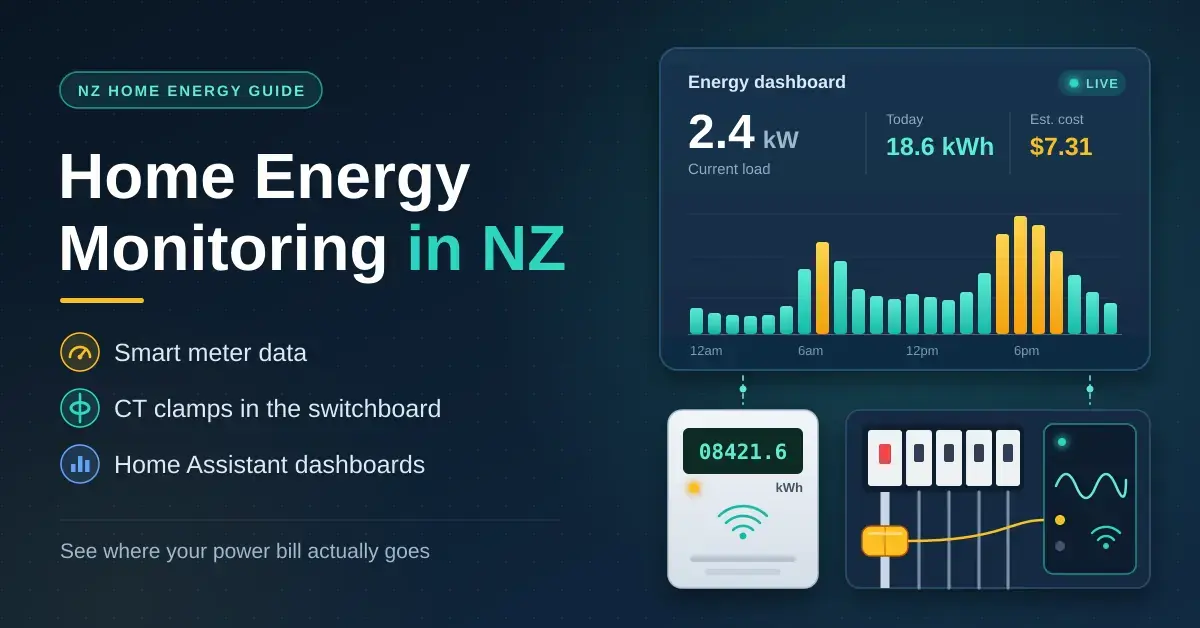
A home energy monitor tells you where your power bill actually goes. In New Zealand it can be as simple as the half-hourly data your electricity retailer already holds, or as detailed as current-transformer (CT) clamps inside your switchboard feeding a live dashboard. This guide walks through every option — what each one shows, what it costs, and which ones legally need a licensed electrician — so households and tinkerers alike can pick the right approach for their home.
It is worth the effort. New Zealand power is not cheap: MBIE’s Quarterly Survey of Domestic Electricity Prices put the national average at 39.3c/kWh including GST as at February 2026, and prices have kept rising since. On that basis MBIE’s model household — 22 kWh a day, or 8,000 kWh a year — pays well over NZ$3,000, so trimming even 10% is worth a few hundred dollars a year. If you already run a Home Assistant box such as the Home Assistant Green, you are most of the way to a live energy dashboard.
Key takeaways
- Your smart meter already logs half-hourly use; your retailer must supply up to 24 months of it within five working days of a complete request, usually free.
- Energy-monitoring smart plugs are the easiest way to measure any plug-in appliance.
- Whole-house, real-time monitoring uses CT clamps inside the switchboard — in NZ that is licensed-electrician work.
- Space heating (34%) and hot water (29%) were about 63% of household energy in BRANZ’s HEEP study, so that is where savings hide.
- Home Assistant’s Energy dashboard pulls smart plugs, Shelly meters and DIY sensors together locally, with no subscription.
How much power does a NZ home use?
Heating and hot water dominate a New Zealand power bill, while the gadgets people fret about — phone chargers, TVs on standby — barely register. MBIE models a typical household at 22 kWh a day (8,000 kWh a year) for its price survey. The most detailed local measurement study, BRANZ’s Household Energy End-use Project (HEEP), found the average home used about 11,000 kWh of energy a year across all fuels, with the heaviest-using fifth of homes topping 14,400 kWh.
HEEP measured where that energy actually went. Low-temperature heat — space heating plus hot water — made up roughly 63% of household energy, which is exactly where savings tend to hide:
| End use | Share of household energy (all fuels) |
|---|---|
| Space heating | 34% |
| Hot water | 29% |
| Other appliances | 13% |
| Refrigeration | 10% |
| Lighting | 8% |
| Cooking | 6% |
Figures come from the BRANZ Household Energy End-use Project (HEEP), Bulletin 486. A home energy monitor proves the pattern for your own house rather than the national average. If a heat pump is your biggest winter load, running it well matters — our guide to Mitsubishi heat pump Wi-Fi control covers scheduling it through the official app or a local ESP32.
Four ways to monitor home energy use
There are four practical ways to measure home energy in New Zealand, and most people work up through them as they need more detail. Start with the free option and only pay for what it cannot tell you.
| Method | What you see | Cost | Installation | Best for |
|---|---|---|---|---|
| Retailer smart-meter data | Whole house, half-hourly, usually a day behind | Free | None | Everyone: start here |
| Sensor on the meter’s LED | Whole house, near real time | Low (DIY parts) | Stick-on sensor, no wiring | Home Assistant tinkerers |
| Energy-monitoring smart plugs | One plug-in appliance at a time | Low per plug | Plug in | Fridges, heaters, dehumidifiers |
| CT clamp energy monitor | Whole house and individual circuits, live | Moderate, plus an electrician | Licensed electrician | Solar, EVs, detailed tracking |
How to get your smart meter data in NZ
Most NZ homes now have a smart meter that records consumption every half hour, and many retailers show it in their app or online account, usually a day behind. That alone answers useful questions: what your house draws overnight, how much a frosty morning adds, and whether a time-of-use or free-hours plan would suit you. The two limits are that the data is whole-house only and it arrives after the fact, so it will not tell you in real time that the dryer just started.
Requesting your half-hourly data
You can ask for the raw numbers. Under the Electricity Authority’s rules you can request up to 24 months of your consumption data from your retailer, and it must supply the data within five working days of a complete request — usually free of charge, with a fee only for frequent repeat requests or a non-standard format. Ask for the standard EIEP13A file, a comma-separated format that opens in any spreadsheet. If you have switched retailers in that period, you may need to ask each company for its share. The Electricity Authority explains how to access consumer data and what retailers must provide.
Reading the meter’s flashing LED
Smart meters have an LED that flashes in proportion to energy use, with the rate printed on the meter face — for example 1000 imp/kWh, which is one flash per watt-hour. An optical sensor held over that LED, wired to an ESP32 running ESPHome’s pulse_meter component, turns the flashes into live watts and a running kWh total. It is completely non-invasive, which makes it the favourite DIY option. The meter belongs to your metering company, though, so never open or tamper with it: use removable tape or a clip on the outside of the window, and check the meter box has room.
This is the modern version of the classic “electricity meter over MQTT” project, where an Arduino counted pulses and published them to a broker. ESPHome now does the same job in a few lines of YAML and still supports MQTT if you prefer it to Home Assistant’s native API.
CT clamp energy monitors explained
A current transformer (CT) is a split ring that clamps around a single conductor. Alternating current in the cable induces a much smaller, proportional current in the CT’s winding, which the monitor measures — nothing connects electrically to the conductor itself. The catch is that the clamp must go around one active (or one neutral) conductor, not the whole cable: if it encloses both, the opposing currents cancel and the monitor reads close to zero.
The SCT-013 current transformer
The YHDC SCT-013 series is the CT most DIY projects use. The SCT-013-000 is rated 100 A to 50 mA, with 2,000 turns and a 3.5 mm plug, and it has no built-in burden resistor: you add one so the output becomes a voltage your microcontroller can read. OpenEnergyMonitor’s worked example gives a peak secondary current of about 0.0707 A at 100 A, which means roughly 33 Ω on a 5 V Arduino and 22 Ω on a 3.3 V ESP32, plus a two-resistor divider to bias the signal to mid-supply. Voltage-output versions such as the SCT-013-030 (30 A to 1 V) have the burden built in and plug straight into an analog input. The OpenEnergyMonitor CT sensor documentation has the full maths.
Apparent power vs real power
A CT on its own only measures current, not power. Multiplying that current by an assumed 230 V gives apparent power, which overstates the real draw of motors, heat pumps and electronics because their current and voltage are out of step (a low “power factor”). For real power in watts and a true kWh total, the monitor also has to measure the mains voltage — which is exactly why commercial monitors wire into the supply rather than just clipping onto a cable.
Shelly EM and Shelly Pro EM-50
Shelly’s energy meters are the most common ready-made CT monitors in New Zealand, stocked by local smart-home and electrical suppliers. The two-channel Shelly EM (clamps sold separately, up to 120 A per channel) was NZ$161.99 at Lykalyte in September 2026, with a newer Shelly EM Gen3 around NZ$225.99. The DIN-rail Shelly Pro EM-50 (about NZ$282.99) adds two 50 A channels, Wi-Fi, Ethernet and Bluetooth, a relay for switching a contactor, MQTT support and at least 60 days of one-minute readings; three-phase homes step up to a Shelly Pro 3EM. All of them work locally with Home Assistant, and all wire into the switchboard.
Switchboards are often in a garage or on an outside wall where Wi-Fi is weak, so the Pro EM-50’s Ethernet port helps — or add a Wi-Fi extender before the electrician arrives.
Is the Emporia Vue available in NZ?
The Emporia Vue is popular in the United States but is designed for North American switchboards and split-phase supplies. When we checked in September 2026 we found it only on grey-import sites, not through NZ retailers or electrical wholesalers, and an NZ electrician may decline to fit it. For anything that lives in your switchboard, choose a monitor sold for the Australian and New Zealand market that your electrician is comfortable installing.
DIY with ESP32, ESPHome and OpenEnergyMonitor
Makers can build their own monitor with an SCT-013 clamp and an ESP32 running ESPHome’s CT clamp sensor, ideally through an external analog-to-digital converter such as an ADS1115, or with a board based on a dedicated energy-metering chip. OpenEnergyMonitor, an open-source project, publishes complete monitor designs, firmware and the best CT documentation around. Our Arduino vs ESP32 vs Raspberry Pi guide explains which board to start with, and if you log readings on a Pi that might lose its internet connection, add a real-time clock so timestamps stay correct. The switchboard rule still applies to DIY hardware: a licensed electrician fits the clamps.
Who can legally install an energy monitor in NZ?
Anything inside the switchboard is licensed-electrician work in New Zealand. WorkSafe’s guidance for homeowners is blunt: apart from replacing fuse links or plug-in miniature circuit-breakers of the correct rating, you must not work on a switchboard. Opening one to fit CT clamps or a DIN-rail meter exposes live parts, so it is a job for a registered electrical worker. Tenants and landlords cannot do electrical work in a rented home at all unless they are themselves registered. WorkSafe sets out the boundaries for doing your own electrical work.
That still leaves plenty you can do yourself: request your smart-meter data, use energy-monitoring smart plugs, and fit an optical sensor to the outside of the meter’s LED window. For a CT monitor, buy the hardware first and then book an electrician; for a tidy job, ask them to label each clamp with the circuit it measures.
Setting up the Home Assistant energy dashboard
Home Assistant has a built-in Energy dashboard that shows grid use, solar production, batteries, gas and individual devices by hour, day, week and month. It works from sensors that report energy in kWh; current versions also accept power sensors in watts, and the built-in integration (“Riemann sum”) helper can turn a watts-only sensor into a kWh total. Enter a fixed price per kWh, or point it at a sensor that tracks your tariff, and it shows costs alongside consumption. The official Home Assistant energy documentation covers the setup.
- Shelly monitors are discovered on your network and expose their energy sensors through the local Shelly integration.
- ESPHome devices such as a pulse counter or CT-clamp build appear automatically once adopted.
- Energy-monitoring smart plugs can be added as individual devices, so the dashboard shows what share of the total each appliance uses.
- MQTT sensors from older Arduino projects still work, provided they publish a kWh total.
If Home Assistant is new to you, our home automation basics guide covers the groundwork. Planning solar? Clamping both the grid feed and the inverter output shows how much of your own generation you actually use, which matters for sizing — our solar panel and battery calculator helps with that.
Electricity use by appliance: finding the energy hogs
For anything with a plug, an energy-monitoring smart plug is the quickest answer: leave it on the appliance for a week and read the kWh. Our guide to the best smart plugs for NZ homes lists models that measure energy. Hard-wired loads such as the hot water cylinder, oven and heat pump need a CT clamp on their circuit, or some detective work in your half-hourly data. The table below shows typical annual running costs so you know roughly what to expect before you measure.
Appliance running costs
| Appliance | Typical use | kWh a year | NZ$ a year at 35c/kWh |
|---|---|---|---|
| Hot water cylinder | Heats and cycles all day | ~2,500 | ~$875 |
| EV home charging (7 kW) | ~1 hour a day | ~2,600 | ~$910 |
| Heat pump (winter heating) | A few hours on cold days | ~1,200 | ~$420 |
| Fridge-freezer | Runs 24/7, cycles | ~400 | ~$140 |
| Heated towel rail (100 W) | Left on 24/7 | 876 | $307 |
| Chest freezer | Runs 24/7, cycles | ~300 | ~$105 |
| Dishwasher | ~1 cycle a day | ~300 | ~$105 |
| Dehumidifier (250 W) | ~8 hours a day | ~730 | ~$256 |
| Router, modem and standby gadgets | ~30 W, 24/7 | ~263 | ~$92 |
| Clothes dryer (2.4 kW) | ~4 loads a week | ~250 | ~$88 |
| TV (100 W) | ~4 hours a day | ~146 | ~$51 |
| LED lighting, whole house (80 W) | ~5 hours a day | ~146 | ~$51 |
Those are estimates, not measurements — heat pumps, fridges and cylinders cycle on and off, so real figures depend on your home. Two checks in your smart-meter data are worth doing first:
- Your overnight baseline. Find the lowest half-hour reading between midnight and 5am. A reading of 0.3 kWh in half an hour means about 600 W running constantly — roughly NZ$1,840 a year at 35c/kWh. Fridges, freezers, heated towel rails, spa pools and always-on electronics are the usual suspects.
- Heated towel rails. A 100 W rail left on around the clock uses 876 kWh a year, about NZ$307 at 35c/kWh. A timer or smart switch that runs it for a few hours a day saves most of that.
Common mistakes with home energy monitors
- Clamping a whole cable. With both active and neutral inside the clamp their currents cancel, so the monitor reads near zero. Each clamp goes around a single conductor.
- Clamps facing the wrong way. This produces negative readings, which matters once you have solar and need to tell import from export.
- Trusting current-only readings. Without a voltage measurement, a monitor assumes 230 V and a power factor of one, overstating many appliances.
- Buying a monitor made for another market. North American units are built for different switchboards, and an NZ electrician may refuse to fit them.
- Overloading smart plugs. Many are rated at 10 A — about 2,300 W at 230 V — which a large heater on for hours can exceed. Check the rating before you plug in a big load.
- Chasing standby watts while ignoring heating and hot water. A phone charger costs cents a year; a poorly set heat pump or cylinder costs hundreds.
How to choose the right energy monitor
Match the tool to the question you are trying to answer. For most households the sensible path is to start free and add hardware only where the free data falls short.
- Start free. Request your half-hourly smart-meter data and study the overnight baseline and the winter peaks.
- Probe suspects. Add an energy-monitoring smart plug or two to check dehumidifiers, heaters and old fridges.
- Go whole-house. For live, circuit-level data, a Shelly EM or Pro EM-50 fitted by an electrician is the simplest CT option, with local Home Assistant support and no subscription.
- Tinker within the rules. If you cannot touch the switchboard, an optical sensor on the meter’s LED plus ESPHome gets you most of the value non-invasively.
Disclaimer: Prices and product availability were checked in September 2026 and change often. This guide is general information, not electrical or financial advice; always use a licensed electrician for any switchboard work. Nicegear is independent, sells nothing here and has no paid placements.
Sources
- Electricity cost and price monitoring (Quarterly Survey of Domestic Electricity Prices) – MBIE
- Access consumer data – Electricity Authority
- Household Energy End-use Project (HEEP), Bulletin 486 – BRANZ
- Doing your own electrical work – WorkSafe
- CT sensors: interfacing with an Arduino – OpenEnergyMonitor documentation
- Shelly Pro EM-50 – Shelly Knowledge Base
- Home energy management – Home Assistant documentation
- CT clamp current sensor – ESPHome
- Shelly EM – Lykalyte (NZ pricing)
Frequently asked questions
How can I monitor my home’s energy use in NZ?
Start with your retailer’s app or a request for your half-hourly smart-meter data, which costs nothing. Add energy-monitoring smart plugs for individual plug-in appliances, and have an electrician fit a CT-clamp monitor such as a Shelly EM if you want live, whole-house readings feeding Home Assistant.
Do I need an electrician to install an energy monitor?
Yes for anything inside the switchboard, including CT clamps and DIN-rail meters. WorkSafe allows homeowners to replace only fuse links or plug-in circuit-breakers, so switchboard work is for a licensed electrician. Plug-in monitors, smart plugs and an optical sensor on the outside of the meter need no electrician.
Can I get my smart meter data in NZ, and how?
Yes. You can request up to 24 months of consumption data from your retailer, which must supply it within five working days of a complete request, usually free. Ask for the standard EIEP13A file, which opens in any spreadsheet; a charge may apply only for frequent repeat requests or a non-standard format.
Does Home Assistant have an energy dashboard?
Yes, it is built in and runs locally with no subscription. It works with energy sensors from a Shelly meter, an ESPHome device, an MQTT sensor or energy-monitoring smart plugs, and it shows running costs once you enter your price per kWh.
What uses the most electricity in a NZ house?
Heating and hot water. In BRANZ’s HEEP study, space heating was about 34% and water heating 29% of household energy — together roughly 63% — well ahead of refrigeration, lighting, cooking and other appliances. That is why a monitor pays off fastest when pointed at those loads.




