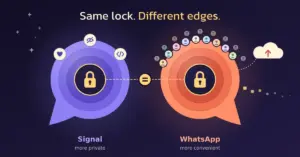
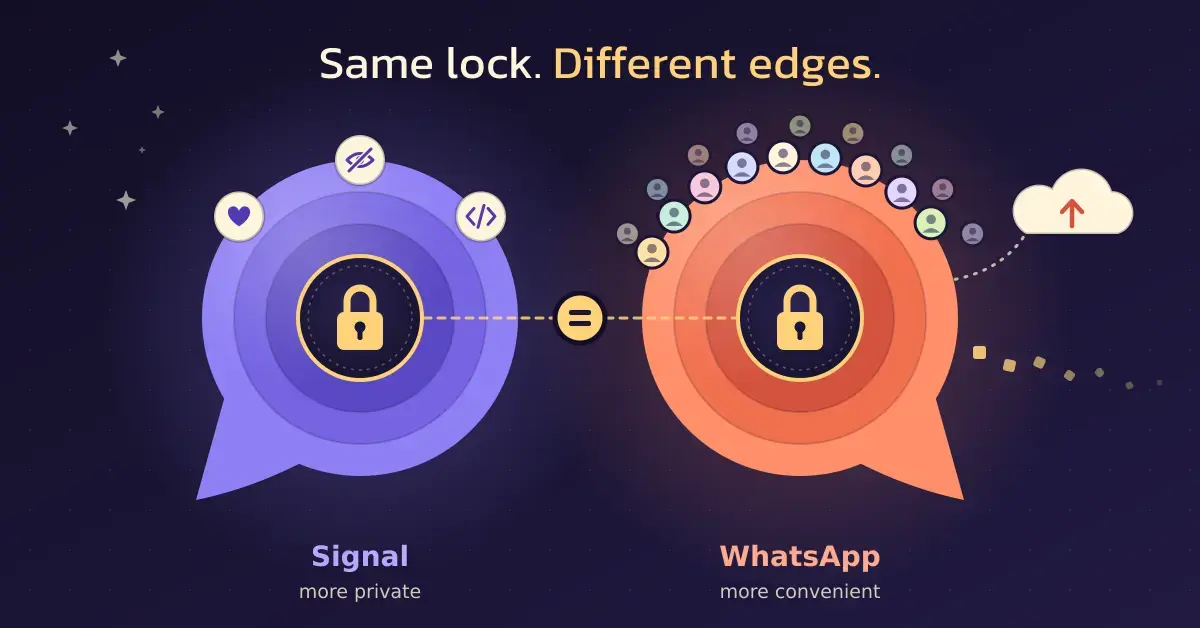
Signal and WhatsApp both promise private messaging, and both use the same underlying encryption for your messages. The real differences sit around the edges: who owns each app, how much it knows about you, what happens to your backups, and how many of your contacts you will actually find on it. This guide compares the two on safety and everyday usefulness for New Zealand users, so you can decide which one deserves a place on your phone – or whether, like many people, you are better off keeping both.
The short answer: Signal is the more private, WhatsApp the more convenient
Signal is the safer choice if privacy is your priority. It is run by a non-profit, collects almost no information about you, keeps your data out of any advertising ecosystem, and its code is open for anyone to inspect. WhatsApp is the more convenient choice because nearly everyone already has it, which makes it the path of least resistance for family group chats and overseas contacts.
Both apps encrypt the content of your messages to the same high standard, so for the words you type, neither is meaningfully “less secure” than the other. The gap opens up around metadata – the record of who you talk to, when and how often – and around the company behind each app. If that distinction matters to you, read on; the detail is where the decision gets made.
What Signal and WhatsApp actually are
Both are free messaging apps that send texts, photos, voice notes and video over your internet connection rather than as paid SMS. Both also handle voice and video calls, group chats and disappearing messages. Where they part ways is ownership and business model.
What Signal is and who runs it
Signal is built and operated by the Signal Technology Foundation, an American 501(c)(3) non-profit. It has no advertisers and no shareholders to answer to; it runs on donations and grants. Signal is also fully open source, meaning its apps and server code are published publicly and can be audited by independent security researchers. That transparency is a big part of why privacy experts tend to recommend it, and it sits alongside other privacy-respecting tools in the wider world of open-source software.
What WhatsApp is and who runs it
WhatsApp is owned by Meta, the company behind Facebook and Instagram. It is the most widely used messaging app in the world, with more than three billion monthly active users as of early 2025 – which is exactly why most of your contacts are already reachable on it. WhatsApp’s messaging code is not open source, although the encryption method it uses is public and well documented. Being part of Meta also means WhatsApp shares certain information with other Meta companies, something we come back to below.
Do both apps really use the same encryption?
Yes. The content of your chats on both apps is protected by end-to-end encryption built on the Signal Protocol, the open encryption system developed by Signal’s own team. End-to-end encryption means a message is scrambled on your device and can only be unscrambled on the recipient’s device – not by the network in between, and not by the company running the app.
On both apps this applies automatically to one-to-one chats, group chats, and voice and video calls. On WhatsApp it is on by default and cannot be switched off for personal conversations. So if your only worry is someone intercepting the actual words of a message in transit, both apps clear that bar. The differences that follow are not about the message content itself – they are about everything around it.
Metadata: the biggest difference between Signal and WhatsApp
Metadata is the single most important difference between the two apps. Even when message content is encrypted, a messaging service can still see metadata: which accounts are talking to each other, when, how often, and from roughly where. That pattern alone can reveal a lot about your life.
Signal is deliberately built to hold as little of this as possible. The foundation has said that when served with a legal demand, the only information it can hand over about an account is the date it was created and the date it last connected to the service – not message content, contacts or logs of who you spoke to. Signal also uses a feature it calls Sealed Sender, which hides even from Signal itself who is sending a message to whom.
WhatsApp sits at the other end. Because it is a Meta product, it collects far more operational data and, under its privacy policy, shares information with other Meta companies for purposes including safety, service improvement and showing relevant offers and ads across Meta’s products. The messages stay encrypted, but the surrounding information about your usage does not enjoy the same minimalism Signal is designed around. If keeping your communication patterns out of a large advertising company is the goal, Signal is the clear pick – much as a VPN for NZ users is about limiting what others can observe rather than hiding the content itself.
Comparison
| Feature | Signal | |
|---|---|---|
| Owner | Signal Technology Foundation (non-profit) | Meta |
| Message encryption | End-to-end (Signal Protocol) | End-to-end (Signal Protocol) |
| Open source | Yes, fully | No (encryption method is public) |
| Data collected | Minimal (essentially just your phone number) | Extensive; shared with Meta companies |
| Metadata protection | Strong (Sealed Sender) | Limited |
| Hide your phone number | Yes, via usernames | No |
| Cloud backups | None; encrypted local backup only | Google Drive / iCloud; E2E encryption optional |
| User base | Smaller, privacy-focused | 3 billion+ monthly users |
| Cost | Free (donation-funded) | Free |
How much data each app collects
The clearest illustration of the metadata gap is the privacy label each app publishes on Apple’s App Store. Signal’s label shows essentially no data collected and linked to you – the only personal detail it stores is the phone number you sign up with, and it makes no attempt to tie that to your wider identity.
WhatsApp’s label, by contrast, lists around 16 categories of data it may collect, from device identifiers and usage data to contact information and location. WhatsApp argues those categories are broad and can look worse than the reality, and notably none of them are tied to third-party advertising. Even so, the contrast is stark: one app is built to know almost nothing about you, the other collects a meaningful profile of how you use it.
Phone numbers, usernames and staying anonymous
Both apps require a phone number to register, so neither is truly anonymous out of the box. For years that also meant anyone you chatted with on Signal could see your number, just as they can on WhatsApp.
Signal closed part of that gap in February 2024 with usernames. A Signal username lets someone start a conversation with you without ever learning your phone number. It is not a public handle or a login, and there is no searchable directory – people can only reach you if you share your exact username with them. You still need a phone number to create the account, but you can now set Signal so that nobody can find you by that number.
WhatsApp does not offer an equivalent. Your phone number is your identity on the service, and anyone in a group with you can see it. If you want to hand out a messaging contact without revealing your number, Signal is currently the only one of the two that lets you.
Backups: the privacy gap people forget
Backups are where a lot of WhatsApp users accidentally undo the app’s encryption. By default, WhatsApp chat backups saved to Google Drive or iCloud are not end-to-end encrypted – they sit in the cloud in a form that could, in principle, be accessed. WhatsApp does offer end-to-end encrypted backups, but you have to turn them on yourself and set a password or a 64-digit key; if you lose both, the backup is gone for good.
Signal takes a different approach. It does not back up to Google Drive or iCloud at all. On Android it can create an encrypted local backup file that you store yourself, and transfers between phones happen directly and encrypted. That means less convenience – restoring Signal history to a new phone takes more care – but no copy of your chats ever sits unencrypted in a cloud account.
The practical takeaway: if you use WhatsApp and care about privacy, turning on encrypted backups is not optional busywork, it is the step that makes the app’s encryption actually hold end to end. Treat the backup password like any other important credential and store it in a password manager so you cannot lose access to your own history.
Features and everyday use
On safety WhatsApp loses ground, but on everyday usefulness it pulls ahead, mostly because of its sheer reach. Here is how they compare day to day.
Where WhatsApp wins
WhatsApp’s biggest feature is that everyone is on it. For New Zealanders keeping in touch with family in the UK, Asia or the Pacific, it is often the default because the other person already has it. It also offers Communities for organising many groups, a Status feed, polls, and a separate WhatsApp Business app that small operators use to handle customer messages. If convenience and reaching people with zero friction matter most, WhatsApp is hard to beat.
Where Signal wins
Signal covers all the essentials – text, voice notes, group chats, HD voice and video calls, disappearing messages and a Stories feature – without the extras tied to an advertising business. Many people find it just as pleasant to use day to day; the only real cost is that fewer of your contacts are on it, so you may need to persuade a few friends or family members to install it. It is a genuine alternative in a messaging landscape that has shifted a lot lately, including since Skype shut down.
If you are weighing up messaging apps more broadly, it is worth knowing both of these sit in the same category as other internet-based chat and calling tools such as Viber, which take their own approaches to privacy and features.
Cost and data use on NZ mobile and Wi-Fi
Both apps are completely free to download and use, with no subscription and no per-message charge. They send everything over your internet connection, so they use mobile data when you are off Wi-Fi rather than eating into any SMS or minutes allowance.
Data use is modest for text and voice notes and heavier for video calls, which is the main thing to watch if you are on a capped mobile plan. On a home or office connection the load is negligible. For regular voice calls to ordinary phone numbers, neither app replaces your mobile network – that is where features like Wi-Fi calling on Spark, One NZ and 2degrees come in. Signal and WhatsApp calls only work between two people who both have the app installed.
How to make either app more private
Whichever app you choose, a few settings make a real difference. The checklist below covers the steps that matter most.
Checklist
- Turn on encrypted backups (WhatsApp): Settings > Chats > Chat Backup > End-to-end Encrypted Backup, then set and safely store a password or key.
- Lock the app: enable the app lock / screen lock so a PIN, fingerprint or Face ID is needed to open it.
- Verify safety numbers: for sensitive chats, check the security code or safety number with the other person to confirm no one is intercepting.
- Use disappearing messages: set chats to auto-delete after a chosen time so history does not pile up on either phone.
- Hide your number on Signal: Settings > Privacy > Phone Number, set who can find you by your number to Nobody and share a username instead.
- Review privacy settings: limit who can see your profile photo, last seen and read receipts.
- Keep the app updated: security fixes arrive through updates, so install them promptly.
Common mistakes to avoid
The most common mistake is assuming encryption covers everything automatically. It covers the message content, but not an unencrypted cloud backup – the single biggest reason a “secure” WhatsApp chat can end up exposed. Turn on encrypted backups or you are leaving the back door open.
A second mistake is confusing WhatsApp with standard text messaging. WhatsApp only talks to other WhatsApp users; it does not send normal SMS, so a message to someone without the app simply will not arrive. The same is true of Signal, though Signal dropped its old SMS handling, so there is no longer any risk of it quietly sending an unencrypted text.
Third, people forget that deleting a message on your own phone does not necessarily remove it from the other person’s device or from a backup. Use disappearing messages if you want chats to clear themselves on both sides. Finally, do not treat either app as anonymous just because it is encrypted – your phone number, and on WhatsApp your profile, still identify you to the people you message.
Which should you use?
Choose Signal if privacy is your top priority – if you want the app that collects the least about you, keeps nothing useful to hand to advertisers or authorities, and is open to independent scrutiny. It suits journalists, anyone discussing sensitive matters, and privacy-minded users who are happy to bring a few contacts across.
Choose WhatsApp if reach and convenience matter more – if your family, friends and local groups are already there and you do not want the friction of getting everyone onto something new. It is a reasonable choice as long as you switch on end-to-end encrypted backups so the app’s protection actually holds.
For many New Zealanders the honest answer is both: WhatsApp for the wide net of everyday contacts, and Signal for the conversations you genuinely want kept private. The two apps sit happily side by side on the same phone.
Sources
Frequently Asked Questions
Is Signal really safer than WhatsApp?
For privacy, yes. The message content on both apps is encrypted to the same standard, but Signal collects far less information about you, shares nothing with an advertising company, and is open source. WhatsApp’s messages are secure, but it collects more data around your usage and shares information with other Meta companies.
Can WhatsApp or Meta read my messages?
No. Personal WhatsApp chats are end-to-end encrypted by default, so not even WhatsApp can read the content. The caveat is backups: a cloud backup that is not set to end-to-end encrypted is stored in a form that is not protected the same way, which is why turning on encrypted backups matters.
Do I have to delete WhatsApp to use Signal?
No. Both apps install and run independently on the same phone, each with its own contacts and chats. Many people keep WhatsApp for the contacts who only use it and move their more private conversations to Signal.
Are Signal and WhatsApp available and legal in New Zealand?
Yes. Both are freely available from the Apple App Store and Google Play in New Zealand, both are free to use, and there is no restriction on using encrypted messaging apps here. Both work on any NZ mobile network or Wi-Fi connection.
Which app uses less mobile data?
They are very similar for texting and voice notes, which use very little data. Video calls are the heaviest use on both. If you are on a capped plan, make voice and video calls over Wi-Fi where you can; everyday messaging will barely register on your data allowance.