
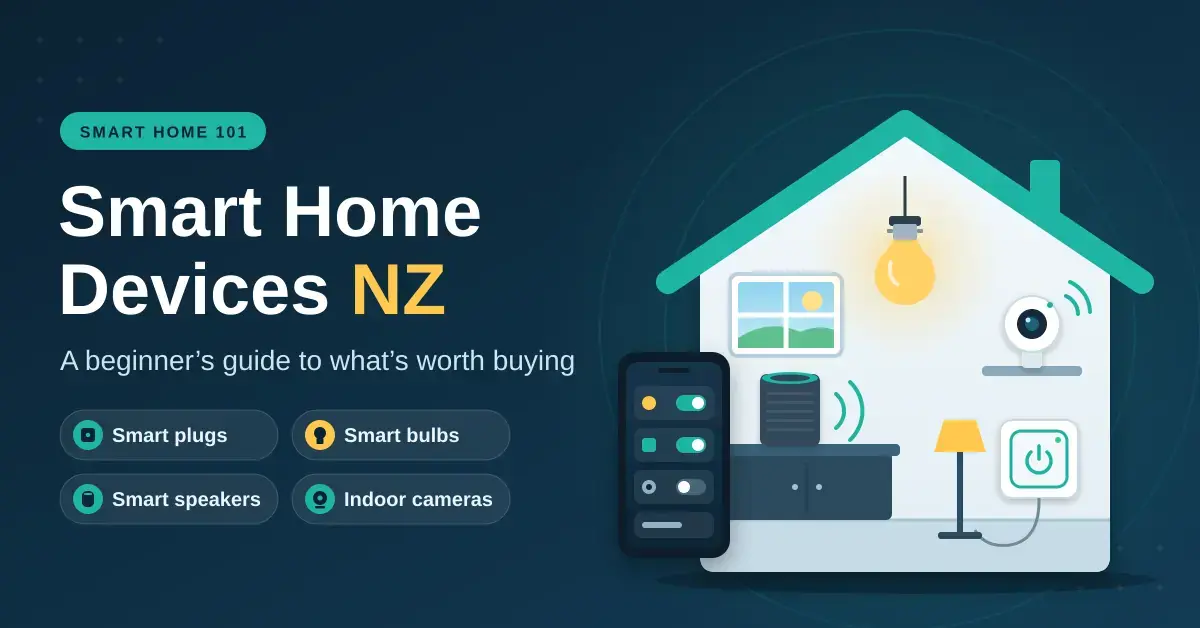
The smart home devices New Zealand households get the most from are the cheap, plug-in kind: smart plugs (from about $27), B22 bayonet smart bulbs (from about $15), a smart speaker for voice control ($89–$249) and an indoor camera (from about $46), all prices checked in September 2026. This guide is written for beginners, renters and homeowners who want a smarter home without rewiring or spending a fortune.
A useful starter kit costs roughly $190–$450, and every piece works on its own, so you can begin with one room and grow at your own pace. Where you want more detail, we have separate deep-dives on home automation and hubs and on smart home security systems.
Key takeaways
- Pick one voice assistant — Alexa, Google Home or Apple Home — and buy Matter-certified devices wherever you can.
- Buy the NZ versions: AU/NZ Type I plug pins with an RCM mark, B22 bayonet bulbs and region-correct radios.
- Plug-in and battery devices suit renters; anything wired in needs a licensed electrician and the landlord’s consent.
- A useful starter kit — a speaker, two bulbs and two plugs — costs about $190 at the lowest NZ prices we found.
- The real savings come from scheduling heat pumps, heaters and dehumidifiers, not from the gadgets themselves.
Smart home devices in NZ: what actually works here
Most smart home gear is sold worldwide, but a handful of New Zealand details trip beginners up. Buying from a local retailer avoids nearly all of them, and it also gives you Consumer Guarantees Act rights if a product fails. The table below shows the traps that catch first-time buyers and what to check before you pay.
| Device | The NZ gotcha | What to look for |
|---|---|---|
| Smart bulbs | Most NZ ceiling fittings are B22 bayonet, not E27 screw | B22 base for ceiling lights; E27 for some lamps |
| Smart plugs | Overseas pins and no compliance marking | AU/NZ Type I pins, a 10 A rating and an RCM mark |
| Z-Wave and sub-GHz sensors | Radio frequencies differ by region | The AU/NZ version (Z-Wave runs on 921.4 MHz here) |
| Wi-Fi devices | Many only connect on the 2.4 GHz band | A router with 2.4 GHz switched on |
| Voice assistants | New features often launch in the US first | Check the NZ product page before paying for a feature |
The RCM (Regulatory Compliance Mark), explained by WorkSafe Energy Safety, shows that a product meets New Zealand’s electrical safety and electromagnetic compatibility rules. Look for it on anything that plugs into the wall, and treat its absence as a reason to walk away.
Buying from a New Zealand retailer matters for more than the plug shape. A local seller has to honour the Consumer Guarantees Act, which means a device must be of acceptable quality and fit for purpose, and you have a clear path to a repair, replacement or refund if it fails early. Grey-import bargains from overseas marketplaces often ship with the wrong pins or radios, carry no NZ warranty, and can be slow and costly to return — a poor trade for saving a few dollars on a $30 plug.
Best smart home devices to start with
Start with the problem you want solved, not the gadget on sale. These are the categories that pay off for most New Zealand homes, listed with the lowest prices we saw at NZ retailers in September 2026. Every one of them is a sensible first purchase; you do not need all of them.
| Device | What it does for you | From (NZ$) | Renter-friendly? |
|---|---|---|---|
| Smart plug | Schedules heaters, lamps and dehumidifiers | $27 | Yes |
| B22 smart bulb | Dimming, schedules and wake-up lighting | $15 | Yes |
| Smart speaker | Voice control and a hub for routines | $89 | Yes |
| Indoor camera | Checks on pets and the house | $46 | Yes |
| Hub and door/window sensors | Alerts you when something opens | $39 plus $26 a sensor | Yes |
| Video doorbell | Answers the door from your phone | $78 | Ask first |
| Outdoor camera | Watches the driveway | $69 | Ask first |
| Smart lock | Keypad or app entry | $377 | Needs consent |
Smart plugs
Smart plugs are the cheapest device that earns its keep: put one on a bedroom heater, a dehumidifier or a lamp and set a schedule so it runs only when you need it. Energy-monitoring models also show what each appliance costs to run, which quickly reveals the power-hungry culprits. Our guide to the best smart plugs for NZ homes compares models and includes a running-cost calculator.
Smart lighting
Smart bulbs are the easiest lighting upgrade, but only if the wall switch stays on, because flicking the switch off cuts power to the bulb and knocks it offline. Dimmable white bulbs from brands such as Tapo start around $15; colour bulbs and Philips Hue cost more, and Hue works best paired with its own Hue Bridge. If housemates keep using the wall switch, a smart switch (fixed wiring) suits better than a smart bulb.
Smart speakers and displays
A smart speaker gives you voice control and quietly runs routines such as a single “goodnight” command that turns lights off, drops the heater and locks the doors. In September 2026 the Amazon Echo Dot (5th gen) sold from about $89, the Google Home Speaker sat around $219, and Apple lists the HomePod mini for NZ$249 on the Apple NZ store. A smart display adds a screen, so you can glance at a camera feed, follow a recipe or cast a streaming app such as ThreeNow while you cook.
Cameras, doorbells and locks
An indoor camera is the easiest security win because it simply sits on a shelf and needs no fixing. Doorbells, outdoor cameras and smart locks involve screws, door fit and sometimes existing wiring, so check the details before you buy. Our home security camera guide covers local recording versus cloud subscriptions, which is the cost that catches people out.
Robot vacuums
A robot vacuum is not a must-have, but it is a popular upgrade once the basics are sorted. Mapping models with app-drawn no-go zones handle typical Kiwi homes — rugs, pet bowls and cords — far better than the cheapest bump-and-turn units, as our robot vacuum guide explains in detail. Tie it into your chosen assistant and a simple “vacuum the lounge” routine can run while you are at work, which is where the daily convenience really shows.
Heating and climate
Heating is where the real money sits. Most major heat pump brands now offer Wi-Fi control, either built in or through an add-on adapter, so you can warm the house before you walk in the door. Pair a cheap temperature-and-humidity sensor with a smart plug on the dehumidifier and you have a practical answer to damp New Zealand winters, without touching the fixed wiring.
Smart home starter kit: how to build your budget
You do not have to buy everything at once. The three tiers below show how the cost stacks up, from a single-room start to a fuller setup, using the lowest NZ prices we found in September 2026. Pick the tier that matches what you actually want your home to do.
Quick facts
| Setup | What it includes | From (NZ$) |
|---|---|---|
| Starter (one room) | Smart speaker + 2 B22 bulbs + 2 smart plugs | ~$190 |
| Family home | Adds an indoor camera and a hub with two door/window sensors | ~$325 |
| Fuller setup | Adds a video doorbell, an outdoor camera and a smart lock | ~$870 |
Prices are the lowest we saw at NZ retailers in September 2026 (incl. GST). Sale prices come and go, and some cameras and doorbells need a monthly plan to keep recorded clips.
A worked example for a typical three-bedroom house: an Echo Dot ($89), three B22 bulbs ($45), two smart plugs for bedroom heaters ($54), an indoor camera ($46) and a hub with two door sensors ($91) comes to about $325 at September 2026 low prices. Add a battery video doorbell and you are near $400. Sale prices come and go, and some cameras and doorbells need a monthly plan to keep recorded clips, so budget for that before you commit to a brand.
Google Home vs Alexa vs Apple Home in NZ
All three ecosystems work in New Zealand, and all three now support Matter, so the “best” one is usually whichever matches the phones in your house. Choose one and buy for it; mixing ecosystems early is the most common beginner mistake.
| Feature | Amazon Alexa | Google Home | Apple Home |
|---|---|---|---|
| Entry speaker (NZ price) | Echo Dot 5th gen, from ~$89 | Google Home Speaker, ~$219 | HomePod mini, $249 |
| Phones supported | iPhone and Android | iPhone and Android | iPhone and iPad only |
| Strengths | Cheapest start, huge device list | Strong with Android and Google accounts | Tidy Home app, more on-device processing |
| Watch out for | Review the voice-recording privacy settings | Features are shifting as Google moves to Gemini | Needs an iPhone or iPad; fewer budget devices |
If your household mixes iPhone and Android, Alexa or Google Home keeps everyone included, because both apps run on either phone. Apple households get a neat, private setup, and the HomePod mini doubles as the home hub that runs automations and gives you remote access when you are out — but note that the Apple Home app has no Android version, so an all-Apple choice only makes sense if nobody in the house is on Android. Generative-AI assistants such as Alexa+ and Gemini for Home are rolling out country by country, so confirm what is actually live in NZ before buying a device for one specific feature.
A practical rule of thumb: households already deep in one company’s world tend to be happiest staying there. If your photos, calendar and phone are Google, start with Google Home; if you are surrounded by iPhones and iPads, Apple Home is the tidiest; and if you simply want the cheapest, widest-compatibility entry, Alexa is hard to beat. Whichever you pick, buying Matter-certified devices means you are not fully trapped if you change your mind later.
Matter devices: why they fix compatibility
Matter is an open, royalty-free standard that lets a device work across brands, which is exactly what beginners need. A Matter-certified plug, bulb or sensor works with Apple Home, Google Home, Alexa and SmartThings, and can be paired to more than one of them at once, so you are not locked into a single app. It is run by the industry group behind the Matter standard at the Connectivity Standards Alliance.
Matter devices connect over Wi-Fi, Ethernet or Thread. Thread is a low-power mesh network used by battery sensors and some plugs, and it needs a Thread border router — a piece of hardware built into some speakers and hubs, including the HomePod mini and newer Echo and Nest devices. Older Zigbee and Z-Wave gear can still join through a bridge or a hub such as Home Assistant. When you shop, look for the Matter logo on the box and check whether the device relies on Thread.
Do you need a smart home hub?
For a starter kit, no. Wi-Fi devices plus a smart speaker cover almost everything a beginner wants. A dedicated hub starts to make sense once you have lots of battery sensors, want automations that keep working when the internet drops, or want to mix brands inside one app. Home Assistant Green is the popular local-control option in New Zealand, and it keeps your automations running on-site rather than in someone else’s cloud.
Smart home for renters
Renters can do a surprising amount without touching the walls: smart plugs, bulbs, speakers, indoor cameras and stick-on battery sensors all leave with you when you move. Those alone deliver scheduling, voice control and basic security.
For anything fixed, Tenancy Services says tenants need the landlord’s written consent first. Under the rules on tenants making changes to the property at Tenancy Services, landlords must not decline a minor change, can set reasonable conditions, and have 21 days to respond in writing; you then have to return the place to substantially the same condition when you leave. Changing a lock always needs the landlord’s consent, so ask in writing before you order a smart deadbolt.
DIY or electrician: installing smart devices in NZ homes
Plug-in and battery devices are genuine DIY; fixed wiring is not. Smart wall switches, in-wall relays, hard-wired doorbell transformers and outdoor lights all count as fixed electrical work. WorkSafe’s guidance on doing your own electrical work allows an owner-occupier to replace some like-for-like fittings, but new wiring must be inspected, tested and connected by a licensed person, and WorkSafe advises against DIY without the skills. In practice, use a registered, licensed electrician for anything wired.
Two New Zealand-specific snags catch people out. Older houses often have no neutral wire at the light switch, which many smart switches need to work. And brick or concrete-block walls cut Wi-Fi range far more than timber framing and plasterboard, so sensors in a garage or sleepout may keep dropping out. A mesh Wi-Fi system fixes most of those coverage gaps.
Smart home cost: what you will spend and save
Upfront, a starter kit runs $190–$450, while a fuller setup with a doorbell, outdoor camera and smart lock reaches roughly $870 at the low prices above. Ongoing costs are mostly camera cloud plans, which some brands require for recorded clips; cameras with local microSD storage avoid that monthly fee entirely.
The savings come from heating, not from the gadgets. At around 35c per kWh, trimming a 2,000 W heater by two hours a day across a 120-day winter saves roughly $168 in power. By contrast, the smart devices themselves draw only a watt or two on standby, so the gear you buy to save power costs almost nothing to leave switched on.
Health, comfort and privacy
Cheap temperature-and-humidity sensors tell you which rooms stay cold and damp — exactly where condensation and mould start. New Zealand’s Healthy Homes heating standard targets a maintained 18°C in a rental’s main living room, and that is a sensible benchmark for any home, owned or rented. A sensor plus a scheduled heater is the simplest way to hit it.
Privacy is the real trade-off with connected devices, so treat it seriously. Use a unique password and turn on two-factor sign-in for every smart home account, install firmware updates promptly, keep cameras out of bedrooms and bathrooms, and aim outdoor cameras at your own property rather than a neighbour’s windows or the footpath. Pointing a camera so it constantly records a neighbour or a public area can raise issues under the Privacy Act, so keep the field of view on your own home.
It is also worth thinking about where a camera stores its footage. Cloud storage is convenient and survives a stolen device, but it means your video lives on a company’s servers and often behind a subscription; local microSD or a network video recorder keeps everything in the house but is lost if the camera is taken. Neither is wrong — just decide which trade-off you are comfortable with before you buy, rather than discovering the monthly fee after the fact.
Common mistakes beginners make
Most first-time smart home problems come from a short list of avoidable errors. Watch for these:
- Buying devices from three different ecosystems before settling on one.
- Fitting smart bulbs where people still use the wall switch, so the bulbs keep going offline.
- Buying overseas versions with the wrong pins, bulb base or radio frequency.
- Paying for cameras that quietly need a subscription you did not budget for.
- Ignoring Wi-Fi coverage until the garage or sleepout sensor keeps dropping out.
Planning for growth
A little planning now saves re-buying later. Choose Matter-certified devices where you can, keep device names and room assignments tidy in your app from day one, and put smart gear on its own Wi-Fi network if your router supports a guest or IoT SSID. If you outgrow the basics, adding a local hub lets you bolt on sensors and automations without starting the whole setup again.
A note on prices and safety: product line-ups, assistant features and retail prices change often, and every figure here was checked in September 2026. Nicegear is independent, sells none of these products and carries no paid placements. Anything that connects to your home’s fixed wiring should be installed by a licensed electrician; this article is general information, not electrical advice.
Sources
Frequently asked questions
What smart home devices work in NZ?
Most do, as long as you buy the New Zealand or Australian version: Type I plug pins with an RCM mark, B22 bayonet bulbs for ceiling fittings, and sensors built for local radio frequencies (Z-Wave runs on 921.4 MHz here). Wi-Fi devices usually need your router’s 2.4 GHz band switched on to connect.
Is Google Home, Alexa or Apple Home best in NZ?
All three work well here, so pick the one that matches your phones. Alexa is the cheapest start with the Echo Dot from about $89 and the widest device list, Google Home suits Android households, and Apple Home is the strong choice if everyone in the house uses an iPhone or iPad.
How much does a smart home cost in NZ?
A starter kit with a speaker, two smart bulbs and two smart plugs costs about $190 at September 2026 low prices. Adding an indoor camera, door sensors and a video doorbell takes it to roughly $400, and a smart lock adds $380 or more on top.
Can renters set up a smart home?
Yes. Plug-in and battery devices — plugs, bulbs, speakers, indoor cameras and stick-on sensors — need no permission and leave with you. Anything fixed needs the landlord’s written consent, which they cannot refuse for a minor change, and changing a lock always needs consent.
What are Matter devices?
Matter devices are smart home products certified to the Matter standard, so they work across Apple Home, Google Home, Alexa and SmartThings instead of being locked to one brand. Look for the Matter logo on the box, and check whether the device needs a Thread border router before you buy.




