
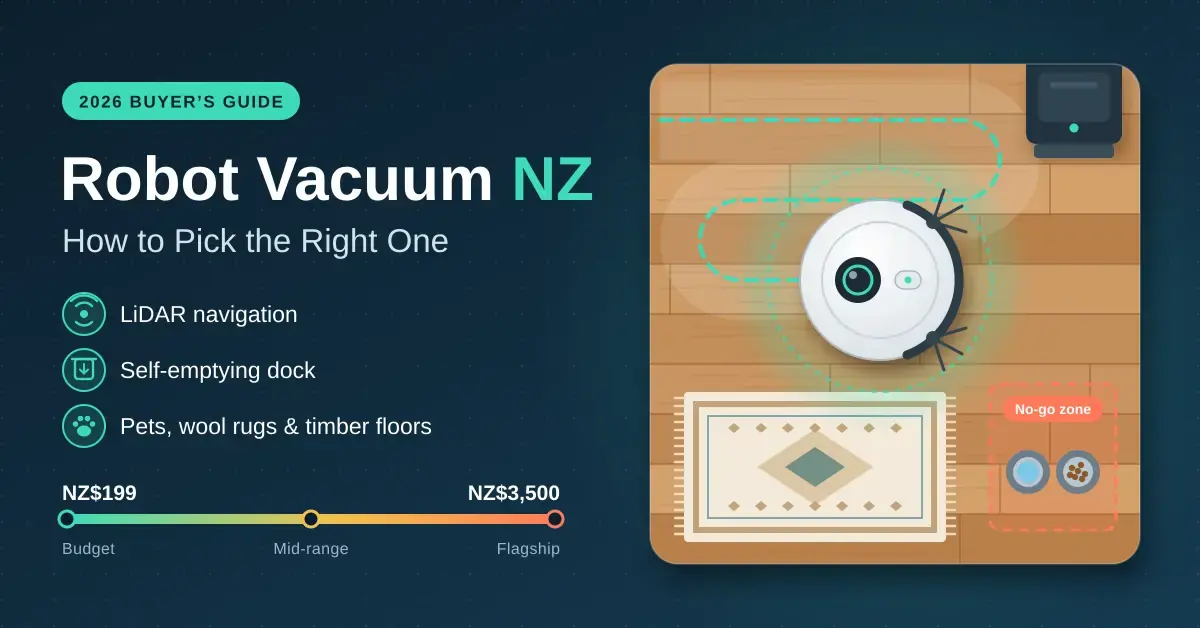
Robot vacuums have gone from novelty to one of the most useful smart-home gadgets you can buy, and New Zealand retailers now stock everything from NZ$199 bump-and-go units to NZ$3,500 flagships that wash and dry their own mops. The spec sheets are a blizzard of suction numbers and marketing names. This guide cuts through them: what actually matters for Kiwi homes with timber floors, wool rugs, pets and the odd hallway runner, what each price band buys in 2026, and which features you will genuinely use rather than pay for and forget.
If mopping is your main interest, our robot vacuum and mop guide compares the mop systems in detail, and if you have already narrowed the search to one brand, our eufy robot vacuum guide walks through every current eufy model sold here.
Key Points
- Buy laser (LiDAR) navigation at any price. It maps rooms, cleans in tidy rows and lets you set no-go zones; random-bounce robots are a false economy.
- A self-emptying dock (from about NZ$600) is the feature owners value most. An all-in-one dock that also washes and dries the mops starts around NZ$1,300.
- For pets and long hair, choose a rubber or tangle-resistant roller and an auto-detangling feature before you chase suction numbers.
- Camera obstacle avoidance dodges cables and pet mess, but a camera on your network needs care: DJI patched a flaw in early 2026 that had exposed about 7,000 ROMO vacuums’ cameras.
- iRobot, the Roomba maker, went through a US Chapter 11 process and was bought by its manufacturer Picea on 23 January 2026; apps and support have continued.
How Robot Vacuums Work
A robot vacuum is a battery-powered disc that drives itself around your floors, sucking up dust and, on most 2026 models, mopping as well. Understanding the three parts that separate a good one from a frustrating one — the cleaning head, the navigation and the dock — makes the price differences far easier to read.
What is inside a robot vacuum?
Every robot has a main brush (a roller under the body), one or two side brushes that sweep debris inwards from edges and corners, a suction fan and a small dust bin. Cheaper models use a bristle brush; better ones use a rubber or twin-roller brush that grips hair and fine dust more reliably and clogs less. Suction is quoted in pascals (Pa), a measure of air pressure, but the figures are not comparable between brands and matter far less than the brush design and the navigation.
How does a robot vacuum find its way around?
Navigation is the single most important thing to get right. Most robots sold in New Zealand now use a spinning laser on top — LiDAR, sometimes labelled LDS — that scans the room and builds an accurate floor plan on the first run. The robot then cleans room by room in tidy straight lines, remembers the map, lets you draw no-go zones in the app, and works just as well in the dark. Cheaper \”random-bounce\” robots have no map: they ricochet off furniture, miss patches and clean the same strip twice, which is why they are a false economy. Newer premium models add a front camera with AI object recognition to steer around cables, socks and pet mess, and the latest use solid-state LiDAR with no turret so they fit under lower furniture.
How do the mopping and docks differ?
Almost every robot now mops, but \”mopping\” ranges from a damp cloth dragged behind the robot to spinning pads or a roller that scrubs under pressure and rinses continuously. The dock has evolved just as much. At the simplest it is only a charger. A self-emptying dock adds a fan that sucks the robot’s bin into a sealed bag, so you empty it every month or two instead of after every run. An all-in-one station goes further again: it washes and dries the mop pads, refills the clean-water tank and drains the dirty water, so the machine cleans itself for weeks at a time.
What Each Price Band Buys in New Zealand
Prices have dropped sharply. Laser navigation that cost NZ$800 a few years ago now appears on sub-NZ$400 Xiaomi models, and self-emptying docks start around NZ$599. The sweet spot for most households is the NZ$1,000–$2,100 all-in-one band, where the mop actually cleans itself. You can browse current stock and specials in the robot vacuum range at PB Tech, and PB Tech’s editors keep their own favourite robot vacuum picks updated too.
| Price band (NZ$) | What you get | Dock | Best for |
|---|---|---|---|
| Under $500 | Laser navigation, basic app maps, light mopping on the dearer models | Charger only | Small flats, mostly hard floors, tight budgets |
| $500–$1,000 | LiDAR, better brushes, some models add mop wash and dry | Self-emptying | Most homes that want hands-off vacuuming |
| $1,000–$2,100 | Strong suction, proper scrubbing mops, camera obstacle avoidance | All-in-one (wash + dry) | Families, pets, mixed floors — the value sweet spot |
| $2,100+ | Solid-state LiDAR, slim bodies, twin rollers, the smartest apps | All-in-one flagship | Large or cluttered homes, low furniture, early adopters |
Retailers such as PB Tech, Noel Leeming, JB Hi-Fi and Harvey Norman run frequent specials, so a listed price is a ceiling rather than a floor. It is common to see a NZ$1,999 model discounted below NZ$1,500 during a sale, which can move you up a whole band for the same money.
How to Choose the Right Robot Vacuum for Your Home
Match the robot to your floors, your pets, your layout and how hands-off you want to be — in that order. Suction numbers and headline model names should be the last thing you look at, not the first.
Start with your floors
On mostly timber, laminate or tile, almost any laser-navigated robot does well, and mopping genuinely helps. On a mix of hard floors and rugs, check that the mop lifts at least 10 mm, or that the dock can leave the wet pads behind for vacuum-only runs, so it does not soak your rugs. On mostly carpet, prioritise suction and a strong main brush over mopping — a mop you never use is money wasted — and look for automatic carpet boost.
Factor in pets and clutter
Pets push you towards a tangle-resistant rubber brush and, if accidents are possible, camera-based obstacle avoidance. Floors that regularly have cables, toys or socks on them are the strongest single reason to pay for a camera model, because a robot that eats a charging cable or smears a pet accident across the house quickly wears out its welcome.
Consider size and how hands-off you want it
Under about 80 m² a self-emptying dock is a nice-to-have; over 160 m² or across two levels it becomes essential, and you will want a model that stores several floor maps. If your goal is as close to zero effort as possible, an all-in-one dock that washes and dries its own mops is the feature owners consistently say they value most.
Features That Matter in Kiwi Homes
Use this table to sort the features worth paying for from the ones that only pad the spec sheet. The short version: navigation, brushes and the dock earn their keep; raw suction figures rarely do.
| Feature | Why it matters | Worth paying for? |
|---|---|---|
| Laser (LiDAR) navigation | Accurate maps, room-by-room cleaning, no-go zones, cleans in the dark | Yes, always |
| Self-emptying dock | Bin emptied into a sealed bag; weeks between chores; better for allergies | Yes, for most homes |
| All-in-one dock (wash, dry, refill) | Mops stay clean and do not smell; less handling of dirty water | Yes, if you want mopping |
| Mop lift or mop removal | Keeps wet pads off rugs and carpet | Yes, for homes with rugs |
| Camera obstacle avoidance | Avoids cables, socks and pet mess | For cluttered homes and pets |
| Auto-detangling brush | Cuts or unwinds hair wrap on the roller | Yes, with pets or long hair |
| Extending side brush or mop arm | Reaches skirting boards and corners | Nice to have |
| Very high suction numbers | More carpet pick-up, but figures are not comparable between brands | Only for heavy carpet |
The New Zealand quirks to watch
New Zealand homes throw a few particular challenges at robots. Older villas have high door thresholds that small robots cannot climb — most manage about 2 cm, while some newer models with a lifting chassis claim closer to 4 cm. Wool rugs with tassels get chewed, so set them as no-go zones or lift them. Low couches and beds need a robot under about 9–10 cm tall, which rules out models with a tall laser turret and pushes you towards the slim solid-state designs. And gravel, sand and bark tracked in from the section are hard on brushes, so a dock that empties the bin after every run keeps the robot working. One lighter quirk: many robots let you swap the voice prompts or notification jingle in the app, and owners have loaded everything from film quotes to the odd novelty track — the kind of playlist you might raid from the “Weird Al” Yankovic discography — so your cleaner can announce itself with a bit of personality.
Pets, Hair and Allergies
If you have shedding pets, choose the robot around hair management first and everything else second.
- Brushes beat suction. A rubber or twin-roller main brush sheds hair far better than bristles, and several brands now cut or unwind hair automatically so you are not picking tangles off the roller with scissors.
- Daily runs beat weekly deep cleans during moulting season. Schedule the robot to run while you are out and it keeps hair from ever building up.
- Sealed bags help allergy sufferers. A self-emptying dock means you rarely handle the dust; pick a model with a fine (HEPA-style) filter and replace it on schedule.
- Pet accidents are the real risk. A robot that drives through a mess spreads it across the whole house. Camera-based avoidance reduces the odds, and many owners simply run the robot only after the dog has been outside.
Brands Sold in New Zealand
Six brands cover almost all the robot vacuums sold in New Zealand in 2026. The comparison box below lines up one representative model from each across the price bands; the notes here explain where each brand is strongest.
- Roborock spans every band, from the Q7 series under NZ$800 to the Q Revo all-in-ones and the ultra-slim Saros flagships, and is widely stocked.
- Ecovacs sells the Deebot N and T series and the X-series flagships; the Deebot T50 Pro Omni stands out for a body only about 81 mm high that slides under low furniture.
- eufy (owned by Anker) ranges from the value C-series to the roller-mop E-series and the Omni S2 flagship; you can track current NZ pricing via eufy robot vacuum prices on PriceSpy, and our eufy guide covers the range in depth.
- Xiaomi dominates the budget end with laser-navigated models from around NZ$199 to NZ$599.
- iRobot still sells Roombas here, including the Roomba Plus combo models. The company completed its sale to its manufacturer, Picea, on 23 January 2026 after a prepackaged US Chapter 11 process; iRobot’s own announcement of the completed Picea transaction says apps and support continue as normal.
- DJI, better known for drones, entered the category with the ROMO series (roughly NZ$2,129–$2,969), using fisheye cameras and solid-state LiDAR for obstacle avoidance.
Comparison
One representative model per brand across the price bands. Prices are indicative NZ$ (incl. GST) from September 2026 listings and change often; brand names link to the official product pages.
| Model | Indicative NZ$ | Navigation | Dock | Best for |
|---|---|---|---|---|
| Xiaomi Robot Vacuum S40C | ~$349 | LiDAR | Charger only | Budget hard-floor homes |
| eufy Omni C20 | ~$649 | LiDAR | All-in-one (wash + dry) | Best value hands-off pick |
| Roborock Q Revo | ~$1,300–$1,600 | LiDAR | All-in-one | Mainstream mopping |
| Ecovacs Deebot T50 Pro Omni | ~$1,799 | Dual LiDAR | All-in-one, ~81 mm slim | Low furniture clearance |
| eufy Omni E28 | ~$1,999 | LiDAR | All-in-one (+ handheld) | Feature-packed mid-high |
| DJI ROMO S | ~$2,129 | Solid-state LiDAR + cameras | All-in-one | Obstacle avoidance |
| iRobot Roomba Plus 705 Combo | ~$2,579 | LiDAR | All-in-one | Roomba loyalists |
| Roborock Saros 10R | ~$3,299 | Solid-state LiDAR | All-in-one flagship | Ultra-slim flagship |
Privacy, Apps and Wi-Fi
A mapping robot knows the layout of your home, and one with a camera can see inside it — so treat it like any other connected camera, not like a dumb appliance. In early 2026 DJI fixed a server-side flaw that let a researcher reach the cameras, microphones and floor plans of about 7,000 ROMO vacuums across roughly 24 countries; DJI patched it within days and paid the researcher a US$30,000 bug bounty, as DroneDJ reported when DJI fixed the ROMO security bug. The lesson is not to avoid camera robots but to secure them: keep firmware updated, use a strong unique password with two-factor authentication on the app account, turn off any remote-viewing features you do not use, and consider putting the robot on a guest or IoT network, as covered in our smart home security guide.
What Wi-Fi does a robot vacuum need?
Most robots still pair only over 2.4 GHz Wi-Fi. If your router broadcasts one network name for both bands, setup usually works anyway; if it fails, temporarily switch on a separate 2.4 GHz network just for pairing. Coverage matters too: a robot that loses Wi-Fi in the far bedroom still cleans but cannot report back or be controlled remotely, so patchy coverage is worth fixing first — our mesh Wi-Fi guide helps with dead zones. If you like tinkering, Home Assistant can bring many robots into one local smart-home dashboard and reduce how much you rely on the maker’s cloud.
Running Costs and Maintenance
A robot vacuum is not fit-and-forget; it is fit-and-do-a-little. Budget for consumables and a few minutes of upkeep and it will last for years.
- Consumables: dock bags, filters, side brushes and mop pads cost roughly NZ$50–$150 a year. Check that replacement kits are actually sold in New Zealand before buying an obscure brand.
- Weekly: pull hair off the brushes and wipe the sensors and camera lens so navigation stays accurate.
- Monthly: empty and rinse the dock’s dirty-water tank and tray, which otherwise starts to smell, and use only the maker’s recommended cleaning solution.
- Power: charging uses very little, but hot-air mop drying adds some; shorten the drying time in the app if the dock allows it. Pairing the dock with a smart plug lets you schedule the noisy self-emptying for daytime.
- Battery: expect two to four years before runtime drops noticeably; replacement batteries are available for the major brands.
Common Mistakes to Avoid
Most robot-vacuum disappointment comes from a handful of avoidable buying and setup errors rather than from the machines themselves.
- Chasing suction numbers. A high Pa figure will not save a robot with a bad brush or random navigation. Judge navigation, brush type and dock first.
- Buying a random-bounce model to save money. Without a map it misses areas and cannot use no-go zones. Laser navigation is worth it at every price.
- Paying for mopping you will never use. On heavily carpeted homes the mop mostly sits in the dock. Put the money into suction and brushes instead.
- Ignoring furniture clearance. Measure the gap under your lowest couch and bed before buying; a tall-turret robot that cannot fit leaves visible dust lines.
- Forgetting the running costs. Some cheaper robots have expensive or hard-to-find bags and filters. Price the consumables, not just the machine.
- Leaving the app on default security. Skipping firmware updates and reusing a weak password turns a helpful gadget into a home-network risk.
Our Verdict on Robot Vacuums in NZ
For most Kiwi homes, a laser-navigated robot with a self-emptying dock — roughly NZ$600–$1,000 — is the best value, and you should only step up to an all-in-one wash-and-dry dock if you will genuinely use the mopping. Pets and cluttered floors justify camera obstacle avoidance and a tangle-resistant brush. Ignore the suction wars and judge a robot by its navigation, its brushes, its dock and the local availability of spare parts. And whatever you buy, treat a camera-equipped robot like a security camera: firmware updates, a strong password and, ideally, its own network segment. A robot vacuum will not retire your stick vacuum for stairs, upholstery and the occasional deep clean, but it will keep your floors consistently tidy for a few minutes of upkeep a week.
Disclaimer: Prices are NZ$ including GST from PB Tech, Noel Leeming and PriceSpy listings in September 2026 and change frequently. Specifications are manufacturers’ and retailers’ claims; Nicegear has not tested these models and has no paid placements — this guide is independent.
Sources
- The Robot Report — iRobot emerges from Chapter 11 as a Picea subsidiary (2026)
- DroneXL — DJI ROMO security breach: researcher reached ~7,000 units (Feb 2026)
- OECD.AI — Security flaw in DJI ROMO robot vacuums exposes thousands to privacy risk
- Roborock — Saros 10R product page (slim solid-state LiDAR)
- eufy — Robot Vacuum Omni S2 product page
- Consumer NZ — Robot vacuum cleaner reviews and buying advice
Frequently Asked Questions (FAQ)
Are robot vacuums worth it in NZ?
For most households, yes. A laser-navigated robot with a self-emptying dock, from about NZ$600, keeps floors consistently clean with only a few minutes of upkeep a week. You will still want a stick or barrel vacuum for stairs, upholstery and the occasional deep clean, so think of a robot as a floor maintainer rather than a full replacement.
What is the best robot vacuum for pet hair?
Look for a rubber or anti-tangle main brush, a self-emptying dock and, if accidents are possible, camera-based obstacle avoidance. Mid-range all-in-one models from Roborock, Ecovacs and eufy all offer these in New Zealand, and daily scheduled runs during moulting season matter more than any single headline feature.
Do robot vacuums work on carpet?
Yes on low and medium pile, especially models that automatically boost suction when they detect carpet. Deep shag and long-tasselled rugs are better set as no-go zones, and on a mostly carpeted home you should prioritise suction and a strong brush over mopping.
Is Roomba still supported after iRobot’s bankruptcy?
Yes. iRobot completed its sale to its manufacturer, Picea, on 23 January 2026 after a prepackaged Chapter 11 process, and says its apps and customer programmes continue without disruption. Roombas remain on sale in New Zealand, though as with any brand it is worth checking that spare parts are stocked locally.
How long do robot vacuums last?
Typically four to six years with regular brush and filter changes, while the battery usually needs replacing after two to four years. Choose a brand that sells replacement batteries and consumables in New Zealand, because a robot you cannot get parts for effectively dies the day the battery does.




