
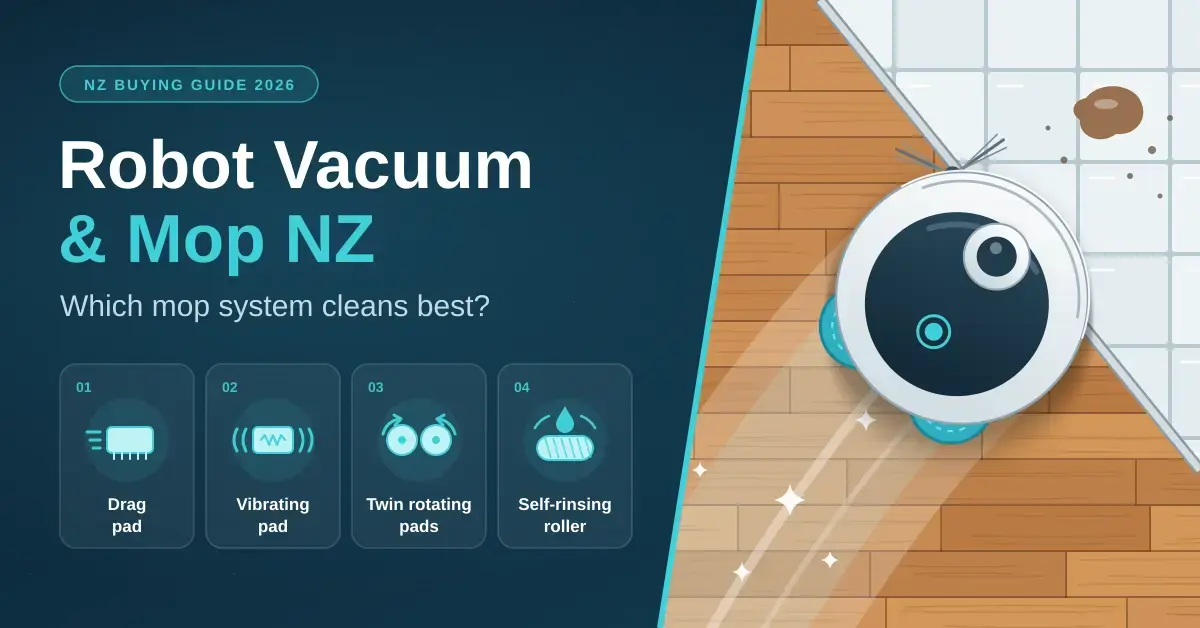
Almost every robot vacuum sold in New Zealand now promises to mop as well, yet there is a huge gap between a damp cloth dragged across the floor and a self-rinsing roller that genuinely scrubs a kitchen – and an equally huge gap in price. This guide explains the four mopping systems you will meet on Kiwi shelves, how each one copes with timber, tiles, vinyl and rugs, which dock features stop the whole machine turning smelly, and exactly what to check before you spend on a vacuum-mop combo in 2026.
If you want the vacuum side – navigation, suction and the wider price bands – start with our robot vacuum buying guide, and for eufy’s roller-mop range specifically, see our eufy robot vacuum guide.
Key takeaways
- There are four mop designs: drag pads, vibrating pads, twin rotating pads and self-rinsing rollers. Drag pads only wipe; the other three scrub, and rollers also rinse themselves as they go.
- An all-in-one dock that washes and dries the mops makes robot mopping far easier to live with. Without one, wet pads left on the robot soon start to smell.
- Homes with rugs need a mop that lifts on carpet (ideally 10 mm or more) or a dock that leaves the pads behind for vacuum-only runs.
- Rotating-pad combos with an all-in-one dock start around NZ$1,300; self-rinsing roller models run roughly NZ$1,800–$2,700.
- On oiled, waxed or unsealed timber, use the lowest water setting or skip robot mopping; sealed timber, laminate, vinyl and tiles are fine.
The four robot mop systems
Robot mops use one of four mechanisms, and the mechanism – far more than the marketing name on the box – decides how clean your floor actually gets. Three of the four scrub; one only wipes.
Drag pads
A small water tank drips onto a flat microfibre pad that the robot simply pulls along behind it. It lifts dust and light footprints from sealed floors and little else, and you rinse the pad by hand after every run. This is what almost every sub-NZ$500 “2-in-1” model offers: think of it as a vacuum that leaves a faint damp trail, not a mop.
Vibrating pads
A flat pad oscillates thousands of times a minute to scrub the surface, then lifts clear when the robot reaches a rug. Roborock calls this VibraRise and uses it on its S-series and on flagships such as the Saros 10 and the Saros 20 Sonic, whose latest VibraRise 5.0 head runs at around 4,000 vibrations a minute with roughly 14 N of downward pressure. Most of Roborock’s other current models use spinning pads instead.
Twin rotating pads
Two round pads spin under the robot with real downward pressure, which is what shifts dried marks. eufy lists 180 RPM and 6 N of force on the eufy Omni C20 specification page, and up to about 1 kg of pressure on the step-up X10 Pro Omni. Several models can swing one pad outward to reach skirting boards and corners. Their weakness on large floors is that the pads carry dirt around between dock visits, so they rely on the dock washing them often.
Self-rinsing roller mops
A cylindrical mop spins against the floor while the robot sprays it with clean water and scrapes the dirty water into a separate tank, so it is never wiping with an already-dirty surface. eufy’s HydroJet models (E25, E28 and Omni S2), Roborock’s Qrevo Curv 2 Flow (a 220 RPM roller pressing down at about 15 N) and iRobot’s Roomba 705 combo (a heated PowerSpin roller at around 200 RPM) all work this way. In principle it is the best design for big hard floors, pets and children, but it is also the most expensive, and mopping quality still varies between models, so read independent reviews of the exact one you are considering.
Which mop system suits your floors?
Match the mop design to your main floor type, the mess you actually deal with and your budget – not to the highest spec you can find. Here is the short version.
- Dust and footprints on sealed floors, tight budget: a drag-pad combo is enough, and you buy it mainly for the vacuuming. Expect to keep a manual mop for spills.
- Kitchens, dining and everyday living areas: twin rotating pads with an all-in-one dock are the value sweet spot. They scrub dried marks and the dock keeps the pads clean.
- Large hard-floor homes, pets or young children: a self-rinsing roller avoids spreading dirt because it rinses as it goes; pair it with camera-based obstacle avoidance for pet accidents.
- Lots of rugs or carpeted rooms: whatever the mop design, insist on a high mop lift or a dock that removes the pads, and run separate vacuum-only schedules for carpet.
- Oiled, waxed or unsealed timber: use the lowest water flow or skip robot mopping altogether – many flooring makers advise dry cleaning only.
What docks do robot mops use?
The dock matters as much as the mop. A basic charger leaves every chore to you; an all-in-one station washes and dries the mops, empties the bin and refills water, which is what makes robot mopping genuinely low-effort.
| Dock type | What it does | Your job | Typical NZ price of the robot |
|---|---|---|---|
| Charger only | Charges the robot | Empty the bin and rinse the pad after every run | Under NZ$500 |
| Self-emptying | Sucks the bin into a bag | Change the bag every month or two; rinse the pad | NZ$600–$1,000 |
| All-in-one | Empties dust, washes and dries the mops, refills water | Top up clean water, empty dirty water, change the bag | NZ$1,300–$2,700 |
| All-in-one with plumbing kit | As above, plumbed to a tap and drain | Change the bag occasionally | Flagships, usually an add-on |
Good all-in-one docks differ in three details worth checking. The first is drying: warm air dries the pads faster and limits the damp smell. eufy quotes 35–50°C hot-air drying on the E28 but only room-temperature air on the Omni C20, and some docks also wash with hot water. The second is a wash tray you can lift out and rinse by hand. The third is tanks large enough that you are not refilling and emptying them every single day. Always use the maker’s own cleaning solution, because ordinary household floor cleaners can foam and damage the dock pumps.
Will a robot mop wet my rugs and carpet?
A wet mop dragged across a wool rug is the classic robot-mop disaster, and there are three ways robots avoid it. Most lift the mop when their sensors detect carpet – typically by about 7–12 mm, and eufy lists roughly 10–12 mm on the C20 – which clears low-pile rugs but not shaggy ones. Some docks can detach the pads entirely so the robot vacuums carpet completely dry. And every companion app lets you paint rugs as “no-mop” zones on the map. For a home with several rugs, combine a high lift (or pad removal) with separate vacuum-only and mop-only schedules so carpet never meets a damp pad.
Are robot mops safe on New Zealand floors?
Most common Kiwi floors are fine for robot mopping on a low water setting; the main exceptions are natural-oiled and unsealed timber. Here is how the usual surfaces behave.
- Sealed native timber and engineered oak: fine with a damp mop on low water; avoid leaving standing water sitting in board joins.
- Oiled, waxed or unsealed timber: check with the flooring maker – many recommend dry cleaning only. Use vacuum-only mode or the very lowest flow.
- Laminate: suits robot mopping on low water, but edges can swell if the floor is flooded.
- Vinyl, LVT and tiles: the easiest surfaces of all; scrubbing mops shine on grout lines and textured tiles.
- Polished concrete: happy with any mop; use a neutral cleaner to protect the sealer.
Check your floor warranty first. Some timber and laminate warranties exclude damage from wet cleaning, so read the care guide before you let a robot mop daily, and start with the lowest water setting for the first week.
Which vacuum-mop combos are sold in New Zealand?
The table below spans the range on Kiwi shelves, from drag-pad budget models to plumbed-in roller flagships. Current pricing sits with retailers such as PB Tech’s robot vacuum category, and you can track eufy models specifically on PriceSpy NZ.
Vacuum-mop combos compared
| Model | Mop system | Dock | Approx NZ price (Sept 2026) |
|---|---|---|---|
| Xiaomi S40 | Drag pad | Charger | NZ$439 |
| Xiaomi H40 | Drag pad, 210 mL tank | Self-emptying, 4 L bag | NZ$599 |
| eufy Omni C20 | Twin rotating pads, 180 RPM / 6 N | All-in-one, room-temp drying | NZ$649 |
| Roborock Q Revo Edge C | Twin rotating pads | All-in-one, hot-water wash | NZ$1,299 |
| Ecovacs Deebot T50 Pro Omni | Twin rotating pads | All-in-one | NZ$1,799 |
| iRobot Roomba 705 combo | Self-cleaning roller (PowerSpin), heated | AutoWash dock | NZ$1,799 |
| eufy E28 | Self-rinsing roller (HydroJet) + portable deep cleaner | All-in-one, 35–50°C drying | NZ$1,999 |
| eufy Omni S2 | Self-rinsing roller (HydroJet 2.0) | All-in-one | From NZ$2,499 |
| Roborock Qrevo Curv 2 Flow | Self-rinsing roller (SpiraFlow), 220 RPM / 15 N | All-in-one, hot wash + air dry | NZ$2,699 |
Prices move constantly and specials of 20–30 percent are common, so treat these as a guide to where each model sits rather than a firm quote. eufy’s own spec sheet for the E28 HydroJet is a good example of how much a roller-mop flagship packs in – a self-cleaning roller, a portable deep cleaner built into the dock and 35–50°C drying. Before buying any model, confirm that replacement pads, rollers, dust bags and filters are actually stocked in New Zealand for that exact version; a cheap import is no bargain if consumables have to come from overseas.
How do you set up and maintain a robot mop?
Good results come from the routine as much as the hardware. Follow these steps and the machine largely looks after itself.
- Map first, mop later. Let the robot map the house on a vacuum-only run, then name the rooms and mark rugs as no-mop zones.
- Vacuum before mopping. Most apps do this automatically in combined mode; mopping over loose grit scratches floors.
- Set water by room: more in the kitchen and bathroom, less on timber and laminate.
- Schedule mopping two or three times a week and vacuuming daily; mopping every day wears pads out faster than it helps.
- Do a weekly service: empty and rinse the dirty-water tank and wash tray, check the roller or pads for hair, and leave the station open to air out.
Most robots connect over 2.4 GHz Wi-Fi and need a usable signal wherever the dock lives. If the laundry or garage is a dead zone, our mesh Wi-Fi guide can help you extend it. To start a clean automatically when everyone leaves the house, see our home automation basics. Brands including Roborock and Ecovacs also offer Home Assistant integrations, so a Home Assistant Green hub can run the robot alongside your other smart home devices.
What do robot mops cost to run?
The sticker price is only part of the cost, and the ongoing spend is modest but worth planning for. Three things add up over a year: consumables, water and detergent, and electricity.
Consumables
Mop pads and rollers wear out. Microfibre rotating pads are usually good for a few months of regular use and cost roughly NZ$20–$40 a pair; roller mops last longer but are dearer to replace, often NZ$30–$60. Dust bags for self-emptying and all-in-one docks run about NZ$10–$20 each and last one to two months depending on how much the robot picks up. Side brushes and filters are cheap but should be swapped once or twice a year. Budget somewhere around NZ$60–$150 a year in spares for a mid-range combo, and confirm the parts are stocked in New Zealand for your exact model before you buy.
Water and detergent
A robot mop uses only a little water – typically a few hundred millilitres per clean plus the water the dock uses to wash the pads – so the water bill barely moves. The bigger recurring item is the maker’s cleaning solution, which is optional on many models but recommended on docks with pumps; a bottle lasts weeks to months and costs around NZ$20–$30.
Electricity
Charging the robot is trivial, but all-in-one docks that heat air or water draw more power during their wash-and-dry cycles. Across a week of normal use the running cost is still only cents per day at New Zealand power prices, so electricity should not sway your choice. If you want to see exactly what any appliance draws, a plug-in monitor makes it visible; our guide to smart plugs for NZ homes covers models that report energy use.
Common mistakes to avoid with robot vacuum-mops
Most disappointment with robot mops comes from a handful of avoidable errors rather than the machine itself.
- Buying a drag-pad model expecting a real mop. Under about NZ$500 you are buying a vacuum with a damp cloth; it will not lift dried spills. Judge these on their vacuuming.
- Leaving the dirty-water tank for weeks. This is why some docks start to smell. Empty and rinse the dirty-water tank and wash tray at least weekly; docks with hot-air drying help but do not remove the chore.
- Flooding delicate floors. Running high water flow over oiled timber or laminate risks swelling and warranty trouble. Start low and test a hidden corner.
- Ignoring rugs in the app. If you do not mark no-mop zones and the robot’s lift is modest, a low-pile rug will still get damp. Map carefully.
- Skipping consumables planning. Rollers, pads, bags and filters wear out; a model with no NZ spares becomes hard to keep clean and hygienic.
- Mopping over grit. Always vacuum first – combined mode usually handles this – or the pads grind dirt into the floor.
Which robot vacuum and mop should you buy?
The honest answer depends on how much you want the mopping to matter. If it is a nice-to-have on top of good vacuuming, a mid-range rotating-pad model with an all-in-one dock does the job; if wet cleaning is the whole point, step up to a roller.
- For mopping that genuinely matters, buy a scrubbing mop (rotating pads, a roller or a sonic/vibrating pad) with an all-in-one wash-and-dry dock, from around NZ$1,300.
- Rotating pads are the value choice for kitchens and living areas. Rollers suit large hard floors, pets and children, but check reviews of the specific model – results vary more than the marketing suggests.
- Homes with many rugs should insist on high mop lift or pad removal, and lean on no-mop zones.
- Drag-pad “2-in-1” robots are vacuums with a damp cloth attached – buy them for the vacuuming, not the mop.
For a second opinion on the vacuum side, PB Tech’s own editorial team keeps a running roundup of its favourite robot vacuums right now, which is a useful sanity check on models and availability.
Prices are NZ$ incl. GST as listed by New Zealand retailers and comparison sites in September 2026 and change frequently. Specifications are manufacturer or retailer claims; Nicegear has not tested these models. Always follow your flooring manufacturer’s care instructions. Nicegear is independent and has no paid placements.
Sources
Frequently Asked Questions
Do robot mops actually clean?
Models with vibrating pads, rotating pads or rollers remove everyday grime and many dried kitchen marks. Basic drag-pad mops only lift dust and light footprints. None of them replaces an occasional deep clean for stubborn, set-in spills.
Is a roller mop better than rotating pads?
In principle yes for large hard floors and messy households, because the roller is rinsed continuously instead of carrying dirt around. In practice, results vary between models. Rotating pads cost less, clean kitchens well, and some swing outward to reach skirting boards.
Can robot mops be used on wooden floors?
On sealed timber and engineered boards, yes, with a low water setting. On oiled, waxed or unsealed timber, check the flooring maker’s advice first; many recommend dry cleaning only, and some warranties exclude wet-cleaning damage.
Will a robot mop wet my rugs?
Not if it lifts or removes the mop on carpet and you mark rugs as no-mop zones. A mop lift of about 10 mm clears most low-pile rugs; shaggy rugs need pad removal or a vacuum-only schedule.
How much does a good robot vacuum and mop cost in NZ?
Around NZ$1,300 for a model with rotating pads and an all-in-one dock, and roughly NZ$1,800–$2,700 for self-rinsing roller models, based on September 2026 listings. Budget combos with drag pads start under NZ$500.




