
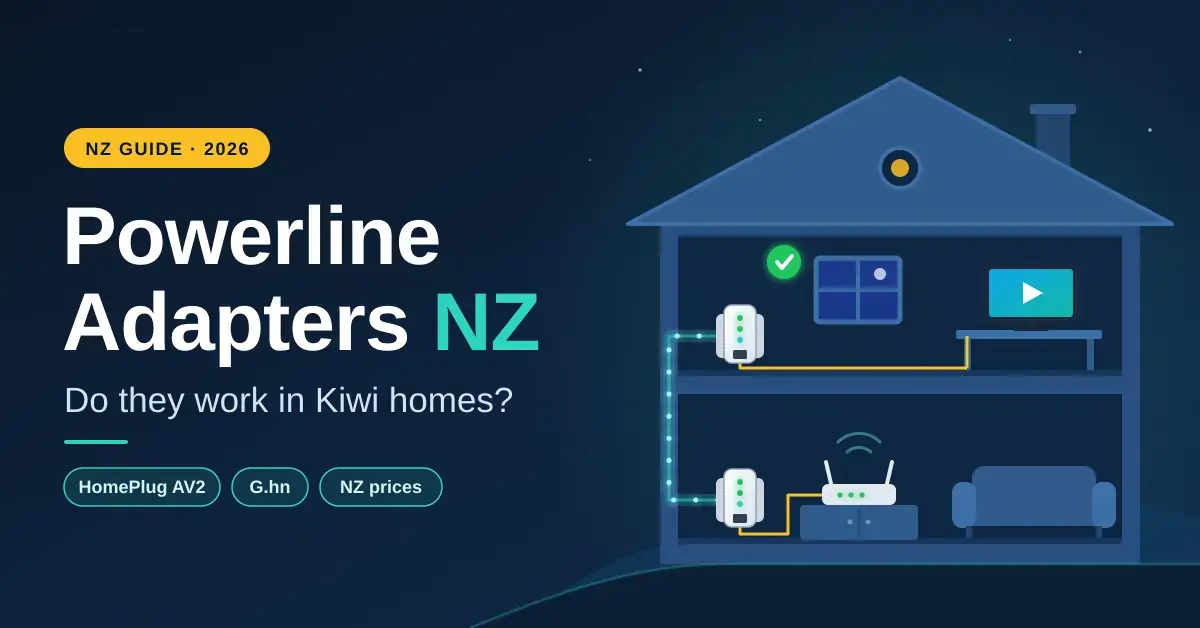
Powerline adapters promise a wired network connection from any power point in the house — no cables to run through the ceiling and no Wi-Fi to fight through the walls. In the right New Zealand home they deliver exactly that. In the wrong one they deliver 40 Mbps and a blinking red light. The difference is the electrical wiring between the two sockets, which is why this guide spends as much time on when not to buy powerline as on which kit to choose. It covers how HomePlug AV2 and G.hn adapters really perform here, what quietly kills the link, how to test before you commit, the common mistakes people make, and September 2026 New Zealand prices.
If your real goal is Wi-Fi in a far room, weigh the alternatives first: compare a plug-in booster in our Wi-Fi extender guide and a whole-home system in our mesh Wi-Fi guide. Powerline is the third route — the one for when solid walls beat radio and pulling a cable simply is not an option.
Key points
- Expect 100–400 Mbps from an AV2 kit in a typical NZ house, not the 1000 or 2000 printed on the box. That is ample for streaming and video calls, but not for a NAS or Hyperfibre.
- Both adapters should be on the same electrical circuit for the best result. Different circuits roughly halve the speed; different phases in a three-phase house can stop it working entirely.
- Plug straight into the wall. Power boards, surge protectors and extension leads filter out the signal.
- Test with both units in the same double socket first, then in their final spots, and buy from a retailer with easy returns.
- An AV600 kit is about NZ$88, an AV2000 about NZ$208, and G.hn 2400 kits with Wi-Fi run NZ$300+. One Cat6 cable through the ceiling still beats all of them.
What a Powerline Adapter Actually Is
A powerline adapter is a plug-in box that turns your home’s existing electrical wiring into a network link. You plug one adapter into a wall socket near your router and connect the two with an Ethernet cable; you plug a second adapter into a socket in another room. The first adapter injects a high-frequency data signal onto the mains wiring, sitting well above the 50 Hz used to carry the power itself. The second adapter picks that signal off the wiring and hands it back out as an ordinary Ethernet port. Nothing new is installed in the walls — the cabling that already powers your house does double duty.
Two standards dominate. HomePlug AV2, used by most TP-Link, Netgear and D-Link kits, is built on the IEEE 1901 broadband-over-power-line standard. G.hn, used by devolo’s Magic range and TP-Link’s Deco PX and newer “G” models, is built on the ITU’s G.hn family. The far adapter does not care what you plug into it, so its Ethernet port can feed a TV, a game console, a network switch, a mesh node, or a small Wi-Fi access point built into the adapter itself. On New Zealand shelves the great majority of kits are HomePlug AV2 from TP-Link’s New Zealand powerline range, with a smaller number of G.hn units aimed at mesh setups.
How Powerline Adapters Work
Powerline treats your house wiring like a long, noisy, badly designed antenna. The adapters spread the data across a wide band of frequencies using the same OFDM modulation that Wi-Fi and VDSL use, then constantly measure the line and shift data away from the frequencies that are too noisy to use. It works, but every junction box, every metre of cable and every appliance sharing the circuit chips away at the signal. That is why the identical NZ$200 kit can give one house a rock-solid 350 Mbps and the house next door a wobbly 60 Mbps — the wiring, not the adapter, sets the ceiling.
The better AV2 kits use a trick called MIMO: instead of sending data over just the live and neutral wires, they also use the earth wire as a third conductor. That extra path is the main reason a two-port AV2000 unit holds up in a real house far better than an older single-pair AV1000, especially where the wiring is long or electrically noisy. G.hn takes a different approach to the same problem, using a wider frequency band and stronger error handling to stay stable on messy circuits.
Quick facts
| What it is | A pair of plug-in adapters that carry a network signal over your existing house wiring |
| Standards | HomePlug AV2 (IEEE 1901) and G.hn (ITU G.9960 series) — not compatible with each other |
| Typical real speed | AV600: 60–120 Mbps · AV1000: 100–250 · AV2000: 200–400 · G.hn 2400: 300–600 Mbps |
| Best socket | Bare wall outlet, same circuit, single-phase supply, under 15 m apart |
| Licence / running cost | No subscription; each adapter draws a few watts, similar to a phone charger |
| NZ price band (Sept 2026) | NZ$88 (AV600) to NZ$300+ (G.hn with Wi-Fi) |
| Not suitable for | NAS transfers, Hyperfibre speeds, three-phase homes, separately fed outbuildings |
Real Speeds in New Zealand Homes
The number on the box — AV600, AV1000, AV2000, G.hn 2400 — is a theoretical link rate, the combined maximum in both directions under laboratory conditions. It is not the speed you will see. Real throughput in a normal house lands at somewhere between a tenth and a third of that headline figure. The table below shows the typical ranges reported across reviews and user tests for adapters on the same circuit with roughly 20 m of wiring between them.
| Kit rating | Rated link speed | Typical real NZ throughput | Comfortable for |
|---|---|---|---|
| AV600 | 600 Mbps | 60–120 Mbps | One TV, a printer, browsing |
| AV1000 | 1000 Mbps | 100–250 Mbps | 4K streaming, video calls |
| AV2000 (MIMO) | 2000 Mbps | 200–400 Mbps | A busy room, a console |
| G.hn 2400 | 2400 Mbps | 300–600 Mbps on good wiring | Feeding a mesh node |
| Cat6 cable | — | ~1000 Mbps (gigabit) | Everything, including a NAS |
Those figures still cover almost everything a far room asks for. A 4K stream needs about 15–25 Mbps, a video call under 5 Mbps, and a large game download is happy with anything over 100 Mbps. What powerline cannot do is match a full Fibre Max or Hyperfibre connection, or move big files to network storage quickly. For those jobs a single wired run wins outright — our Ethernet cable guide explains why one length of Cat6 beats any powerline kit, and our NAS storage guide shows why a media or backup server really needs that wired backbone.
Will Powerline Work in Your House?
Whether powerline is worth buying comes down to a handful of things about your wiring and where the two adapters will sit. Run through the checklist below before you spend anything. A single “no” or “not sure” only trims the likely speed; several stacked together are the sign that mesh Wi-Fi or a cable will be the better buy.
- Same circuit? The best results come when both sockets are on the same breaker in the switchboard. Sockets on different circuits typically cut the speed by roughly half, because the signal has to travel back to the board and out again.
- Single-phase or three-phase supply? Most homes are single-phase, which powerline is designed for. Larger, rural and lifestyle-block homes are often three-phase, where different rooms sit on different phases — the classic powerline failure (covered below).
- How old is the wiring? Cabling rewired or installed since about 2000 tends to carry the signal cleanly. Older wiring, mixed repairs and long runs of thin cable all bleed speed away.
- How far apart are the sockets? Distance is measured through the walls, not across the room. Under 15 m is ideal; over 30 m, or into a separate building, is where links start to struggle or fail.
- Can you plug straight into the wall? Powerline needs a bare wall socket. A power board, surge protector or extension lead in the path filters the signal, sometimes down to nothing.
- What does the far end actually need? Streaming, browsing and video calls are a good fit. A game console works well by cable. A NAS, big file transfers or Hyperfibre speeds are the wrong job for powerline — run a cable instead.
If most answers are favourable and the house is single-phase, powerline is a good candidate and worth a test. If several are unfavourable, buy from a retailer with an easy returns policy, or skip straight to a mesh node placed halfway. Either way, the only definitive test is in your own sockets — there is no substitute for plugging it in.
HomePlug AV2 vs G.hn
The two standards do the same job in incompatible ways, so you cannot mix them — an AV2 adapter will never pair with a G.hn one. Pick a single standard for the whole house. HomePlug AV2 is cheaper and easier to find; G.hn, defined by the ITU G.9960 (G.hn) home-networking standard, tends to hold a steadier link on electrically noisy circuits. The table sums up the trade-offs.
| HomePlug AV2 (AV1000 / AV2000) | G.hn (Wave 2, “2400”) | |
|---|---|---|
| Typical NZ throughput | 100–400 Mbps | 300–600 Mbps on good wiring |
| Noise handling | Fair; struggles with chargers and cheap LED drivers | Better; more stable link on noisy circuits |
| Mixing brands | Any AV2 adapter pairs with any other AV2 adapter | Pairs only with other G.hn adapters |
| NZ kit price (Sept 2026) | NZ$88 (AV600) to NZ$208 (AV2000) | NZ$300+ with Wi-Fi (Deco PX50, devolo Magic 2) |
| Best for | A cheap wired link to a TV or console | Feeding a mesh node, or when AV2 was unstable |
In practice: reach for AV2 first because the kits are cheap and stocked at PB Tech, Noel Leeming and JB Hi-Fi. Try G.hn if an AV2 kit paired but the speed swung wildly through the day, or if you specifically want a powerline-backed mesh node.
Best Powerline Adapters in New Zealand (2026)
The prices below were listed at PB Tech in September 2026 and move often, so treat them as a guide rather than a quote. Every kit here ships with NZ/AU plugs. Avoid grey imports — a UK-plug kit off an overseas listing such as the wider HomePlug AV2 catalogue needs a travel adapter that reintroduces exactly the poor contact powerline hates, and voids your local warranty.
Best Overall: TP-Link TL-PA9020P KIT (AV2000, ~NZ$208)
This is AV2 MIMO done properly: two gigabit Ethernet ports on each adapter and a pass-through socket so you keep the power point you plug into. The MIMO design uses the earth wire as a third conductor, which is why it holds up in real houses far better than the single-pair AV1000 units. It is the pick for a TV wall, a gaming corner or a home office, and you can see current pricing and stock on the TP-Link TL-PA9020P KIT listing at PB Tech.
Budget Pick: TP-Link TL-PA411 KIT (AV600, ~NZ$88)
Slow on paper, but 60–120 Mbps is plenty for a bedroom TV or a printer in the garage, and at this price it is the cheapest way to find out whether your wiring cooperates before you spend more. If you need to keep the socket, the TL-PA4010P KIT (about NZ$119) adds a pass-through outlet for a little more.
Best With Wi-Fi: TP-Link TL-WPA8631P KIT (AV1300, ~NZ$309)
Here the far adapter carries a dual-band Wi-Fi access point that can clone your router’s network name, plus three Ethernet ports and pass-through power. It suits a sleepout or studio on the same switchboard as the house, giving that space its own strong signal. The cheaper TL-WPA4220 KIT (about NZ$149) has 2.4 GHz-only Wi-Fi and is fine for a printer-and-tablet room.
Best for Mesh: TP-Link Deco PX50 and devolo Magic 2
Both are G.hn systems where the powerline link acts as the backhaul — the wired spine — for a proper mesh Wi-Fi node rather than a bare Ethernet port. The devolo Magic 2 WiFi 6 kit is the tidiest example. If wireless mesh backhaul fails in your house and a cable is impossible, this is the neatest fix, at a price similar to a mid-range tri-band mesh system.
Setup and Troubleshooting
- Pair them side by side first. Plug both adapters into the same double socket, press the pair buttons, and confirm the link light settles on its best colour. This proves the units talk to each other before wiring gets involved.
- Test the real sockets. Move one adapter to its final spot, cable a laptop to it and run our broadband speed test. If the result is poor, try a different socket in the same room — a few metres of wiring can genuinely double the speed.
- Wall sockets only. Never run an adapter through a power board, surge protector or extension lead. If you need that outlet back, buy a pass-through model that gives you the socket on its face.
- Move the noise away. Phone chargers, cheap LED lamps and laptop power bricks on the same outlet drag the speed down; shift them to the pass-through socket or another outlet entirely.
- Update firmware and set a password. Use the maker’s utility to update the adapters and set a private powerline network password, so neighbours in a unit block cannot join your link.
Common Mistakes to Avoid
Most powerline disappointment comes from a short list of avoidable errors rather than from faulty hardware. Watch for these.
- Expecting the number on the box. An AV2000 kit will never give you 2000 Mbps, or even 1000. Budget for 200–400 Mbps and you will not be let down.
- Using a power board. This is the single most common cause of a dead or crawling link. Surge protection and powerline signal do not coexist — go straight into the wall.
- Assuming both rooms share a circuit. They often do not. Sockets on separate breakers, or on opposite sides of a three-phase board, can halve the speed or stop the link entirely.
- Mixing standards. An AV2 adapter and a G.hn adapter will not pair. Buy a matched kit, and buy the same standard again if you expand later.
- Buying a grey import. A UK or US-plug unit on a travel adapter gives poor electrical contact and no local warranty. Buy NZ/AU-plug kits from local retailers.
- Skipping the security step. Left on defaults, a powerline network can be joined by a neighbour on the same building supply. Set the network password.
- Fighting a three-phase house. If the two rooms are on different phases, no amount of retrying will help — you need a phase coupler fitted by an electrician, or a different approach altogether.
Three-Phase Homes and Outbuildings
Larger New Zealand houses, lifestyle blocks and anything with a serious workshop often run a three-phase supply, with different rooms fed from different phases. Powerline signal crosses between phases poorly, or not at all, so two adapters on different phases may never see each other. A sleepout or garage fed from its own sub-board is the same story, and the long cable run cuts speed even when the phase matches. In both cases the reliable answer is a buried Cat6 run or an outdoor point-to-point wireless link, as set out in our outdoor Wi-Fi guide.
Security and Privacy
Powerline security matters most in apartments and townhouses. Because the signal rides on your mains wiring, it can bleed past your meter to neighbouring units that share the same building supply, and out of the box adapters from the same brand will happily connect to each other. The fix is simple: use the manufacturer’s utility to set a private network password, which encrypts the link (AV2 and G.hn both use AES-128 encryption) so only your own adapters can join. Keep the firmware current for the same reason you would on a router. Beyond that, powerline adapters are ordinary certified plug-in devices and add no meaningful risk inside a standalone house.
When Mesh or a Cable Is the Better Fix
- You need more than about 300 Mbps at the far end: run a cable, or use mesh with wired backhaul.
- The sockets are on different circuits or phases: a mesh node placed halfway usually beats a struggling powerline link.
- You can get into the ceiling or under the floor: one afternoon with a box of Cat6 removes the problem for good. Our home network setup guide walks through it.
- You are renting and the walls are timber: powerline or a well-placed extender are the no-drilling options, and powerline gives the steadier link for a TV.
Our Verdict on Powerline Adapters
Powerline is a good fix for one wired device in a room that Wi-Fi cannot reach — in a single-phase house, with both adapters plugged straight into the wall. Buy an AV2 MIMO kit such as the TL-PA9020P, test it in the real sockets on day one, and return it if you see under 100 Mbps. Do not expect gigabit, do not press it into service for a NAS, and do not try to force it across a three-phase house. And if running a cable is at all possible, run the cable — it wins on every measure that counts and never needs troubleshooting again.
Prices are in NZ$ including GST as listed by PB Tech in September 2026 and change often. Throughput ranges are typical results drawn from reviews and user reports rather than tests by Nicegear; your own wiring will decide the real figure. Nicegear is independent and carries no paid placements.
Sources
Frequently Asked Questions
Do powerline adapters work in NZ houses?
Usually yes, in single-phase homes with the two sockets on the same circuit, where an AV2 kit delivers around 100–400 Mbps. Three-phase houses, sub-boards feeding sleepouts, power boards in the signal path and noisy chargers are the common reasons a link disappoints.
How fast are powerline adapters really?
Expect roughly a tenth to a third of the rating on the box. An AV1000 kit typically gives 100–250 Mbps and an AV2000 kit 200–400 Mbps on good wiring, while G.hn kits can reach 300–600 Mbps. None of them approaches the steady gigabit of a Cat6 cable.
Is powerline better than a Wi-Fi extender?
For a room that concrete, brick or foil-backed insulation blocks from Wi-Fi, yes, because powerline does not rely on radio getting through the walls. Where the Wi-Fi signal halfway to the room is still decent, an extender or mesh node is simpler to set up and often faster.
Can I use a powerline adapter on a power board?
Not if you want it to work well. Power boards and surge protectors filter the powerline signal, sometimes down to nothing. Plug the adapter directly into the wall and choose a pass-through model if you still need that socket for something else.
Will powerline reach a sleepout or garage?
Only if the outbuilding is fed from the same switchboard and phase as the house, and even then the long run cuts the speed. For a detached space, a buried outdoor Cat6 cable or an outdoor point-to-point Wi-Fi link is the far more reliable option.




