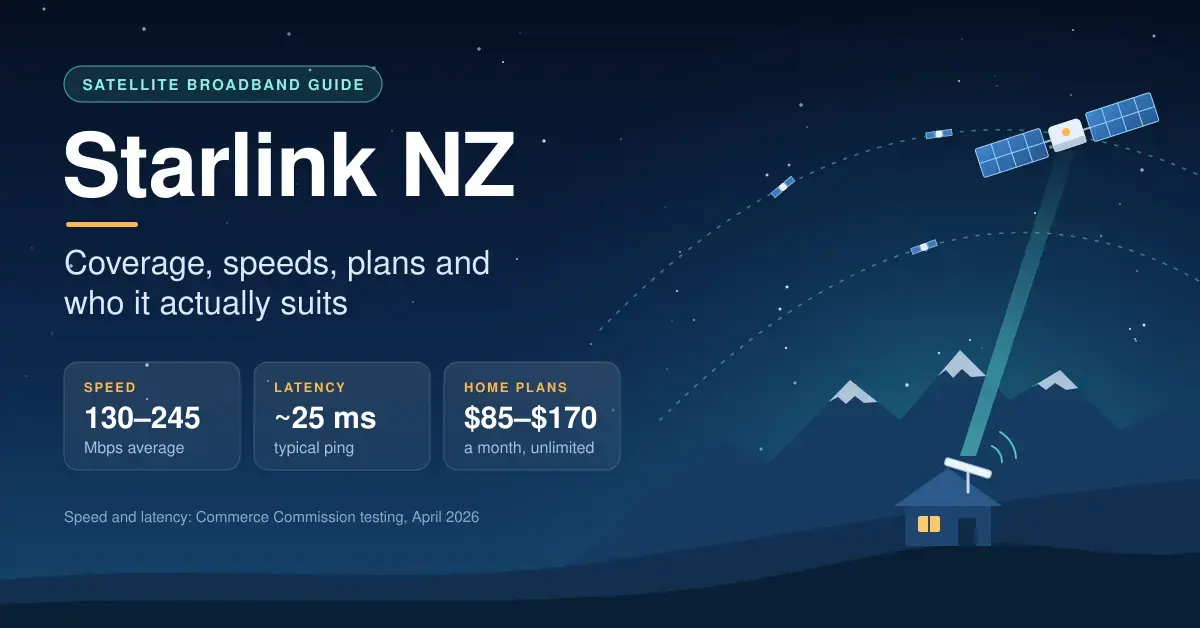
Starlink NZ is SpaceX’s low-orbit satellite broadband, sold direct and available across New Zealand wherever the dish can see enough sky. In Commerce Commission testing from April 2026 it averaged 130-245 Mbps with about 25 ms latency, and home plans cost $85-$170 a month with unlimited data.
It is the right answer for a lot of rural homes, baches and boats, and the wrong one for most people who can already get fibre. This guide covers how it works, where it works, what it really delivers and who it suits. If you want the money side in full, our Starlink NZ plans and prices guide has a cost calculator and the three-year totals; here we focus on the decision itself.
Key points
Key takeaways
- Coverage: Starlink is sold nationwide, but the cheaper 100 Mbps and 200 Mbps plans are only offered in some areas, and your own view of the sky matters more than any map.
- Speed: April 2026 Commerce Commission tests averaged 245 Mbps on Residential Max and 130 Mbps on Residential 100 Mbps, both with 25-26 ms latency.
- Cost: $85, $125 or $170 a month for home plans, all with unlimited data. Hardware runs from $0 upfront on promos to about $599 at retail.
- Market: Starlink now holds about 27% of rural broadband connections, more than any other provider.
- Weak spots: trees, power cuts and peak-hour slowdowns on the cheaper tiers. Fibre still beats it on speed, latency and value.
How Starlink internet works in NZ
Starlink is a network of thousands of satellites orbiting roughly 550 km up, far lower than the geostationary satellites (about 36,000 km) that older satellite broadband relied on. The shorter trip is why latency sits around 25 ms rather than 600 ms or more, so video calls and online games behave much like they do on a fixed line.
Your dish talks by radio to whichever satellite is best placed overhead and switches between them as they cross the sky. Each satellite relays your traffic to a ground station (a gateway connected to the internet) or passes it along laser links to another satellite when no ground station is in view. That constant hand-off is why the dish needs a wide, clear view of the sky: a branch in the way shows up as a dropout lasting a few seconds.
The same constellation also carries in-flight connectivity for a growing number of airlines, and One NZ’s Satellite TXT service uses Starlink’s direct-to-cell satellites to send texts from compatible phones that are outside normal mobile coverage. Both are separate products from Starlink home broadband, but they run on the same sky.
Starlink coverage NZ: can you get it at your address?
Starlink is sold right across New Zealand, from Northland farms to Southland cribs, and its Roam plans also cover territorial and inland waters. What decides whether it works well at your place is more local than any coverage map:
- Plan availability. The Residential 100 Mbps and 200 Mbps tiers are offered “in select areas” only. If a plan does not appear when you enter your address, it is not on offer there yet, usually because the local satellite cell is busy.
- Your view of the sky. The Standard dish has a roughly 110-degree field of view. Shelter belts, macrocarpa hedges, bush-clad hills and steep valleys all cause short dropouts if they sit in that cone.
- Wind and salt. The dish is rated IP67 and for operation in winds of 96 km/h and above, but a cheap mount on a coastal roof will corrode long before the dish itself fails.
Before you commit, download the Starlink app and run its obstruction check from the exact spot where you plan to put the dish. It uses your phone’s camera to map trees and buildings against the sky, and Starlink recommends doing it before you order. You can also enter your address on the Starlink availability map to confirm which plans are being sold at your location.
Starlink speed NZ: what independent testing shows
The most useful NZ speed data comes from the Commerce Commission’s Measuring Broadband New Zealand programme, which tests real volunteer connections rather than marketing claims. Its Report 28 (April 2026 testing, published July 2026) is the first to cover Starlink’s new tiered plans:
| Starlink plan | Average download | Peak-hour download | Average upload | Latency |
|---|---|---|---|---|
| Residential Max | 245 Mbps | 224 Mbps | 51 Mbps | 26 ms |
| Residential 100 Mbps | 130 Mbps | 115 Mbps | 47 Mbps | 25 ms |
Two things stand out. The 100 Mbps plan regularly ran above its cap, though the Commission noted a drop compared with the old Residential Lite plan it replaced. And Max barely slowed at peak, which is exactly what its higher network priority is for. Starlink itself quotes typical Max downloads of 400+ Mbps and uploads of 20-40 Mbps, so real speeds can sit well above the tested average.
Against fixed lines and wireless, Starlink lands in a sensible middle. It sits between Fibre 100 and Fibre 500 on raw download speed, but its latency is several times higher than fibre’s. For rural homes the fairer comparison is with copper and wireless:
| Connection type | Average download | Average latency |
|---|---|---|
| Fibre Max | 877 Mbps | 5 ms |
| Fibre 500 | 508 Mbps | 7 ms |
| Starlink Residential Max | 245 Mbps | 26 ms |
| Starlink Residential 100 Mbps | 130 Mbps | 25 ms |
| Fibre 100 | 106 Mbps | 6 ms |
| 4G fixed wireless | 66 Mbps | 48 ms |
| VDSL (copper) | 63 Mbps | 20 ms |
To see how your own line compares against these figures, our NZ broadband speed test takes about 20 seconds and reports download, upload and latency.
What happened to Starlink Residential Lite?
Residential Lite was Starlink’s cheaper, lower-priority tier. In early 2026 Starlink retired both Lite and the old standard Residential plan and replaced them with Residential Max, Residential 200 Mbps and Residential 100 Mbps. If you were on Lite, the closest equivalent now is Residential 100 Mbps at $85 a month.
Starlink NZ plans in brief
All three residential plans include unlimited data; the difference between them is network priority at busy times, which is why Max holds its speed at peak. Roam and Business plans exist for travel and commercial use.
| Plan | Monthly price | Best for |
|---|---|---|
| Residential 100 Mbps | $85 | 1-3 people |
| Residential 200 Mbps | $125 | Small to medium households |
| Residential Max | $170 | Big households, gaming, working from home |
| Roam (100GB or Unlimited) | from ~$100 / ~$235 | Travel, boats, campervans |
| Business (Local Priority) | from ~$92 | Farms, shops and offices |
Hardware ranges from $0 upfront on periodic promotions to about $599 at major retailers; on starlink.com/nz the Standard Kit is listed around $199 for eligible rural addresses and about $729 elsewhere, and Residential Max includes professional installation. Starlink’s own Residential plans help article spells out what each tier includes.
Which Starlink plan suits you?
Match the plan to how your household actually uses the internet rather than to the biggest number. A rough guide:
- One or two people, browsing and streaming: Residential 100 Mbps ($85) is plenty, and it averaged 130 Mbps in testing.
- A family of three or four with 4K streaming and video calls: Residential 100 Mbps still copes for many, but Residential 200 Mbps ($125) gives more headroom when several screens run at once.
- Five or more people, gamers, or working from home: Residential Max ($170) is worth it for the higher priority at peak times and the included install.
- A bach or holiday home: start on Residential 100 Mbps and pause it with Standby for the months you are away.
- Campervan, boat or travel: a Starlink Mini on a Roam plan is the usual set-up, and it runs from 12 V.
If fibre is available at your address, none of these usually beats it on speed, latency or value, so treat Starlink as a portable or backup option in that case.
Is Starlink worth it in NZ?
For most rural households the answer is now yes; for most town households with fibre at the gate, it is no. The detail sits in between.
Where Starlink makes sense
- Rural homes without fibre. Starlink is now the largest rural broadband provider in New Zealand, with about 27% of rural connections after overtaking Spark, and the Commission found its peak-time downloads around four times faster than 4G fixed wireless. See the ComCom’s rural connectivity market update for the wider picture.
- Homes losing copper. Chorus is progressively withdrawing copper services, and in many rural areas wireless or satellite is the realistic replacement.
- Baches and holiday homes. Pay for the months you use it and pause with Standby over winter.
- Boats, campervans and remote work sites. The Starlink Mini runs from 12 V and fits in a backpack; our Starlink Mini NZ guide covers power and mounting.
- Farms and small businesses that want a second connection for EFTPOS and cloud software when the main line drops.
Where it doesn’t
- You can get fibre. Fibre Max averaged 877 Mbps with 5 ms latency in the same testing, and fibre plans are usually better value per Mbps.
- Your section is under heavy bush. If you can’t mount the dish above the canopy, expect regular short dropouts no matter which plan you buy.
- Serious competitive gaming. Around 25 ms is low for satellite but still several times fibre’s latency, and it varies more from moment to moment. Our gaming internet guide explains why that matters.
- Hosting and inbound remote access. Residential Starlink uses carrier-grade NAT for IPv4, so traditional port forwarding does not work; IPv6 is supported, and cloud-based camera and remote-access apps are fine.
Starlink vs fibre
Fibre wins on every technical measure: speed, latency, consistency and price per Mbps. The only reasons to choose Starlink over available fibre are portability or a backup link. If you want a failover connection for a home business, a residential plan paused on Standby is the cheapest way to keep one ready to switch on.
Starlink vs fixed wireless and 5G
This is where the decision gets interesting. The Commission’s April 2026 testing had 4G fixed wireless averaging 66 Mbps and Spark’s 5G wireless plan around 412 Mbps. If you have strong 5G, it can beat Starlink; if you rely on 4G or a congested local provider, Starlink usually wins at peak times. Regional fixed-wireless operators still suit many valleys and hill-country sites where the sky view is poor. Our Wireless Nation review is a good example of what a rural fixed-wireless provider offers and how it stacks up.
Starlink setup NZ: getting it right first time
What’s in the Starlink kit
The current Standard Kit (Starlink calls it the Standard 4 X) contains the dish (594 x 383 mm, 2.9 kg), a kickstand, the Router 3, a 15 m Starlink cable and the power supply. The Router 3 is tri-band Wi-Fi 6, rated for up to 297 m2 and 235 devices, with two Ethernet ports. The dish draws about 75-100 W, works from -30C to 50C and can melt up to 40 mm of snow an hour. The full Standard Kit specification sheet lists every dimension and rating.
Quick facts
| Provider | SpaceX (Starlink) |
| Coverage | Nationwide NZ, plus territorial and inland waters on Roam |
| Home plans | Residential 100 Mbps $85, 200 Mbps $125, Max $170 (all unlimited data) |
| Tested speed | 130-245 Mbps download, 25-26 ms latency (Commerce Commission, April 2026) |
| Hardware | Standard Kit (Standard 4 X), $0 upfront on promos to about $599 retail |
| Standard dish | 594 x 383 mm, 2.9 kg, IP67, about 75-100 W |
| Router | Router 3, tri-band Wi-Fi 6, up to 297 m2 / 235 devices, 2 Ethernet ports |
| Operating range | -30C to 50C; melts up to 40 mm of snow per hour |
Five steps to a clean install
- Check obstructions in the Starlink app from the spot you have in mind.
- Test on the kickstand for a few days before drilling anything; the app’s statistics show any outages caused by obstructions.
- Mount it high and solid on the roof, fascia or a pole, using stainless or galvanised fixings near the coast.
- Route the cable carefully. Avoid tight bends, seal the entry point, and measure first: the kit cable is 15 m and 45 m replacements are available.
- Put the router central, not in the garage. If Wi-Fi does not reach, add a Starlink mesh node or your own system. Our Starlink Wi-Fi extender guide and explainer on mesh Wi-Fi cover both approaches.
For wired devices, cables, adapters and power backup, see our Starlink accessories guide.
Common Starlink mistakes to avoid in NZ
Most Starlink disappointments in New Zealand come down to a handful of avoidable setup mistakes rather than the service itself.
- Skipping the obstruction check. Ordering before you have tested the sky view is the biggest one. A single macrocarpa or a hill on the northern horizon can cause dropouts that no plan upgrade will fix.
- Buying more plan than you need. Many one- or two-person households pay for Max when Residential 100 Mbps averaged 130 Mbps in testing. Start low and move up only if evenings feel slow.
- Leaving the router in the garage or a corner. The Router 3 is capable, but Wi-Fi from the wrong spot will always feel slow. Put it central, or add a mesh node.
- Under-mounting on the coast. A cheap bracket rusts through in a season near salt air. Use stainless or galvanised fixings and a solid pole or roof mount.
- Forgetting power backup. Starlink dies the moment the mains does, which matters in rural areas prone to outages. A small UPS or 12 V setup keeps it alive through short cuts.
- Expecting port forwarding to work. Residential plans sit behind carrier-grade NAT on IPv4, so plan around IPv6 or cloud services for remote access rather than opening ports.
How reliable is Starlink satellite internet in NZ?
Day to day, the most common interruptions are local: an obstruction, a power cut, or a Wi-Fi problem inside the house. Network-wide failures are rare but not unknown. On 24 July 2025 Starlink suffered a global outage of about two and a half hours, which the company blamed on a failure of internal software services that run its core network. During the May 2024 solar storms its service was degraded but kept running.
The practical risks for NZ users are power cuts (no power, no Starlink), very heavy rain, which can briefly slow any satellite link, and trees that grow a little every year until they clip the dish’s view. Our Starlink outage guide explains how to tell a Starlink fault from a Wi-Fi one and what backup power to consider.
Our take:
- Fibre at the gate? Get fibre. Starlink only makes sense as a portable or backup connection.
- Rural, on copper or a struggling 4G line? Starlink is now the default choice. Start on Residential 100 Mbps at $85 and move up if evenings feel slow.
- Busy household, gamers or working from home? Residential Max at $170 is worth it for the priority at peak times and the included install.
- Before you order, check the sky view in the app and budget for a proper mount. Those two things decide your experience more than the plan does.
Disclaimer: Starlink plans, prices and availability change often. Figures here were checked on starlink.com/nz and in Commerce Commission reports in September 2026. Nicegear is independent, sells nothing and has no commercial relationship with Starlink or any provider mentioned. Confirm current pricing and availability for your address before ordering.
Sources
Frequently asked questions
Is Starlink available everywhere in NZ?
Starlink is sold across New Zealand, but plan availability varies by address and the 100 Mbps and 200 Mbps tiers are only offered in select areas. Your own view of the sky matters just as much, so run the obstruction check in the Starlink app before ordering.
How fast is Starlink in NZ?
In the Commerce Commission’s April 2026 testing, Residential Max averaged 245 Mbps down and about 51 Mbps up, and Residential 100 Mbps averaged 130 Mbps down and 47 Mbps up. Latency was 25-26 ms on both, which is low enough for video calls and most online gaming.
How much does Starlink cost in NZ?
Home plans cost $85 (100 Mbps), $125 (200 Mbps) or $170 (Max) a month with unlimited data. Roam starts around $100 a month and business plans from about $92. Hardware runs from $0 upfront on some promotions to about $599 at retail, with lower prices for eligible rural addresses on starlink.com.
Is Starlink better than fibre?
No. Fibre is faster, has around a fifth of the latency and is usually cheaper per Mbps. Starlink is the better choice only where fibre is not available, or as a portable or backup connection.
Does Starlink work in a power cut?
No. The dish and router need mains power, so Starlink drops out when the power does. A small UPS or a 12 V battery setup can keep it running through short outages.