
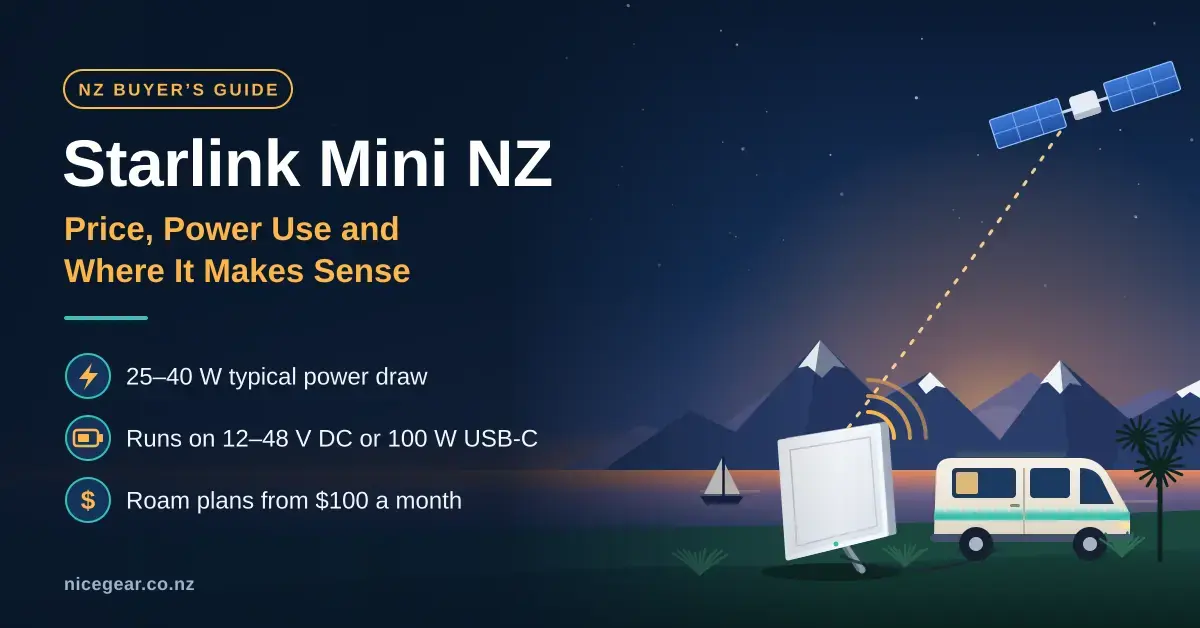
The Starlink Mini is a laptop-sized satellite dish with the Wi-Fi router built into the back, aimed squarely at people who need internet where there is no fixed line. In New Zealand it sold for roughly $349 to $449 at retailers in September 2026, and it runs on a Roam mobile plan from $100 a month. Its stand-out feature is a low 25-40 W power draw and the ability to run from 12-48 V DC or a 100 W USB-C supply, which makes it a natural fit for campervans, boats and baches.
This guide is for travellers, boaties, bach owners and anyone who needs to get online away from town. It covers what the Mini costs to buy and run, how to power it from batteries and solar, where it works around Aotearoa, and when the larger Standard dish is the smarter buy. If Starlink is new to you, start with our Starlink NZ guide; for the full price list, see our Starlink plans and prices guide.
Key points
- The Mini sold for $349-$449 at NZ retailers in September 2026, and most people pair it with Roam 100GB ($100/month) or Roam Unlimited ($235/month).
- It averages 25-40 W, roughly a third of the Standard dish, so a 100 Ah lithium battery runs it for well over a day.
- Power it from 12 V DC or a 100 W USB-C PD supply; underpowered power banks are a common cause of reboots.
- Roam plans allow in-motion use up to 160 km/h and cover coastal waters out to 12 nautical miles.
- For a permanent home connection, the Standard dish has better Wi-Fi coverage and faster snow melt, and often costs less upfront.
What is the Starlink Mini?
The Starlink Mini is the smallest and most portable dish in SpaceX’s Starlink satellite network. It measures 298.5 x 259 x 38.5 mm and weighs 1.10 kg on its own, or 1.16 kg with the kickstand, with the router built into the back so there is no separate box to find a home for. In practice it is small enough to slide into a backpack alongside a laptop.
Its built-in Wi-Fi 5 router covers up to 112 m² and up to 128 connected devices, which is ample for a campervan, a boat cabin or a small bach. There is one latching Ethernet port for a wired device, but it uses Starlink’s own plug, and the matching cable is sold separately. Like the Standard dish, the Mini has a 110° field of view, is rated IP67 for dust and water when the official cable is fitted, and is built to work from -30°C to 50°C. The kit ships with the kickstand, a 15 m DC power cable and a mains power supply; the full technical detail is in Starlink’s Mini specification sheet (PDF).
Quick facts
| Maker | SpaceX (Starlink network) |
|---|---|
| Official page | starlink.com/nz |
| Size | 298.5 x 259 x 38.5 mm |
| Weight | 1.10 kg (1.16 kg with kickstand) |
| Wi-Fi / coverage | Built-in Wi-Fi 5, up to 112 m², up to 128 devices |
| Power draw | 25-40 W average, 60 W maximum input |
| Power input | 12-48 V DC, or 100 W USB-C PD |
| Rating | IP67, -30°C to 50°C, 110° field of view |
| In the box | Mini with router, kickstand, 15 m DC cable, mains power supply |
| Typical NZ price | $349-$449 (hardware) plus a Roam plan |
Starlink Mini price in NZ: hardware and plans
The Starlink Mini cost between $349 and $449 at New Zealand retailers in September 2026, with JB Hi-Fi listing it around $349 and Noel Leeming around $449, so it pays to shop around. Some retailers also offer interest-free instalments on the hardware. On top of the dish you need a monthly plan, and for the Mini that almost always means a Roam plan. Households that already run Starlink on a Residential plan can add an optional Mini with discounted Roam pricing, which is worth knowing before you pay full freight.
| Plan | Monthly price (NZD) | Data | Best for |
|---|---|---|---|
| Roam 100GB | $100 | 100 GB, then unlimited low-speed data | Weekends away, occasional trips, the bach |
| Roam Unlimited | $235 | Unlimited | Living or working on the road |
| Residential add-on | Discounted Roam | Varies | Homes that already run Starlink |
| Standby mode | Small monthly fee | Low-speed data only | Pausing between trips |
Starlink Roam NZ: which plan suits the Mini?
Roam 100GB suits most people who use the Mini for trips rather than full-time living. A long weekend of maps, streaming and video calls uses only a fraction of 100 GB, and once you pass it you drop to unlimited low-speed data instead of being cut off entirely. Roam Unlimited earns its $235 a month only if you genuinely live or work on the road. Between trips you can pause either plan with Standby mode, which keeps a low-speed connection alive for messages; the mechanics are explained in Starlink’s guide on how pausing service works.
Roam plans cover inland waterways and coastal waters out to 12 nautical miles from shore; beyond that you need Starlink’s Ocean Mode, which is billed per gigabyte used. Roam also supports in-motion use at up to 160 km/h in authorised locations, and the Mini is on Starlink’s list of approved in-motion hardware provided it is securely mounted. The details and the current country rules are set out on the Starlink Roam page and in the Help Centre article on whether you can use Starlink in-motion.
Starlink Mini vs Standard: which should you buy?
The Mini wins on portability and power; the Standard (Gen 3) dish wins almost everywhere else. The Standard’s Router 3 uses tri-band Wi-Fi 6 and covers roughly 297 m² with two Ethernet ports, it melts snow faster, and in many areas the hardware is cheap or free upfront on a Residential plan. The trade-off is that it draws far more power and is not built to be picked up and moved. The short version: for a house you live in year-round, buy the Standard; for anything that moves, or a bach with little power to spare, buy the Mini.
| Feature | Starlink Mini | Standard (Gen 3) |
|---|---|---|
| Portability | Fits in a backpack, sets up in a minute | Fixed install, not meant to move |
| Average power draw | 25-40 W | 75-100 W |
| Router / Wi-Fi | Built-in Wi-Fi 5, ~112 m² | Router 3, Wi-Fi 6, ~297 m² |
| Ethernet ports | One (via Starlink plug) | Two |
| Snow melt rate | About 25 mm/hour | About 40 mm/hour |
| In-motion use | Yes, on a Roam plan | Not designed for it |
| Typical NZ hardware price | $349-$449 | Often free or low upfront on Residential |
| Best for | Travel, boats, baches, off-grid | A full-time home connection |
Starlink Mini power consumption and battery life
Starlink rates the Mini at 25-40 W on average, with about 15 W at idle and a 60 W maximum input. Over a day that is modest: six hours at 30 W is only 180 Wh before conversion losses, roughly what a laptop uses. The catch is that the Mini needs clean, steady power, and a large share of the problems people report come down to the power supply rather than the satellites. The table below shows how long common power sources last at a typical 30 W draw.
| Power source | Usable energy | Runtime at ~30 W |
|---|---|---|
| 12.8 V 100 Ah LiFePO4 battery | ~1,150 Wh | ~36 hours |
| Portable power station (500 Wh) | ~450 Wh | ~15 hours |
| 99 Wh USB-C power bank (carry-on limit) | ~90 Wh | ~2.5-3 hours |
Powering the Starlink Mini on 12 V
The Mini accepts 12-48 V DC directly, so it can run from a campervan or boat’s 12 V system without an inverter. A 12.8 V 100 Ah lithium (LiFePO4) battery holds about 1,280 Wh, of which roughly 1,150 Wh is safely usable; at 30 W that is close to 36 hours of use. Keep the cable from the battery short and thick, fit an in-line fuse, and remember that a 12 V system that sags under load is a common cause of random reboots.
USB-C power banks and power stations
With Starlink’s USB-C to barrel-jack cable, the Mini can run from a USB-C Power Delivery source that supplies at least 100 W (20 V at 5 A). Many power banks advertise 100 W but cannot actually hold it, so check the spec sheet before you buy. A 99 Wh power bank, the largest most airlines allow in carry-on, gives only about two and a half to three hours, so it is best treated as a top-up rather than an all-day supply. A larger portable power station is a better bet for a weekend off-grid.
Solar for the Starlink Mini
To keep a battery topped up off-grid, size the solar panel for your daily use and the season, not just the sunniest day. As a rule of thumb, assume only about three-quarters of a panel’s rated output actually reaches the battery. The figures below are based on a 30 W average draw and rough New Zealand sun-hours; you can check the sun your exact location gets with NIWA’s free SolarView tool, and size a full system with our solar panel and battery calculator.
| Daily use at ~30 W | Energy used | Panel for summer (~5 sun-hours) | Panel for winter (~2 sun-hours) |
|---|---|---|---|
| 3 hours | ~90 Wh | ~30 W | ~60 W |
| 6 hours | ~180 Wh | ~60 W | ~130 W |
| 12 hours | ~360 Wh | ~110 W | ~250 W |
Flat campervan roofs collect less than a well-angled panel, so err on the larger side if the Mini is your only way to work. A 100 Ah lithium battery paired with 100-150 W of solar covers typical daily use for most of the year in most of the country.
Starlink Mini mount options
The kickstand in the box is fine at a campsite or on the bach deck, but for anything more permanent, or for in-motion use, you need a proper mount. Pipe adapters for boat rails and poles, pivot mounts for roofs and walls, and vehicle mounts for roof racks are sold by Starlink and by third-party makers. Whatever you choose, a few things matter more than the mount itself:
- Secure it properly for travel. Starlink warns that improper installation for in-motion use can cause injury or damage and may void the warranty.
- Use marine-grade or stainless fittings near salt water, and rinse the dish and connectors with fresh water after a salty trip.
- Leave slack in the cable and protect the connector from being yanked, which is especially easy to do on a boat.
- Think about theft at trailheads and campgrounds; a lockable mount, or simply taking the Mini inside, is cheap insurance.
For cables, adapters and longer power leads, see our Starlink accessories guide.
Where the Starlink Mini makes sense in NZ
The Mini is at its best wherever a fixed line is impractical and power is limited. Three uses stand out in New Zealand.
Starlink Mini in a campervan
The campervan is the Mini’s home ground. It runs straight from the van’s 12 V system, sets up in about a minute at DOC campsites with no power, and on a Roam plan can stay connected while you drive if it is roof-mounted. The main thing to watch is tree cover: a site tucked under beech forest may give you only a bar or two and frequent dropouts, so park with a clear view of the sky wherever you can. If you need Wi-Fi to reach an awning or a second vehicle, our Starlink Wi-Fi extender guide covers your options.
Starlink Mini on a boat in NZ
Roam covers inland waterways and coastal waters to 12 nautical miles, which takes in most day trips and coastal cruising in the Hauraki Gulf, the Bay of Islands and the Marlborough Sounds. It is not safety equipment, though. Maritime NZ advises carrying at least two ways of calling for help that keep working when wet, such as a VHF radio and a distress beacon; treat Starlink as a convenience on top of those, never a replacement. Its guidance on communications for recreational boating is worth reading before you head out.
Baches, work sites and emergencies
A Mini on Roam is often the simplest option for a bach you visit a few times a year: no permanent install, no second dish on the roof, and you can pause the plan between visits. It also suits tradies and farm contractors working beyond fixed coverage, where a rural wireless service such as Wireless Nation is not an option. Paired with a power bank, the Mini makes a useful emergency kit for storms and power cuts; our Starlink outage guide explains how to tell a Starlink fault from a local one.
Common mistakes with the Starlink Mini
Most Mini disappointments come from a handful of avoidable errors rather than the hardware itself.
- Using a power bank that cannot deliver 100 W. The Mini reboots or simply refuses to start. Check the sustained output, not the headline figure.
- Running a long, thin 12 V cable. Voltage drop causes dropouts; keep the run short and use thick wire with a fuse.
- Leaving it on around the clock off-grid. At 25-40 W it will flatten a small battery overnight, so switch it off when you are not using it.
- Expecting it to cover a big house. The built-in Wi-Fi reaches about 112 m²; a larger home needs the Standard kit’s Router 3 or a mesh add-on.
- Ignoring obstructions. The Starlink app’s obstruction check works for the Mini too, so use it before you settle on a spot.
Once it is set up, run our NZ broadband speed test to see what you are actually getting at that location.
The bottom line
Buy the Mini for campervans, boats, work sites and baches without a permanent install, where its low power draw is the real advantage; buy the Standard dish for a home you live in year-round, where you get better Wi-Fi, faster snow melt and often cheaper hardware. Start on Roam 100GB and only move to Unlimited if you genuinely live on the road, and budget for power up front: a 100 Ah lithium battery with 100-150 W of solar covers typical daily use for most of the year.
Prices, plans and Starlink’s in-motion rules change often. The figures in this guide were checked against starlink.com/nz, Starlink’s Help Centre and NZ retailer listings in September 2026. Nicegear is independent, sells nothing, and has no commercial relationship with Starlink or any retailer mentioned.
Sources
Frequently asked questions (FAQ)
How much is the Starlink Mini in NZ?
NZ retailers listed the Mini at $349-$449 in September 2026 (JB Hi-Fi around $349, Noel Leeming around $449). On top of the hardware you need a plan, usually Roam 100GB at $100 a month or Roam Unlimited at $235 a month.
Can I use the Starlink Mini while driving in NZ?
Yes, on a Roam plan. Starlink allows in-motion use at up to 160 km/h in authorised locations and lists the Mini as approved hardware, but it must be securely mounted rather than sitting loose on the dashboard.
How long will a Starlink Mini run on a battery?
It depends on the battery and how hard the Mini is working. At a typical 30 W, a 12.8 V 100 Ah lithium battery lasts around 36 hours, while a 99 Wh USB-C power bank gives only about two and a half to three hours.
Can the Starlink Mini run on 12 V?
Yes. It accepts 12-48 V DC with a 60 W maximum input, so it can run straight from a campervan or boat’s 12 V system. Use a short, heavy cable and an in-line fuse to avoid voltage drop and reboots.
Does the Starlink Mini work on a boat in NZ?
Yes. Roam plans cover inland waterways and territorial waters up to 12 nautical miles offshore, and Ocean Mode is available further out, billed per gigabyte. It does not replace a VHF radio or a distress beacon.




