
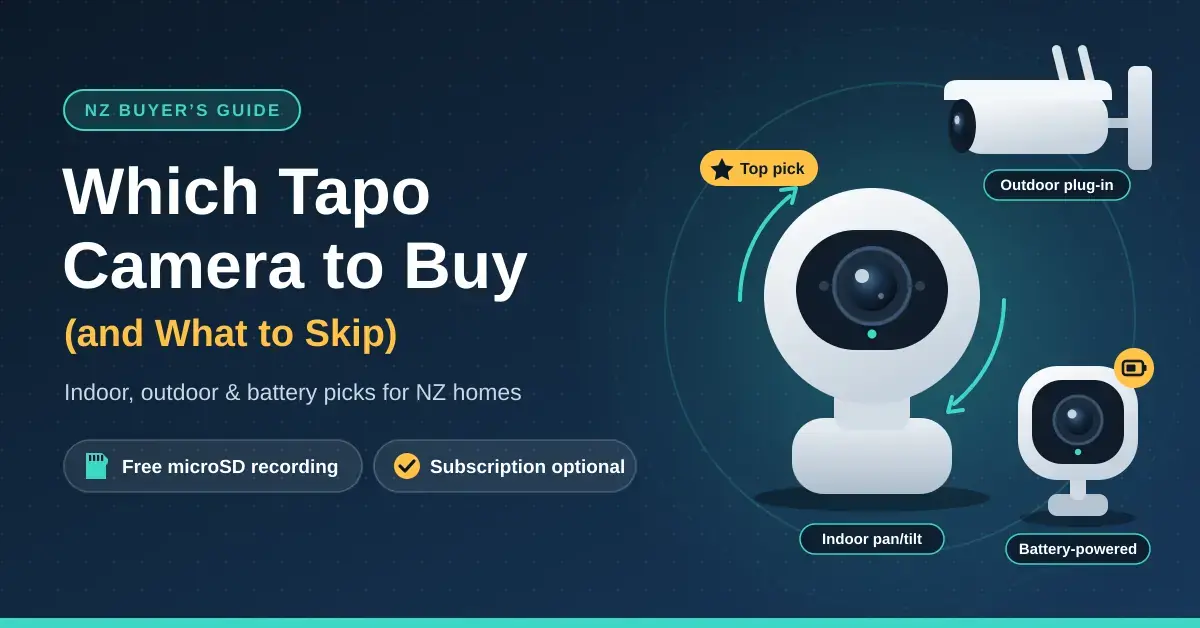
For most New Zealand homes the best Tapo security camera is the Tapo C210 — a 2K pan/tilt indoor camera from about $59 — paired with a plug-in C520WS or C320WS on any outside wall that has power nearby, and the battery-powered C425 where running a cable is impractical. Every Tapo camera records to a microSD card for free, so a monthly subscription is always optional. This guide explains which of TP-Link’s many Tapo model numbers are worth buying in New Zealand, what you get for nothing, and when Tapo Care actually earns its keep.
It is written for households, renters and small businesses who want a capable camera without paying alarm-company prices. If you are still weighing up wired versus wireless, cloud versus local recording, or Tapo against another brand entirely, start with our home security camera buying guide and come back here once you have settled on Tapo.
Key takeaways
- Indoor pan/tilt Tapo cameras (C200, C210, C220) are among the cheapest capable security cameras in NZ, from about $45 to $72.
- Outdoors, choose by power first: plug-in (C320WS, C520WS), battery (C425) or a solar kit (C610 KIT, C660 KIT).
- Live view, alerts, person, pet and vehicle detection and microSD recording are all free. Tapo Care adds 30 days of cloud clips and snapshot alerts.
- Most Tapo cameras use 2.4 GHz Wi-Fi only. The C260 and C660 KIT also work on 5 GHz.
- Plug-in models support RTSP and ONVIF for NVRs and Home Assistant. Battery and solar models do not.
Which Tapo camera should you buy?
Start with power, not resolution. A plug-in camera is cheaper, can record around the clock and never needs charging, so battery and solar models only make sense where running a cable is genuinely impractical. Once power is settled, decide whether the camera should sweep a room or yard (a pan/tilt model) or watch a single fixed spot, and only then worry about how many megapixels you need. Working in that order stops you overpaying for a 4K battery camera when a $59 plug-in would do the same job better.
If you would rather skim, this is the shortlist we would give a friend:
- Inside, best value: Tapo C210 (2K 3MP pan/tilt), from about $59.
- Outside wall near a power point: Tapo C320WS (fixed) from about $111, or the C520WS (pan/tilt) from about $113.
- Outside with no power: Tapo C425 battery camera, from about $172.
- A gate, shed or long driveway: a solar kit such as the C610 KIT (from about $229) or the 4K C660 KIT (from about $240), provided your Wi-Fi reaches that far.
Tapo camera range and NZ prices at a glance
Tapo model numbers follow a rough pattern once you know it: C1xx are fixed indoor cameras, C2xx indoor pan/tilt, C3xx fixed outdoor, C4xx battery, C5xx outdoor pan/tilt and C6xx solar kits, while the D-series covers video doorbells. The table below lists the models most widely stocked by NZ retailers such as PB Tech when we checked in September 2026.
Tapo camera range
| Model | Type | Resolution | Power | Wi-Fi | NZ price from |
|---|---|---|---|---|---|
| Tapo C200 | Indoor pan/tilt | 1080p | Plug-in | 2.4 GHz | $45 |
| Tapo C210 | Indoor pan/tilt | 2K 3MP | Plug-in | 2.4 GHz | $59 |
| Tapo C220 | Indoor pan/tilt | 2K 4MP | Plug-in | 2.4 GHz | $72 |
| Tapo C260 | Indoor pan/tilt | 4K 8MP | Plug-in | 2.4 and 5 GHz | $127 |
| Tapo C320WS | Outdoor fixed | 2K 4MP | Plug-in, Ethernet port | 2.4 GHz | $111 |
| Tapo C520WS | Outdoor pan/tilt | 2K 4MP | Plug-in, Ethernet port | 2.4 GHz | $113 |
| Tapo C425 | Outdoor battery | 2K 4MP | 10,000 mAh battery | 2.4 GHz | $172 |
| Tapo C660 KIT | Outdoor solar pan/tilt | 4K 8MP | Battery and solar panel | 2.4 and 5 GHz | $240 |
The “from” prices are the lowest listings we found; other stores often charge more, and seasonal sales move them around most weeks, so treat them as a guide rather than a quote. Every model in the table records to a microSD card that is sold separately, and none of them needs a subscription to work.
Tapo C200 vs C210 vs C220: the indoor cameras
The three main indoor pan/tilt Tapo cameras look almost identical and share most features: a full 360-degree pan, infrared night vision to about 9 metres, two-way audio, customisable privacy zones and free microSD recording (up to 512 GB on the C210 and C220). What separates them is the image sensor and how specific the smart alerts get.
Tapo C200 vs C210
The C210 is the better buy for most people. It records at 2304 x 1296 pixels (3MP) against the C200’s 1920 x 1080, which is roughly 44% more pixels — the difference you notice when you zoom into a saved clip to read a face, a number plate or the courier’s label on a parcel. The two cameras are otherwise near-identical, and the C210 usually costs only about $14 more, so the C200 makes sense only if you literally just want to keep half an eye on a pet. You can read the full Tapo C210 specifications on TP-Link’s site.
When the C220 or C260 is worth the extra
The C220 steps up to 2560 x 1440 (2K 4MP) and, more usefully, adds a much longer list of AI alerts: pet, vehicle, glass breaking, dog barking, cat meowing, line crossing and tamper detection, on top of the person and baby-cry detection the cheaper models already have. That matters if you want a notification only when the dog barks or someone crosses the driveway, rather than a buzz every time the curtains move. The full Tapo C220 specifications list every trigger it can watch for.
The C260 is Tapo’s 4K indoor flagship (3840 x 2160, 8MP). It adds dual-band 2.4/5 GHz Wi-Fi, on-device face recognition that is processed locally rather than uploaded to the cloud, and a motorised shutter that physically covers the lens in privacy mode. At about $127 it earns its price mainly in large open-plan rooms where you lean on digital zoom, or if you specifically want the reassurance of a lens you can see is closed.
Tapo outdoor cameras: plug-in, battery or solar
Outdoors, power decides the model before anything else. Our outdoor security camera guide covers weatherproofing, mounting height and cable runs in more depth; the Tapo-specific choices are below.
Plug-in: Tapo C320WS and C520WS
Both cameras record 2K 4MP (2560 x 1440), carry an IP66 weatherproof rating and use a “starlight” sensor that holds full colour in low light, with infrared reaching roughly 30 metres in the dark. The C320WS has a fixed view for watching one door, gate or driveway; the C520WS pans a full 360 degrees and tilts through 130 degrees, so a single unit can follow someone the length of a driveway. Both include an Ethernet port, and it is worth using where you can: brick veneer, concrete block and foil-backed insulation all weaken Wi-Fi at an outside wall, and a wired link is steadier in bad weather too.
One catch trips people up: the supplied power adapter is not weatherproof. Keep it indoors or inside a weatherproof enclosure and run the thin low-voltage DC cable out through the soffit or a drilled hole. If there is no power point where you want the camera, adding an outdoor socket is a job for a registered electrician, not a DIY afternoon.
Tapo C425: the battery camera to buy
The C425 is the standalone battery camera to choose. It is a 2K 4MP unit with a 10,000 mAh battery, colour night vision, a 142-degree wide field of view and an IP66 rating, and it connects straight to your Wi-Fi and records to its own microSD card (up to 512 GB) with no hub required. TP-Link quotes up to 300 days per charge, but read the small print: that figure assumes only about 230 seconds of activity a day. A busy front door or a camera facing a public footpath will trigger far more often and need charging every few weeks instead. The full Tapo C425 specifications spell out the detection modes.
Do not confuse the C425 with its siblings. The C420 is sold as part of a kit built around the Tapo H200 hub, so it only makes sense if you already own that hub or plan to run several battery cameras through one. The cheaper C400 (1080p) and C410 (2K 3MP) work perfectly well, but at a front door — where you most want to identify a face — the C425’s sharper 4MP image is worth the extra.
Tapo solar cameras
Tapo’s solar kits pair a battery pan/tilt camera with a small panel so you never have to recharge by hand. The line-up includes the C610 KIT (2K 3MP, from about $229), the C615F KIT (2K with a built-in floodlight, from about $289) and the 4K C660 KIT (from about $240), which also adds dual-band Wi-Fi and an IP65 rating. You can also bolt Tapo’s A202 solar panel onto a bare C425. The Tapo C660 KIT specifications cover the panel and battery in detail.
A solar camera still needs two things at the mounting spot: a usable Wi-Fi signal and genuine direct sun. The C660 KIT’s panel charges at up to 2.5 W, which is ample through a Hawke’s Bay summer but marginal under a shaded eave in a Dunedin June. Because winter sun is the make-or-break factor in the South, our solar security camera guide includes a winter-sunshine calculator for the main NZ cities — check it before you commit to solar over a simple plug-in run.
The Tapo app, SD cards and Tapo Care
What the Tapo app does for free
The free Tapo app is unusually generous. Out of the box you get live view, instant motion notifications, two-way audio, activity and privacy zones, motion and AI detection, and local recording to the microSD card — with no cap on the number of cameras you add. It also works with Amazon Alexa and Google Assistant, and the same app runs Tapo’s smart plugs, bulbs and sensors, so if you already use Tapo smart plugs your cameras simply appear on the same home screen. None of this core functionality sits behind a paywall.
Choosing a Tapo camera SD card
Tapo cameras never ship with a card, so budget for one. TP-Link supports microSD cards from 8 GB to 512 GB rated Class 10, U1 and V10 or better, and strongly recommends “high-endurance” cards built for the constant rewriting a camera does, such as SanDisk High Endurance, Samsung PRO Endurance or Kingston High Endurance. Ordinary phone or camera cards wear out and start corrupting recordings within months. You can check the current list on the microSD card compatibility guide before you buy.
As a rough sizing rule, TP-Link estimates a 1080p camera recording continuously at 15 frames per second fills about 16 GB every 48 hours — roughly 8 GB a day. Higher-resolution models eat more, and motion-only recording uses far less because the card only fills when something actually happens.
For most homes a 128 GB high-endurance card is the sweet spot: about two weeks of continuous 1080p, or several weeks of motion clips. When the card is full the camera loops back over the oldest footage, so if you capture something important, export the clip promptly before it is overwritten. Plan for a larger card, or add cloud backup, if you record continuously or run several cameras at 2K or 4K.
Is Tapo Care worth it?
Tapo Care is optional cloud storage, not a requirement. A subscription keeps motion clips in the cloud for 30 days, adds a still image to each notification and sorts clips by what triggered them. In Australia TP-Link lists it from A$4.99 a month or A$48.99 a year for a single camera, with multi-camera plans covering up to 10 cameras and a one-off 30-day free trial; NZ pricing appears in the app at checkout and lands at a similar figure, roughly $5 to $6 a month per camera at current exchange rates. You can see the current tiers on the Tapo Care plans page.
It is genuinely worth paying for on any outdoor camera a burglar could reach, because a stolen camera walks off with its microSD card and all the footage on it — cloud clips survive the theft. Everywhere else, free local recording is enough for most people, and you can always add Tapo Care later if you change your mind.
Using Tapo with Home Assistant, Frigate or an NVR
Plug-in Tapo cameras support the RTSP and ONVIF standards, which let them stream to third-party recorders. Create a camera account in the app (Device Settings, then Advanced Settings, then Camera Account) and the camera can feed a network video recorder, a NAS, the open-source Frigate detector or a Home Assistant Green hub with no cloud in the loop. The catch is that battery and solar models such as the C425 and C660 KIT do not offer RTSP, and each camera allows only a limited number of simultaneous streams — run Tapo Care, an NVR and microSD recording at once and Tapo will quietly switch the NVR feed off. If local, private recording matters to you, buy a plug-in model. The RTSP and ONVIF setup guide walks through the steps.
Setting up a Tapo security camera
Most setup problems come down to Wi-Fi and placement rather than the camera itself:
- Pair it next to the router, then move it. Setup is the step most likely to fail at the edge of Wi-Fi range, so get the camera onto the network first and relocate it afterwards.
- Check your Wi-Fi band. Most Tapo cameras use 2.4 GHz only. Routers and mesh systems that combine both bands under one network name usually work, but if pairing fails, split the bands temporarily. Our mesh Wi-Fi guide covers getting a solid signal to the far corners of the house.
- Test the live view from the mounting spot on your phone before you drill a single hole.
- Mount outdoor cameras about 2.5 to 3 metres up, angled down and away from the rising or setting sun to avoid glare and reach.
- Keep night-vision cameras away from windows. Infrared reflects off glass, so a camera looking through a window at night mostly records its own glare.
- Near the coast, use stainless screws and a drip loop. IP66 keeps rain out, but salt air still corrodes brackets and connectors over time.
Tapo cameras and privacy law in NZ
Home camera owners in New Zealand sit mostly outside the Privacy Act, but that changes the moment your filming would be “highly offensive to a reasonable person” — for example pointing a lens into a neighbour’s bathroom or watching their children play in the back yard. The Office of the Privacy Commissioner’s guidance on CCTV at home recommends talking to your neighbours before you install anything, putting up a sign that cameras are in use, not aiming cameras at their property or windows, keeping footage only as long as you actually need it, and never posting a neighbour’s footage on social media. The Crimes Act separately bans intimate recordings made or published without consent.
The Tapo app makes it easier to stay on the right side of this. Privacy zones black out a neighbour’s window or the public footpath so the camera never records them, privacy mode turns a camera off with a single tap, and two-step verification on your TP-Link ID protects the account if your password ever leaks. Keep the camera’s firmware up to date as well, since security fixes arrive that way.
Common mistakes to avoid
- Buying battery where there is power. Battery cameras cost more, usually record short clips only and need recharging — a plug-in model is cheaper and can record around the clock.
- Using a cheap microSD card. Constant rewriting wears out ordinary cards fast, and corrupted or missing recordings are the usual symptom. A high-endurance card is not optional.
- Mounting the camera within reach. Mount it high enough that no one can grab it, or back the footage up to Tapo Care or an NVR so a stolen camera is not the end of the evidence.
- Treating a camera as an alarm. A camera records; it does not call anyone or scare an intruder off. Our smart home security systems guide covers sensors, sirens and monitored alarms.
- Buying grey imports. Overseas marketplace listings can arrive with foreign plugs, the wrong region firmware and no local support. Buy from an NZ retailer and the Consumer Guarantees Act applies.
Tapo vs eufy and Arlo
Tapo’s pitch is price and range, and it is a strong one. Eufy security cameras cost more but many record to a HomeBase hub inside the house with no subscription at all, which suits people who dislike ongoing fees yet still want local storage a thief cannot pocket. Arlo cameras have the most polished hardware and apps, but lean hardest on a paid plan for any meaningful recording history. If your budget is the deciding factor, Tapo gives you the most capable camera for the money almost every time; if you want hub-based local storage or premium extras, the other two are worth a look.
Our overall take is simple. Indoors, buy the C210, dropping to the C200 only for pet-watching or stepping up to the C220 for more specific alerts. Outdoors with power, choose the C520WS (pan/tilt) or the fixed C320WS, on Ethernet if the wall signal is weak. Where there is no power, use the C425, adding a solar panel only where it will see real winter sun. Then put a 128 GB high-endurance card in every camera, and reserve Tapo Care for the cameras a thief could physically reach.
Disclaimer: Prices are the lowest NZ retail listings we found and were checked in September 2026; they change often, and Tapo Care pricing is set by TP-Link and shown in the app at checkout. Nicegear is independent, sells nothing and has no commercial relationship with TP-Link or any retailer mentioned.
Sources
- Tapo C520WS outdoor pan/tilt camera – TP-Link Tapo
- Tapo C320WS fixed outdoor camera – TP-Link Tapo
- Tapo C260 4K indoor pan/tilt camera – TP-Link Tapo
- Which microSD cards work with Tapo and Kasa cameras – TP-Link support
- Tapo Care subscription pricing – TP-Link support (AU)
- Privacy and CCTV – Office of the Privacy Commissioner
Frequently Asked Questions
Do Tapo cameras need a subscription?
No. Live view, alerts, AI detection and recording to a microSD card are all free, with no limit on the number of cameras. Tapo Care is optional and adds 30 days of cloud clips and snapshot notifications, listed from A$4.99 a month per camera in Australia, with NZ pricing shown in the app.
What size SD card does a Tapo camera need?
Tapo cameras take microSD cards from 8 GB to 512 GB, and a 128 GB high-endurance card suits most homes: about two weeks of continuous 1080p by TP-Link’s estimate, and much longer if you record motion only. Use a high-endurance card rated Class 10, U1 and V10 or better, because ordinary cards wear out quickly.
What is the difference between the Tapo C200 and C210?
The C210 records at 3MP (2304 x 1296) and the C200 at 1080p, so the C210 has about 44% more pixels for zooming into faces and details. Otherwise they are near-identical indoor pan/tilt cameras, with the C210 usually only about $14 dearer — which makes it the better buy for most people.
Do Tapo cameras work on 5 GHz Wi-Fi?
Most do not. The C200, C210, C220, C425 and C520WS all connect on 2.4 GHz only. Newer models such as the C260 and the C660 KIT add dual-band support and work on 5 GHz as well as 2.4 GHz.
Can I use Tapo cameras with Home Assistant?
Yes, with the plug-in models. Plug-in Tapo cameras support RTSP and ONVIF, so Home Assistant, Frigate or an NVR can record them locally once you create a camera account in the app. Battery and solar models such as the C425 and C660 KIT do not support RTSP.




