
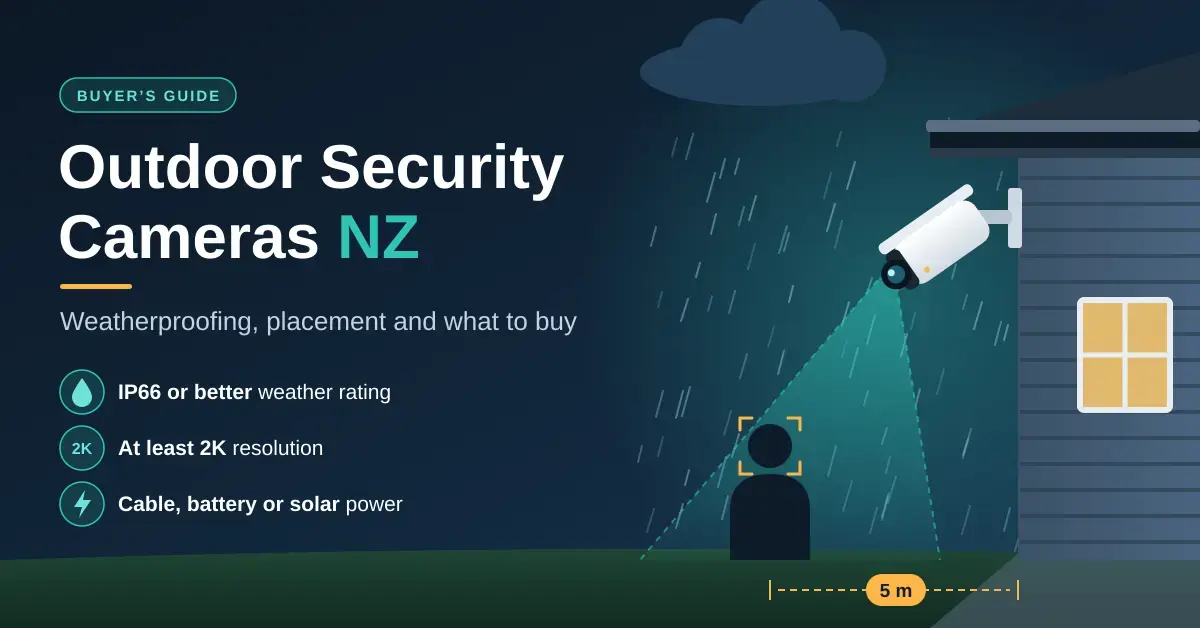
Good outdoor security cameras in New Zealand share three things: a weather rating of IP66 or better, at least 2K resolution, and a power source that suits the spot, whether that is a cable, a battery or a solar panel. Placement matters more than megapixels. A 2K camera five metres from the front door will show a face that a 4K camera across the section cannot.
This guide is for homeowners, renters and lifestyle-block owners mounting cameras on outside walls. It covers weatherproofing, where to point a camera, how far it can actually recognise a face, the choice between battery and wired power, floodlight cameras, and the models worth a look in NZ. If you are still weighing wired against wireless or cloud against local storage, start with our home security camera guide and come back here for the outdoor-specific detail.
Key points
- IP66 is the rating to look for on an exposed wall. IP67 adds an immersion test but is not automatically tested against water jets, because IP ratings are not cumulative beyond IPX6.
- Detail drops fast with distance: a 2K camera with a 90-degree lens can identify a stranger only to about 5 metres, and recognise someone you know to about 10 metres.
- Wired cameras record 24/7 and never need charging; battery and solar cameras suit spots with no power point.
- Salt air and UV wear cameras out faster than rain, so mount under the eaves and use stainless fixings near the coast.
- Expect roughly $95 to $500 per outdoor camera from Tapo, eufy and Arlo, and about $289 for a floodlight camera.
What to check before you buy an outdoor security camera
Focus on seven things before price: how well it survives the weather, how much detail it captures, how wide it sees, how it copes at night, how it is powered, where the footage lives, and whether it can tell a person from a passing cat. The quick-facts table below is the short version; the sections after it explain each one for New Zealand conditions.
Quick facts
| Feature | What to look for | Why it matters |
|---|---|---|
| Weather rating | IP66, or IP66 and IP67 together | Survives wind-driven rain and hosing |
| Resolution | 2K (4MP) or higher | Enough detail to zoom in on faces near the house |
| Horizontal field of view | 90 to 120 degrees for most walls | Wider lenses cover more ground but show less detail |
| Night vision | Infrared range of 10 m or more, or colour night vision | Night footage is where cheap cameras fall down |
| Power | Plug-in or PoE where possible | 24/7 recording with no recharging |
| Storage | microSD, hub or NVR, with cloud optional | Avoids compulsory monthly fees |
| Smart detection | Person and vehicle detection | Fewer false alerts from trees, cats and headlights |
IP66 vs IP67: weatherproofing for NZ conditions
IP66 is the rating to look for on an exposed outside wall, and it is not the same as a higher-sounding IP67. The IP code (short for Ingress Protection) is defined in the international standard IEC 60529 and uses two digits: the first is protection against solids, the second against water. A 6 in the first position means dust-tight. The confusion is in the second digit, and the difference between 6 and 7 is not what most people assume — the full breakdown is in the IP code ratings under IEC 60529.
| Rating | Water test it passed | What it means on an outside wall |
|---|---|---|
| IP65 | Water jets from a 6.3 mm nozzle | Fine under eaves, less margin on fully exposed walls |
| IP66 | Powerful jets from a 12.5 mm nozzle at 100 litres a minute | The rating to look for on exposed walls and wind-driven rain |
| IP67 | Immersion to 1 metre for 30 minutes | Survives being submerged, but not necessarily blasted by jets |
| IP66 and IP67 | Both tests passed | Best of both, and common on better cameras |
A camera rated only IP67 has been dunked, not necessarily hit with wind-driven rain, because under IEC 60529 the water ratings are not cumulative beyond IPX6. In other words, IP67 does not automatically include the IP66 jet test. For a camera on a Wellington or Southland wall facing the weather, IP66 (or a dual IP66/IP67 rating) is the more relevant number.
Neither rating tests for salt or sunlight, and in New Zealand those wear a camera out faster than rain. Within sight of the sea, salt spray corrodes mounting brackets, screws and cable joints, and years of strong UV fade and crack plastic housings. Mount cameras under an eave or soffit where you can, use stainless-steel screws near the coast, and keep cable connections inside the wall or in a weatherproof junction box with a drip loop, so water runs off before it reaches the join. On cameras powered over the network cable, fit the waterproof cap supplied for the plug.
Where to put outdoor security cameras
Good placement starts with the ways into your property, not the corners of the house. For a typical home that means the front door, the back door, the driveway or carport, and any side gate. Three or four cameras cover most sections; lifestyle blocks add sheds, gates and the driveway entrance. The details below turn that into fixings on a wall.
- Height: about 2.5 to 3 metres is high enough to be hard to grab but low enough to see faces rather than the tops of heads.
- Angle: aim to catch faces as people approach — looking down the path towards the gate, say — rather than only the backs of heads as they leave.
- Light: avoid facing the rising or setting sun, or aiming straight at a porch light, both of which turn faces into silhouettes.
- Signal: check the Wi-Fi strength at the mounting spot on your phone before you drill.
- Neighbours: keep neighbours’ windows and back yards out of shot, which is both good manners and in line with official privacy guidance covered further down.
How much detail will you actually get?
Detail depends on pixels per metre, not on the resolution on the box. The international surveillance standard IEC 62676-4 sets four classic levels, often called DORI: about 25 pixels per metre to detect that someone is there, 63 to observe what they are doing, 125 to recognise someone you already know, and 250 to identify a stranger. The method is explained in the pixel density white paper based on IEC 62676-4 from Axis Communications.
Because those pixels spread out as the view widens, distance eats detail quickly. The table below shows how far a common 2K camera (2560 pixels across) with a 90-degree horizontal lens reaches at each DORI level.
| DORI level | Pixels per metre | What you can tell | Max distance, 2K + 90° lens |
|---|---|---|---|
| Identify | 250 | Name a stranger from the footage | about 5 m |
| Recognise | 125 | Recognise someone you know | about 10 m |
| Observe | 63 | See clothing and actions, not who | about 20 m |
| Detect | 25 | Tell that a person is present | about 51 m |
As a worked example, take that same 2K camera but on a wider 100-degree lens, mounted 8 metres from a gate. It covers a strip about 19 metres wide at roughly 134 pixels per metre — enough to recognise a family member, but not to identify a stranger. To reach identification level at that gate you would need the camera within about 4.3 metres, a narrower lens, or a second camera closer to the action. Always use the horizontal field of view from the spec sheet, not the headline diagonal figure, which brands quote because it is a bigger number.
Night vision range
Infrared night vision typically reaches 10 to 30 metres, but that is how far the camera can make out a shape in black and white, not how far it can identify a face — that still follows the pixel-density rule above. The Tapo C320WS specifications, for instance, quote up to 30 metres of infrared range. Colour night vision comes either from a sensitive starlight sensor that makes the most of streetlights and moonlight, or from a built-in spotlight that switches on when someone approaches.
Infrared also bounces back off anything close to the lens. Eaves, gutters, spider webs and walls just inside the frame all cause glare, and a camera placed behind a window at night mostly records its own reflection. Test the night view before you consider the job finished.
Battery vs wired outdoor cameras
Wired is the better choice wherever a power point or cable run is practical, because it records continuously, starts instantly and never goes flat. A battery camera wins where running a cable would mean lifting weatherboards or trenching, and for renters who cannot drill into the house. The table sums up the trade-off with current NZ pricing.
| Wired (plug-in or PoE) | Battery | Battery + solar | |
|---|---|---|---|
| Recording | 24/7 or motion | Motion clips | Motion clips |
| Upkeep | None | Recharge every few weeks to months | Little in summer, may need a winter top-up |
| Installation | Needs power or a cable run | Anywhere with Wi-Fi | Anywhere with Wi-Fi and direct sun |
| Example (NZ price from) | Tapo C320WS, about $95 | Tapo C425, about $172 | eufy SoloCam S220, $299.95 RRP |
PoE (Power over Ethernet) is the tidiest wired option for CCTV: one network cable carries both power and video, so there is no separate adapter to weatherproof. If you are wiring several cameras that way, our guide to network switches for home use explains which switches supply PoE and how much power budget you need.
Battery-life claims assume light use. Tapo quotes up to 300 days for the C425, but that is based on 230 seconds of activity a day; a driveway facing a busy street will run through it far sooner. A solar panel helps, though a southern winter gives little sun to spare — our solar security camera guide has a sunlight calculator for NZ cities so you can check before you rely on it.
Wireless outdoor cameras and Wi-Fi
A wireless outdoor camera still needs a solid 2.4 GHz Wi-Fi signal where it is mounted, and outside walls are exactly where the signal is weakest. Brick veneer, concrete and foil-backed insulation all cut it, and so does the distance to a garage or shed. If the live view stutters at the mounting spot, fix the Wi-Fi first with a mesh node or an outdoor Wi-Fi extender, or choose a camera with an Ethernet port. Some eufy systems also connect their cameras to a HomeBase hub rather than straight to the router, which can help at the edge of coverage.
Floodlight cameras
A floodlight camera pairs bright LED lights with a camera, so it lights up the driveway, deters casual visitors and records in colour at night. Arlo’s Wired Floodlight (about $289 in NZ) puts out up to 2,000 lumens with a 2K HDR camera and a 160-degree view; its battery-powered Wireless Floodlight is about $299. Tapo’s C615F KIT (from about $289) pairs a pan/tilt camera and floodlight with a solar panel. You can compare the current line-up on Arlo New Zealand.
Wired floodlights connect to mains wiring, usually in place of an existing outdoor light. WorkSafe’s rules allow owner-occupiers to replace some fittings themselves, but there are limits: if you are not confident, or the circuit needs changing, use a registered electrician. WorkSafe’s page on doing your own electrical work spells out what is and is not allowed.
Outdoor security cameras worth considering in NZ
The models below are current in New Zealand and span fixed, pan/tilt, battery, solar and floodlight types. Prices are the lowest NZ retail listings or brand RRPs we found in September 2026; treat them as a guide, not a quote.
| Model | Type | Resolution | Power | NZ price from |
|---|---|---|---|---|
| Tapo C320WS | Fixed | 2K 4MP | Plug-in, Ethernet port | about $95 |
| Tapo C520WS | Pan/tilt | 2K 4MP | Plug-in, Ethernet port | about $113 |
| Tapo C425 | Fixed | 2K 4MP | Battery | about $172 |
| Arlo Pro (latest gen) | Fixed | 2K HDR | Rechargeable battery | $229 (Arlo NZ) |
| eufy SoloCam S220 | Fixed | 2K | Battery with built-in solar | $299.95 RRP |
| eufy SoloCam S340 | Dual lens, pan/tilt | 3K wide plus 2K telephoto | Battery with solar panel | $499.95 RRP |
| Arlo Wired Floodlight | Floodlight | 2K HDR | Mains wired | $289 (Arlo NZ) |
| Tapo C660 KIT | Pan/tilt | 4K 8MP | Battery with solar panel | about $240 |
For a gate or shed with no Wi-Fi at all, the Arlo Go 2 (about $409) sends 1080p footage over the mobile network instead of your router. For a closer look at each brand, see our guides to Tapo cameras, eufy’s no-subscription cameras and Arlo and its subscription. The eufy NZ range is on the eufy New Zealand security camera store.
Which outdoor camera suits your situation?
The right camera is the one that matches the spot, not the one with the most megapixels. These scenarios cover most NZ homes.
- Front door or driveway with power nearby: a wired 2K camera such as the Tapo C320WS or C520WS, on Ethernet if the Wi-Fi is weak.
- No power point: a battery camera like the Tapo C425 or a current Arlo Pro, with a solar panel only where it gets real winter sun.
- Dark driveway you want lit as well as watched: a floodlight camera such as the Arlo Wired Floodlight.
- Sleepout, shed or gate with no Wi-Fi: a 4G camera like the Arlo Go 2, or fix the Wi-Fi first with an outdoor extender.
- Coastal or very exposed wall: insist on IP66, mount under the eaves, and use stainless fixings.
Common mistakes with outdoor cameras
Most disappointing footage comes down to a handful of avoidable errors rather than the camera itself.
- Trusting the headline field of view. A 160-degree diagonal lens covers a lot but shows little detail at the letterbox. Check the horizontal figure and run the numbers.
- Mounting too high. At 4 metres or more you record hats and hoods, not faces.
- Pointing into the light. Sunrise, sunset and porch lights turn visitors into silhouettes.
- Forgetting the power adapter. Plug-in outdoor cameras usually ship with an indoor adapter; keep it inside or in a weatherproof box.
- Skipping a night test. Check the live view after dark before you finish, when glare from eaves and spider webs shows up.
Privacy and the law for home CCTV in NZ
Home security cameras are legal in New Zealand, but they are covered by the Privacy Act once they capture identifiable people, especially beyond your own boundary. The Office of the Privacy Commissioner’s guidance on CCTV at home asks you to point cameras at your own property, avoid recording neighbours’ windows and yards where you can, and tell people if you are recording audio. Domestic CCTV is a small, everyday corner of the wider picture of surveillance in New Zealand, but the same principle applies at home: film what you need for security, and no more.
Prices were checked in September 2026 and change often. “From” figures are the lowest NZ retail listings we found, and RRPs are from brand stores. Nicegear is independent, sells nothing, and has no commercial relationship with any brand or retailer mentioned.
Sources
Frequently Asked Questions (FAQ)
What is the difference between IP66 and IP67 for security cameras?
IP66 means a camera has been tested against powerful water jets, while IP67 means it survived immersion to 1 metre for 30 minutes. Under IEC 60529 the water ratings are not cumulative beyond IPX6, so an IP67-only camera has not necessarily passed the jet test. For rain on an outside wall, IP66, or a dual IP66/IP67 rating, is the one to look for.
How high should an outdoor security camera be mounted?
About 2.5 to 3 metres suits most homes: high enough to be hard to reach, low enough to see faces rather than the tops of heads. Angle it slightly down, facing the way people approach, and keep face-level shots within about 5 metres of doors and gates.
Are battery or wired outdoor cameras better?
Wired cameras are better wherever you can get power to them, because they record 24/7, start instantly and never need charging. Battery cameras suit renters and spots far from a power point, and adding a solar panel reduces recharging, though a southern winter provides little sun to rely on.
Do wireless outdoor security cameras work without Wi-Fi?
Most need Wi-Fi to send alerts and live video, although many keep recording to a card or hub if the connection drops. For sites with no Wi-Fi at all, 4G cameras such as the Arlo Go 2 use mobile data instead, so they can go on a shed or gate well away from the house.
Do I need an electrician to install an outdoor camera in NZ?
Not for plug-in, battery, solar or PoE cameras, which you can install yourself. A wired floodlight or a new outdoor power point involves mains wiring, which WorkSafe’s rules limit to specific tasks for owner-occupiers, so for anything beyond a like-for-like fitting swap most people use a registered electrician.




