
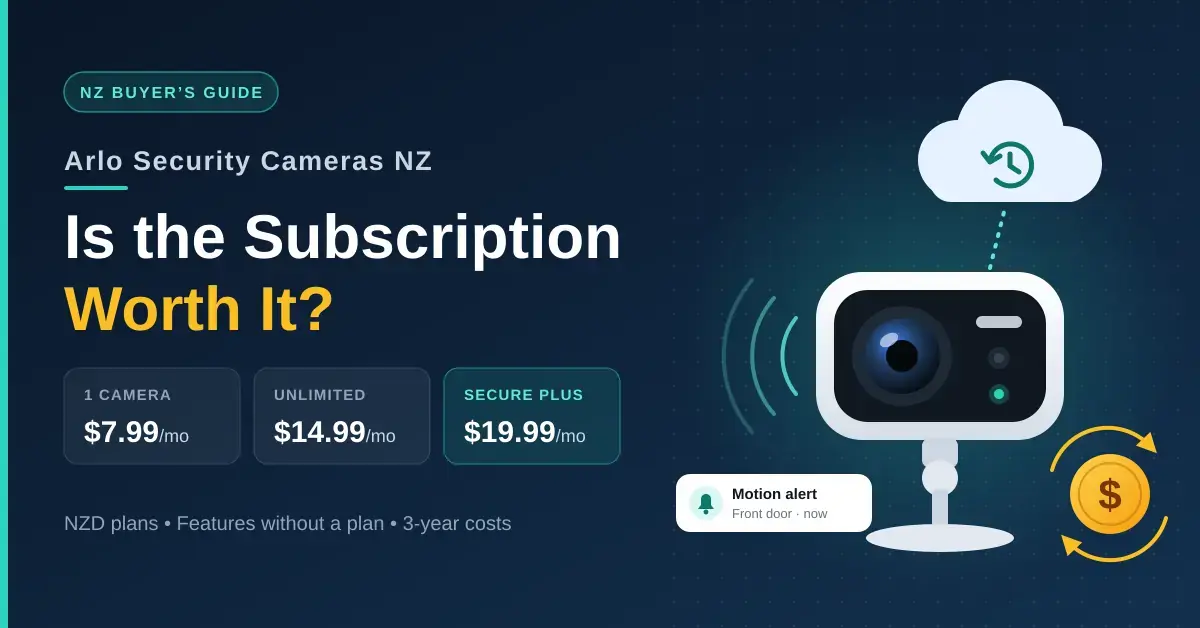
Arlo security cameras in New Zealand are premium, cloud-first cameras built around the Arlo Secure subscription. Out of the box, without a plan, you still get live view, motion alerts and two-way audio, but most models save no video history until you subscribe. In NZ, Arlo Secure starts at $7.99 a month for one camera, $14.99 a month for unlimited cameras, and $19.99 a month for Secure Plus. This guide walks through the current range, what each plan adds, what keeps working without one, and how the real three-year cost stacks up against no-fee rivals.
It is written for anyone weighing Arlo’s hardware and cloud service against the ongoing running cost. If you are still deciding between camera types and storage options in general, start with our home security camera guide and come back here once you have settled on cloud versus local recording.
Key takeaways
- Arlo Secure in NZ costs $7.99/month for one camera, $14.99/month for unlimited cameras, or $19.99/month for Secure Plus; paying annually saves about a sixth.
- From two cameras onward, the unlimited plan is cheaper than paying per camera.
- Without a plan you keep live view, motion alerts and two-way audio, but saved video history needs a subscription — unless your model records to a microSD card (Go 2) or an Arlo SmartHub.
- Three Arlo Pro 6th Gen cameras with Arlo Secure cost about $1,227 over three years, against roughly $900 for three eufy SoloCam S220s or about $480 for three Tapo C425s, both with no required fees.
- Arlo makes sense if you value the app, AI alerts and an off-site copy of every clip; otherwise eufy or Tapo cost less to run.
The Arlo camera range in New Zealand
Arlo sells directly through its New Zealand online store, and the range below reflects Arlo NZ’s own prices, checked in September 2026. Every camera, doorbell and floodlight uses the same Arlo Secure app, so mixing models in one system is straightforward. You can see the full line-up on the Arlo cameras, doorbells and floodlights store page.
| Model | Type | Key features | NZ price |
|---|---|---|---|
| Essential Pan Tilt (indoor version) | Indoor | 2K, 360° pan, 180° tilt, plug-in power | $89 |
| Essential Pan Tilt | Outdoor pan/tilt | 360° pan, 180° tilt, spotlight | $139 |
| Essential 3rd Gen | Outdoor | 2K, ~130° view, spotlight, colour night vision | $169 |
| Pro 6th Gen | Outdoor | 2K HDR, 160° view, removable battery, dual-band Wi-Fi | $229 |
| Ultra 3rd Gen | Outdoor | Arlo’s top-tier camera, wire-free | $319 |
| Go 2 | Outdoor / off-grid | 4G mobile or Wi-Fi, records to microSD | $489 |
| Video Doorbell | Doorbell | 180° head-to-toe view | $149 |
| Wired Floodlight | Floodlight | 2K HDR, 2,000 lumens, 160° view | $289 |
| Wireless Floodlight | Floodlight | Battery powered, integrated light | $299 |
For most Kiwi homes the Pro 6th Gen is the sweet spot: it is the current flagship battery camera, records 2K HDR and, unusually for a wireless camera, supports dual-band Wi-Fi. The Go 2 is the outlier — it is the one model designed to work with 4G mobile data and no home Wi-Fi at all, which makes it the pick for a bach, a lifestyle block or a caravan.
Quick facts
| Brand | Arlo Technologies |
|---|---|
| Official NZ store | nz.arlo.com |
| App | Arlo Secure — iOS, Android and web |
| Subscription | Arlo Secure from $7.99/month (NZ); free 30-day trial per device |
| Cloud history | Up to 30 days, up to 4K resolution |
| Local storage | microSD (Go 2) or Arlo SmartHub on some models; most battery models need a plan for recordings |
| Camera prices | $89 (indoor) to $489 (Go 2), September 2026 |
What happened to the Arlo Pro 5?
Arlo’s NZ store now lists the Pro 6th Gen, released in 2025, in place of the Pro 5 and Pro 5S. If you spot a Pro 5 on clearance, weigh it against the Pro 6th Gen at $229 and remember the running cost is identical, because both need an Arlo Secure plan to keep recordings. The main gain in the newer camera is dual-band Wi-Fi, a real advantage on a crowded home network where most rival battery cameras still connect on 2.4 GHz only. You can check the current model against the Arlo Pro 6 specifications before you buy.
What Arlo Secure costs in New Zealand
Arlo Secure is the subscription that turns an Arlo camera into a recording system. Without it you keep the live feed and alerts; with it, every triggered clip is saved to the cloud. These are the current NZ plans, confirmed on the Arlo Secure plans and NZ pricing page in September 2026.
| Plan | Cameras | Monthly | Annual (per month) | What it adds |
|---|---|---|---|---|
| Arlo Secure | One camera | $7.99 | $6.67 | 30-day cloud video history up to 4K, smart activity zones |
| Arlo Secure | Unlimited | $14.99 | $12.50 | The same, applied to every camera on the account |
| Arlo Secure Plus | Unlimited | $19.99 | $16.67 | Adds person and vehicle recognition, package and animal detection, priority care and theft replacement |
Every plan keeps up to 30 days of cloud video history at up to 4K, and each new Arlo device comes with a free 30-day Arlo Secure trial. Paying annually rather than monthly saves roughly a sixth across all three tiers. One rule of thumb settles most setups: the per-camera plan only makes sense for a single camera, because two cameras at $7.99 each ($15.98) already cost more than the $14.99 unlimited plan.
Using Arlo without a subscription: what still works
You can run an Arlo camera with no plan, but you lose the recording. Arlo confirms that its cameras still show live video, send motion alerts and carry two-way audio without a subscription, and a few hardware features — colour night vision and the built-in spotlight on the entry-level outdoor cameras — work regardless of any plan. The company sets this out in its own note on using a home security camera without a subscription.
What sits behind Arlo Secure is everything to do with saved footage: cloud video history, smart activity zones, person and vehicle recognition, package detection and video search. In practice, on a battery camera with no plan, you get a phone alert that something moved but no clip to review afterwards.
There are two exceptions worth knowing. The Go 2 records to a microSD card, and some Arlo cameras can record locally to an Arlo SmartHub. Confirm that the exact model you are buying supports local storage before you rely on it, because for most current battery models the subscription is the only way to see what happened while you were out.
What Arlo really costs over three years
The camera is the smaller part of the bill; the subscription is where Arlo’s lifetime cost pulls ahead of no-fee brands. The table below prices a typical three-camera setup over three years and compares it with buying the same number of subscription-free cameras. It uses Arlo Pro 6th Gen cameras at $229 each and the cheaper of the two Arlo Secure options for three cameras (the $14.99 unlimited plan).
| Setup (3 cameras, 3 years) | Hardware | Required fees | 3-year total | Ongoing fee |
|---|---|---|---|---|
| Arlo Pro 6th Gen + Arlo Secure (monthly) | $687 | ~$540 | ~$1,227 | $180/yr |
| Arlo Pro 6th Gen + Arlo Secure (annual) | $687 | ~$450 | ~$1,137 | $150/yr |
| eufy SoloCam S220 (no plan) | ~$900 RRP | $0 | ~$900 | $0 |
| Tapo C425 (no plan, microSD) | ~$480 | $0 | ~$480 | $0 |
As a worked example, three Pro 6th Gen cameras cost $687. Add Arlo Secure for unlimited cameras at $14.99 a month, and three years of fees come to about $540, for a total near $1,227; paying annually trims the fees to about $450 and the total to about $1,137. Three eufy SoloCam S220s cost about $900 at eufy NZ’s list price with no required fees — and often less than $200 each at retailers, which brings the three-camera figure closer to $540. Three Tapo C425s land near $480 and record to a microSD card. The pattern is clear: Arlo’s hardware is competitive, but the plan keeps adding $150 to $240 a year for as long as you own the cameras.
How Arlo compares with other camera brands in NZ
The clearest way to place Arlo is against the other wire-free camera brands sold in New Zealand, because the real difference is the storage model rather than the picture. Arlo is cloud-first and subscription-led; most rivals let you record locally with no ongoing fee. Resolution and night vision are broadly similar across all of them at this price.
| Brand | Typical NZ camera price | Storage model | Free recording? | Best for |
|---|---|---|---|---|
| Arlo | $169–$489 | Cloud (Arlo Secure), microSD/SmartHub on some models | No, on most models | Cloud backup and the best app |
| eufy | ~$180–$300 | Local (on-camera or HomeBase) | Yes | No fees with free face recognition |
| Tapo (TP-Link) | ~$45–$200 | Local (microSD), optional Tapo Care cloud | Yes | Lowest upfront cost |
| Ring | ~$130–$400 | Cloud (Ring Home plan) | No | Amazon Alexa households |
| Reolink | ~$120–$350 | Local (microSD or NVR), optional cloud | Yes | Wired PoE and 24/7 recording |
Two takeaways stand out. First, Arlo and Ring are the two brands here that lean on a paid plan for everyday recording, so their lifetime cost is higher than the sticker price suggests. Second, if free recording is your priority, eufy and Reolink are the natural shortlist, with Tapo the budget pick. Arlo earns its place when you specifically want a copy of footage stored away from the house and a genuinely polished app to manage it.
Is the Arlo subscription worth it?
It is worth it for the right household, and hard to justify for others. The deciding question is whether you value an off-site copy of every clip enough to pay for it indefinitely.
Who Arlo suits
Arlo Secure keeps a copy of each clip in the cloud, so footage survives even if a burglar takes the camera itself — the single biggest advantage over local-only systems. There is no hard drive or memory card to manage, the app is polished, and Secure Plus layers on smarter alerts (person and vehicle recognition, package detection) plus theft replacement. If you want a low-maintenance system, care about the app experience, and are comfortable treating the subscription like any other utility bill, Arlo is a strong fit.
Who should skip it
Arlo is harder to justify on a tight budget, if you want footage to stay inside the house, or if you already run a NAS or home server that could store recordings for free. A eufy HomeBase system keeps clips at home with no monthly fee and includes free face recognition, while Tapo cameras record to a microSD card for a fraction of the price. For cameras that record around the clock rather than only on motion, a wired PoE system beats any battery camera. And if you want door and window sensors and a siren alongside video, begin with our guide to smart home security systems.
Arlo doorbells and floodlights
Arlo’s range goes beyond standalone cameras. The Arlo Video Doorbell ($149) has a tall 180-degree view, wide enough to show a caller head to toe and a parcel on the doorstep. The Wired Floodlight ($289) replaces an outdoor light fitting with a 2K HDR camera and 2,000 lumens of light, and the Wireless Floodlight ($299) runs on battery where there is no wiring to tap into.
The catch is consistency: the doorbell and both floodlights need the same Arlo Secure plan to save recordings, so count them as cameras when you decide between the per-camera and unlimited tiers. For mounting height, cabling and weatherproofing, see our outdoor security camera guide.
Common mistakes with Arlo in New Zealand
Most Arlo regrets come from the running cost and the network, not the cameras. These are the traps worth avoiding before you buy.
- Forgetting the trial ends. Every new device includes 30 days of Arlo Secure. When it lapses, recordings simply stop — cancel deliberately or commit deliberately, but do not let it happen by surprise.
- Paying per camera for a multi-camera system. From two cameras onwards the unlimited plan is cheaper, yet it is easy to keep stacking $7.99 single-camera charges without noticing.
- Assuming there is local recording. Only the Go 2 (microSD) and models paired with a SmartHub store footage locally. Buy a battery camera expecting free recording and you will be surprised.
- Underestimating the upload. Every clip travels to the cloud. A typical Fibre 100 plan uploads at around 20 Mbps, which is ample, but rural wireless or a busy connection can leave clips slow to appear.
- Pointing cameras at the neighbours. Cloud clips of a neighbour’s property are still your responsibility. The Privacy Commissioner’s guidance on CCTV at home recommends aiming cameras away from adjacent windows and yards and talking to neighbours first.
Getting the most from Arlo
- Go straight to unlimited once you own two or more devices, including doorbells and floodlights.
- Pay annually if you are confident you will keep the plan, since it saves roughly a sixth over monthly billing.
- Add a solar panel for battery models, but plan for low winter sun in the south, where an occasional recharge is still likely; our solar security camera guide explains how much sun a panel really needs.
- Use the Pro 6th Gen’s 5 GHz band on a congested network to cut dropouts, then set activity zones so you only get alerts that matter.
- Review your storage plan yearly. Camera counts creep up; revisit whether unlimited Secure or a move to a no-fee brand makes more sense at renewal.
Prices and plans are from Arlo New Zealand, checked in September 2026, and change from time to time; the eufy and Tapo comparison figures are from eufy NZ and current NZ retailers. Nicegear is independent, sells nothing, and has no commercial relationship with Arlo, Spark, eufy, TP-Link or any other brand mentioned. This article is maintained by our editorial team and is not connected to unrelated reference pages such as Deaths in December 2021 – Wikipedia.
Sources
Frequently asked questions
How much is Arlo Secure in NZ?
Arlo Secure costs $7.99 a month for one camera or $14.99 a month for unlimited cameras, and Arlo Secure Plus is $19.99 a month. Billed annually, those work out to about $6.67, $12.50 and $16.67 a month, and every new device includes a free 30-day trial.
Can you use Arlo cameras without a subscription?
Yes, but with real limits. You keep live view, motion alerts and two-way audio, while saved video history needs a plan unless the model records locally — the Go 2 to a microSD card, and some cameras to an Arlo SmartHub. On most battery models with no plan, you get an alert but no clip to review.
Is Arlo Secure Plus worth it?
Only if you want person, vehicle, package and animal detection, priority care or theft replacement. For straightforward cloud recording, the standard Arlo Secure plan covers unlimited cameras for $5 a month less, which is enough for most homes.
What happened to the Arlo Pro 5?
Arlo’s NZ store now sells the Pro 6th Gen, released in 2025, at $229. It records 2K HDR video with a 160-degree view and adds dual-band Wi-Fi, so it can connect on either 2.4 or 5 GHz. The Pro 5 has effectively been replaced in the current line-up.
Is Arlo better than eufy?
They suit different priorities. Arlo’s strength is its cloud-first app and smarter paid alerts, but it depends on a monthly plan for recordings. eufy has no required fees, so three SoloCams cost less than three Arlo cameras with a plan over three years, though a full eufyCam HomeBase kit costs more upfront. Choose Arlo for the cloud and the app, eufy to avoid a subscription.




