
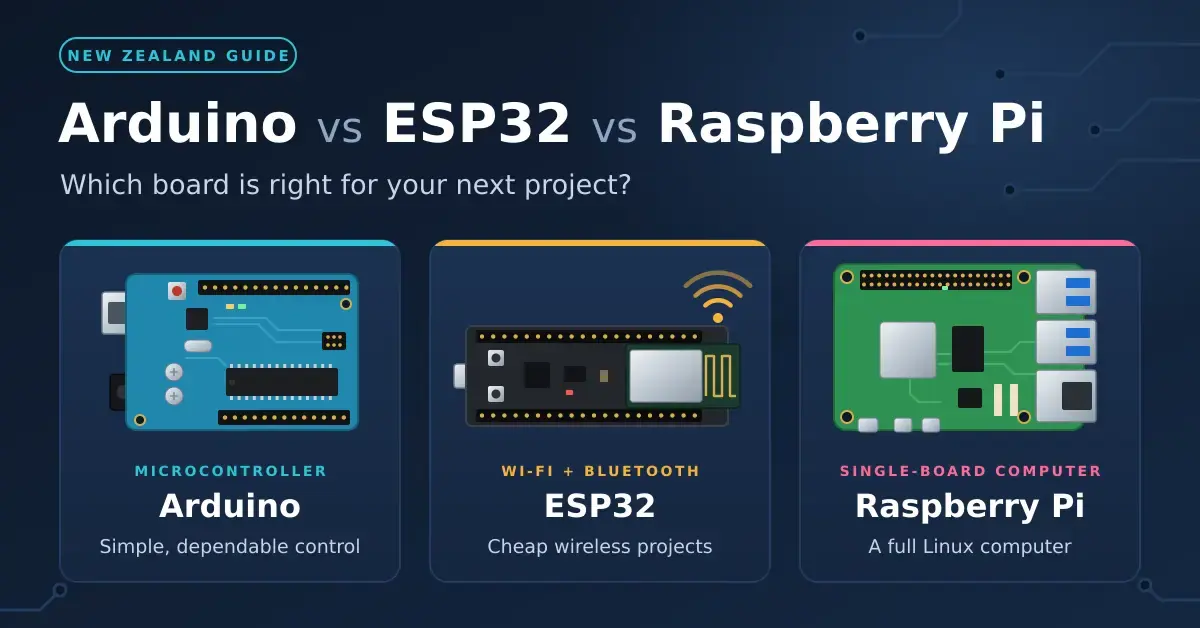
Choosing between an Arduino, an ESP32 and a Raspberry Pi comes down to one question: do you need a tiny chip that runs a single program, or a full computer? Pick an Arduino to learn electronics and run simple, dependable control jobs; reach for an ESP32 when a project needs cheap Wi-Fi or Bluetooth; and buy a Raspberry Pi when you want a proper Linux machine with storage, a camera or a screen. This guide is written for New Zealand hobbyists, students and home-automation tinkerers deciding which board to buy next, with specifications and September 2026 NZ prices throughout.
The real dividing line is microcontroller versus computer. An Arduino, an ESP32 or a Raspberry Pi Pico runs one program directly on the chip, starts the instant power arrives and sips electricity. A Raspberry Pi 5 boots an operating system, which makes it far more capable and far hungrier. Our Raspberry Pi explainer covers what the Pi can do, and the open-source hardware guide explains why Arduino designs are so widely copied, cloned and supported.
Key points
- Arduino Uno R4 (about NZ$44–63 at Jaycar) is still the easiest way to learn wiring and code, and its 5 V pins suit older sensors and shields.
- ESP32 boards add Wi-Fi and Bluetooth to a low-power microcontroller and are the default hardware for ESPHome and Home Assistant sensors.
- Raspberry Pi 5 is a real Linux computer, but memory shortages pushed NZ prices to roughly NZ$233–299 for 4 GB and NZ$371–399 for 8 GB in September 2026.
- Raspberry Pi Pico 2 (about NZ$11) is a microcontroller, not a mini PC, despite the Raspberry Pi name.
- ESP32, Pico and Raspberry Pi pins run at 3.3 V. Wiring 5 V straight into them is the classic way to kill a board.
Microcontroller or single-board computer?
The first choice is not the brand but the type of board, because it decides almost everything else. Arduino, ESP32 and Pico boards are microcontrollers: a processor, a little memory and plenty of input/output pins on a single chip. You write a program on your PC, upload it over USB, and the board runs that one program from the moment it is powered. There is no operating system to boot, update or corrupt, so you can pull the plug at any time without harm.
A Raspberry Pi 5 or Zero 2 W is a single-board computer. It boots Raspberry Pi OS (a version of the Debian Linux operating system) from a microSD card or SSD, has gigabytes of RAM, and can run a web server, a database, Docker containers or a full desktop. The trade-offs are boot time, higher power draw and a file system that should be shut down properly rather than switched off at the wall.
What a microcontroller does well
- Reads sensors and switches relays with precise, repeatable timing, because nothing else is competing for the processor.
- Runs for months on batteries when it sleeps between readings. An ESP32 chip draws about 10 microamps (0.00001 A) in deep sleep, according to Espressif’s datasheet, although the voltage regulators and LEDs on cheap boards add more.
- Shrugs off power cuts, since there is no file system to damage.
- Costs little, boots in milliseconds and is simple enough that a beginner can understand the whole program.
What a Linux computer adds
- The whole Linux software world: Python libraries, Node-RED, Home Assistant, Pi-hole, Jellyfin and thousands of ready-made projects.
- Camera modules, HDMI screens, USB devices and, on the Pi 5, a PCIe connector for an NVMe SSD or an AI accelerator.
- Real multitasking, so it can record video, serve a web page and log data at the same time.
- The costs: a few watts of power around the clock, a 27 W supply for a Pi 5, and occasional operating-system updates.
A quick rule of thumb: if you can describe the job as “read this, decide that, switch the other thing”, a microcontroller is enough. If the words “website”, “database”, “video” or “app someone already wrote for Linux” appear, you want a Raspberry Pi.
Arduino vs ESP32 vs Raspberry Pi: specs and NZ prices
The table below sets the main boards side by side so you can see the jump from a simple 5 V Arduino to a full Linux computer, and where the ESP32 and Pico sit in between. Prices are the ranges PB Tech, Jaycar and PriceSpy listed in September 2026.
Comparison
| Board | Type | Processor | Memory | Wireless | Logic level | NZ price (Sep 2026) |
|---|---|---|---|---|---|---|
| Arduino Uno R4 Minima | Microcontroller | Renesas RA4M1, Arm Cortex-M4, 48 MHz | 256 KB flash, 32 KB RAM | None | 5 V | about NZ$44 |
| Arduino Uno R4 WiFi | Microcontroller | RA4M1 plus ESP32-S3 module | 256 KB flash, 32 KB RAM | Wi-Fi, Bluetooth LE | 5 V | about NZ$63 |
| ESP32-S3 dev board | Microcontroller | Dual-core Xtensa LX7, 240 MHz | 512 KB RAM plus flash | 2.4 GHz Wi-Fi, Bluetooth LE 5 | 3.3 V | NZ$30–70 |
| Raspberry Pi Pico 2 / 2 W | Microcontroller | RP2350, dual Cortex-M33 or RISC-V, 150 MHz | 520 KB RAM, 4 MB flash | W model: Wi-Fi 4, Bluetooth 5.2 | 3.3 V | from about NZ$11 |
| Raspberry Pi Zero 2 W | Linux computer | Quad-core Cortex-A53, 1 GHz | 512 MB RAM | 2.4 GHz Wi-Fi, Bluetooth 4.2 | 3.3 V | about NZ$49 |
| Raspberry Pi 5 | Linux computer | Quad-core Cortex-A76, 2.4 GHz | 1–16 GB RAM | Dual-band Wi-Fi 5, Bluetooth 5.0 | 3.3 V | NZ$233–299 (4 GB), NZ$371–399 (8 GB) |
Two numbers deserve attention. The Raspberry Pi 5 costs roughly five to nine times as much as any microcontroller here, largely because of a global memory shortage covered further down. And the logic level column matters more than beginners expect: only the Arduino Uno runs its pins at 5 V, so 5 V sensors and older Arduino shields drop straight onto it, while everything else needs 3.3 V wiring.
Arduino in NZ: best for learning and simple control
The Arduino Uno is still the board to learn on, and the current Uno R4 keeps the classic shape and header layout, so older shields and tutorials still fit. Inside, the Renesas RA4M1 is a big step up from the 8-bit chip in the older Uno R3: a 32-bit Arm Cortex-M4 running at 48 MHz, with a 12-bit digital-to-analogue converter (DAC), a CAN bus and a built-in real-time clock, powered from USB-C or a 6–24 V supply.
The bigger draw is the software. The Arduino IDE is free and open source, almost every hobby sensor sold in NZ ships with an Arduino example sketch, and the forums hold an answer for nearly every beginner error message. That ecosystem, not raw specifications, is why the Uno remains the safest first purchase.
Arduino Uno R4 Minima vs Uno R4 WiFi
The Minima (about NZ$44 at Jaycar) is the plain board. The R4 WiFi (about NZ$63) adds an Espressif ESP32-S3 module for Wi-Fi and Bluetooth, a 12 × 8 LED matrix you can scroll text across, and a Qwiic connector for plug-in I2C sensors; the full pinout and features are in the Arduino UNO R4 WiFi documentation. If there is any chance you will want readings on your phone later, the WiFi version is the better buy.
Arduino UNO Q: an Arduino with a Linux brain
Qualcomm announced it was acquiring Arduino in October 2025, alongside a new board, the UNO Q. It pairs a Qualcomm Dragonwing QRB2210 (a quad-core Arm Cortex-A53 at 2.0 GHz running Debian Linux) with an STM32U585 microcontroller in the classic Uno footprint, plus 2 GB or 4 GB of RAM, dual-band Wi-Fi 5 and Bluetooth 5.1; the Arduino UNO Q documentation lists the full specification. It suits projects that want Linux and real-time pins on one board, but NZ retailers had not listed it when we checked in September 2026, and its Arduino App Lab software is still young, so most makers will still buy a separate Pi and microcontroller for now.
Genuine boards vs clones
Arduino publishes its hardware designs, so compatible boards are legal and common; Jaycar’s Duinotech range is the local high-street example. Clones usually work, but some need a separate USB-to-serial driver (often for a CH340 chip), and build quality varies. Buying a genuine board, or a reputable compatible, helps fund the free software you are relying on and avoids an evening lost to driver problems.
ESP32 vs Arduino: why Wi-Fi projects start with an ESP32
The ESP32 is a family of chips from Espressif, and it has become the standard brain for connected hobby projects and plenty of commercial smart-home gadgets. The appeal is simple: a fast processor with Wi-Fi and Bluetooth built in, on boards that cost about the same as a genuine Uno in NZ. It programs from the same Arduino IDE using Espressif’s official board package, or from MicroPython or Espressif’s own ESP-IDF framework.
Against an Arduino Uno, the ESP32 has far more memory and speed, and it can sleep at a few microamps between readings, according to the ESP32 series datasheet. What it gives up is 5 V tolerance, and its analogue inputs are noticeably less accurate than a dedicated converter.
Which ESP32 chip should you buy in NZ?
“ESP32” now covers several chips, and the newer ones add Wi-Fi 6, Thread and Zigbee. For a first board, the original ESP32 or the ESP32-S3 with USB-C is the safest choice; the others suit specific jobs.
| Chip | CPU | Radios | Good for |
|---|---|---|---|
| ESP32 (original) | Dual-core Xtensa LX6, 240 MHz | Wi-Fi 4, Bluetooth Classic and LE | Most older tutorials, ESP32-CAM, Bluetooth audio |
| ESP32-S3 | Dual-core Xtensa LX7, 240 MHz | Wi-Fi 4, Bluetooth LE 5 | Cameras, displays, native USB, voice projects |
| ESP32-C3 | Single-core RISC-V, 160 MHz | Wi-Fi 4, Bluetooth LE 5 | Small, cheap sensors |
| ESP32-C6 | Single-core RISC-V, 160 MHz | Wi-Fi 6, Bluetooth LE 5, Thread/Zigbee | Matter and Thread devices |
| ESP32-C5 | Single-core RISC-V, 240 MHz | Dual-band Wi-Fi 6 (2.4 and 5 GHz), Bluetooth LE 5, Thread/Zigbee | Projects that need 5 GHz Wi-Fi |
| ESP32-H2 | Single-core RISC-V, 96 MHz | Bluetooth LE 5, Thread/Zigbee, no Wi-Fi | Battery Thread or Zigbee sensors |
Most smart-home gear only needs 2.4 GHz Wi-Fi, so the plain ESP32 or ESP32-S3 is fine for a first project; the ESP32-C5, which reached mass production in 2026, is the one to pick if you specifically need a 5 GHz connection. Jaycar sells a compact Seeed Studio ESP32-S3 board for around NZ$30, and generic ESP32 boards are widely stocked.
ESPHome: Home Assistant sensors without writing C++
ESPHome turns a short YAML text file into finished firmware for an ESP32 (or an ESP8266, an RP2040 and a few other chips), so you never touch C++. Home Assistant discovers the device automatically, and updates install over Wi-Fi. A temperature sensor, a garage-door relay or a CT-clamp power meter takes minutes rather than an evening of coding; the ESPHome documentation has ready-made examples. If you run a Home Assistant Green or any other Home Assistant box, an ESP32 is its natural companion.
Two real examples: our home energy monitoring guide shows how CT clamps and an ESP32 measure a house’s power use, and the same approach gives local Mitsubishi heat pump Wi-Fi control through the unit’s CN105 port. If home automation is new to you, start with our home automation basics. Many Wi-Fi smart plugs are built on similar chips, which is why community firmware can run on some of them.
Raspberry Pi vs Arduino: when you need a real computer
Choose a Raspberry Pi when the project needs something only an operating system provides: a web interface, a database, video, a screen and keyboard, or software someone else has already written for Linux. Typical examples are a Pi-hole ad blocker, a CCTV recorder, a retro-gaming console, a weather station that stores years of readings, or a small home server. For switching a single relay or reading one sensor, a Pi is overkill.
Raspberry Pi 5, Pi 500 and Zero 2 W
The Pi 5 uses a quad-core Arm Cortex-A76 at 2.4 GHz, which Raspberry Pi rates at two to three times the CPU performance of the Pi 4. It adds a PCIe connector for an NVMe SSD (via an M.2 HAT), two camera/display connectors and an on-board real-time clock; the full specification is on the Raspberry Pi 5 product page, and our Raspberry Pi RTC guide explains the backup battery and when an add-on clock still makes sense. The Pi 500 puts a Pi 5 inside a compact keyboard, and the Zero 2 W is a tiny, low-cost option for light jobs such as a Pi-hole or a timelapse camera.
Raspberry Pi prices in 2026
Raspberry Pi prices have risen several times since late 2025, driven by a memory shortage as AI data centres compete for the same LPDDR4 chips. In its February 2026 price announcement Raspberry Pi added between US$10 and US$60 to boards with 2 GB or more, and further rises followed through 2026; the 16 GB Pi 5 now lists around US$305, up from US$120 a year earlier. In NZ we saw the 4 GB Pi 5 at about NZ$233 (PB Tech) to NZ$299 (Jaycar), and the 8 GB at roughly NZ$371–399. The 1 GB Pi 5 and the Zero range largely escaped those rises, so size the RAM to the job: a Pi-hole or a small sensor hub runs comfortably in 1–2 GB.
Raspberry Pi Pico 2: the Pi that is really a microcontroller
The Pico name trips people up, so it is worth stating plainly: the Pico 2 is a microcontroller board, not a mini computer. It costs about NZ$11, is built on Raspberry Pi’s own RP2350 chip — two Arm Cortex-M33 cores (or two RISC-V cores, selectable at boot) at 150 MHz, with 520 KB of RAM and 4 MB of flash — and does not run Linux. Its party trick is PIO, programmable input/output blocks that generate precise signals for LED strips and unusual protocols without tying up the main cores. The Pico 2 W adds 2.4 GHz Wi-Fi and Bluetooth 5.2, and its specification lives on the Raspberry Pi Pico 2 product page. With MicroPython, either version makes a friendly first board.
Which microcontroller for beginners?
Pick the board with the most beginner tutorials for the thing you actually want to build, not the one with the best specifications:
- Blinking LEDs, buttons, buzzers and school projects: an Arduino Uno R4 Minima, or a starter kit built around an Uno.
- Anything that talks to your phone or Home Assistant: an ESP32 or ESP32-S3 dev board with USB-C.
- Learning Python with real hardware: a Raspberry Pi Pico 2 W running MicroPython.
- Learning Linux and coding, or building a small server: a Raspberry Pi 5 with the official power supply and a good microSD card.
What to look for in an Arduino starter kit
A useful Arduino starter kit includes an Uno or a well-made compatible board, a breadboard, jumper wires, LEDs, resistors, buttons, a potentiometer, a small servo, a buzzer, a temperature sensor and, most importantly, lessons that walk you through each part. A bag of components with no lessons is how many kits end up in a drawer.
Power: batteries, solar and always-on projects
Power draw is where microcontrollers and Linux computers differ most, and it decides whether a project can run on a battery at all.
| Board | How it uses power | Battery or solar friendly? |
|---|---|---|
| ESP32 | Deep-sleeps between readings, waking only to measure and send | Yes, on a board with an efficient regulator |
| Arduino Uno R4 | Regulator, USB circuitry and LEDs draw power continuously | Short projects only |
| Raspberry Pi Zero 2 W | Always on; Linux cannot deep-sleep | Only with a large battery |
| Raspberry Pi 5 | A few watts at idle; official supply is 27 W | Mains power recommended |
If you plan to run a board from a panel and battery at the bach or out on a fence line, size the system properly first. Our solar panel and battery calculator handles small 5 V and 12 V loads like these, using NZ sunshine figures.
Where to buy Arduino, ESP32 and Raspberry Pi in NZ
- PB Tech is listed by Raspberry Pi as its Approved Reseller for New Zealand, and stocks the Pi 5, Pico 2, official power supplies, cases and coolers.
- Jaycar sells genuine Arduino boards, its own Duinotech compatibles, ESP32 boards, sensors and some Raspberry Pi models, with stores around the country.
- MindKits is an NZ-based maker store carrying Arduino boards, Raspberry Pi Picos and add-ons.
- Overseas marketplaces are cheapest for generic ESP32 boards, but delivery takes weeks, returns are hard, and GST is charged on low-value imports.
Common mistakes when choosing a board
- Feeding 5 V into a 3.3 V board. ESP32, Pico and Raspberry Pi pins are 3.3 V only. Use a logic-level shifter or a voltage divider for 5 V sensors, or you will eventually kill a board.
- Underpowering a Raspberry Pi 5. On a 5 V, 3 A supply it limits USB devices to 600 mA in total. The official 27 W (5 V, 5 A) USB-C supply, about NZ$25 at PB Tech, avoids flaky SSDs and random resets.
- Using a charge-only USB cable. If the Arduino IDE cannot see your board, swap the cable before blaming drivers — many cheap cables carry power but no data.
- Buying a Pi for a microcontroller job. Switching one relay with a Pi costs more, uses more power and adds software updates. An ESP32 does it for a fraction of the price.
- Trusting the ESP32’s analogue inputs for precision. They are noisy and non-linear near the ends of their range. Use an external converter such as an ADS1115 for accurate readings.
- Cheap microSD cards in a Pi. Buy a known-brand A1 or A2 card, or boot from an SSD, to avoid corruption and slow performance.
Our take
- Starting from scratch? Buy an Arduino Uno R4 WiFi. Every classic tutorial works, and Wi-Fi is there when you are ready.
- For home automation, go straight to ESP32 plus ESPHome. It is lower-power and far better integrated with Home Assistant than a Pi or an Arduino.
- Buy a Raspberry Pi 5 only when you need Linux, a camera or storage, and choose the RAM carefully while prices are inflated.
- Want to learn Python on real hardware for about NZ$11? The Pico 2 is the bargain of the lot.
Prices and independence: Prices and stock change often, especially for Raspberry Pi boards while memory costs are high; every figure here was checked in September 2026 and should be reconfirmed before you buy. Nicegear is independent, sells no hardware and carries no paid placements.
Sources
- Qualcomm acquires Arduino and launches the UNO Q – Hackster.io
- Rising memory costs bump Raspberry prices by up to $60 – The Register
- Raspberry Pi 5 price increases as AI shortage bites – Tom’s Hardware
- ESP32-C5 dual-band Wi-Fi 6 SoC – Espressif
- ESP32-C5 enters mass production – CNX-Software
- Espressif ESP32 SoC family overview
Frequently asked questions
Is ESP32 better than Arduino?
For connected projects, usually yes: an ESP32 has a faster processor, more memory, Wi-Fi and Bluetooth, and you can still program it in the Arduino IDE. An Arduino Uno R4 is the better choice for absolute beginners and for 5 V sensors and shields, because ESP32 pins are 3.3 V only.
Can a Raspberry Pi replace an Arduino?
It can read sensors and switch relays through its GPIO pins, but it boots slowly, uses more power and is not real-time, so timing-critical jobs such as motor control are better on a microcontroller. Many projects use both, with the Pi handling the software and an Arduino or Pico handling the precise wiring over USB.
Which microcontroller is best for beginners?
The Arduino Uno R4 Minima or R4 WiFi remains the easiest start, because most beginner tutorials and kits are written for it. If you would rather learn Python, a Raspberry Pi Pico 2 W running MicroPython is a cheap and friendly alternative.
Is the Raspberry Pi Pico a Raspberry Pi computer?
No. It is made by Raspberry Pi, but it is a microcontroller board, not a Linux computer. The Pico 2 runs a single program written in MicroPython or C/C++ and costs about NZ$11 in NZ.
Why are Raspberry Pi prices so high in 2026?
A global memory shortage, driven by demand from AI data centres, raised the cost of the LPDDR4 RAM the boards use. Raspberry Pi increased prices several times from late 2025, with the largest rises on the 8 GB and 16 GB models.




