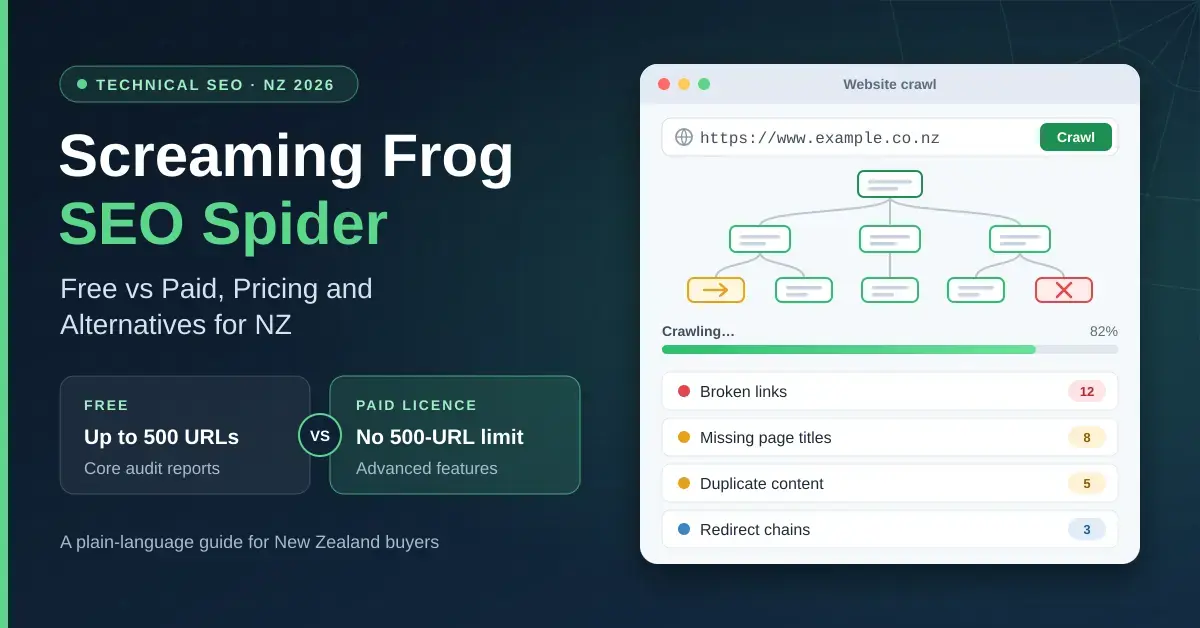
Screaming Frog SEO Spider is a desktop website crawler that scans a site the way a search engine would, then lists the technical problems that can quietly hold back rankings — broken links, missing page titles, duplicate content, redirect chains and more. This guide explains, in plain language, what the free version can and cannot do, what a paid licence actually costs a New Zealand buyer in 2026, how the tool works, and which alternatives are worth weighing up before you pay. It is written as a factual overview rather than a sales pitch, so you can decide whether the SEO Spider suits your own workflow.
What is Screaming Frog SEO Spider?
Screaming Frog SEO Spider is a desktop application made by Screaming Frog Ltd, a search marketing agency based in the United Kingdom. You install it on your own computer rather than using it in a browser, point it at a website address, and it follows the site’s links one page at a time — a process called crawling — collecting technical data about every page it finds.
It is used by SEO specialists, digital marketers, web developers and site owners to run technical audits: finding pages that return errors, spotting missing or duplicated metadata, and checking that a site is structured in a way search engines can read. Because it runs locally, your crawl data stays on your machine. It is worth being clear on one point the tool’s popularity sometimes obscures: Screaming Frog is proprietary, paid software, not open-source software. There is a free tier, but the source code is not public and the full tool requires a licence.
The SEO Spider runs on Windows, macOS (both Apple Silicon and Intel machines) and Linux (Ubuntu and Fedora). Like other desktop programs you install and run yourself — think of everyday tools such as VLC Media Player — it works offline once installed, apart from the crawling itself, which needs an internet connection.
Quick Facts
| Developer | Screaming Frog Ltd (United Kingdom) |
|---|---|
| Official download | screamingfrog.co.uk/seo-spider |
| Latest version | 24.3 (released June 2026) — check the site for the current build |
| Download size | Approx. 920 MB installer |
| Licence | Proprietary; free tier plus paid annual licence (£199 / US$279 / €239 per seat, per year) |
| Operating systems | Windows, macOS (Apple Silicon & Intel), Linux (Ubuntu, Fedora) |
| System needs | 64-bit OS; 4 GB RAM minimum, 8 GB+ recommended |
| Free crawl limit | 500 URLs per crawl |
Is Screaming Frog free? What the free version includes
Yes, there is a genuinely free version of Screaming Frog SEO Spider, and it does not expire after a trial period. The catch is a hard limit of 500 URLs per crawl. That is enough to audit a small brochure site, a landing page set or a section of a larger site, but not enough to crawl a busy e-commerce store or a large content site in one pass.
What the free version can do
The free tier handles the core checks most beginners need for a small site:
- Find broken links, server errors and redirects
- Analyse page titles and meta descriptions (length, duplicates, missing tags)
- Review meta robots tags and directives that control indexing
- Audit hreflang attributes used for multi-language sites
- Discover exact-duplicate pages
- Generate XML sitemaps to submit to search engines
- Create basic site visualisations of your internal link structure
What the free version leaves out
The free version deliberately holds back the features that make the tool powerful on larger or more complex sites. The following are paid-only:
- Crawling more than 500 URLs
- Saving and reopening crawls, and changing the crawl configuration
- JavaScript rendering (needed to crawl modern app-style sites correctly)
- Scheduling crawls to run automatically
- Crawl comparison and near-duplicate content detection
- Custom robots.txt testing, mobile-usability and AMP checks
- Structured-data validation and spelling and grammar checks
- Custom extraction and custom source-code search
- Integrations with Google Analytics, Google Search Console, PageSpeed Insights, Ahrefs, Majestic and Moz
In short, the free version is a capable spot-check tool for small sites; the paid licence is what turns it into a full technical-audit platform.
What does a Screaming Frog licence cost in New Zealand?
A paid Screaming Frog SEO Spider licence is sold per seat, per year. Screaming Frog lists the price in three currencies: £199 GBP, US$279 or €239 EUR for a single licence (1–4 seats). There is no New Zealand dollar option at checkout, so a Kiwi buyer chooses one of those three currencies and pays in it. In practice that works out to roughly NZ$460–490 per year for one licence, depending on which currency you pick and your card’s exchange rate on the day — and remember your bank may add a foreign-transaction fee on top.
Volume and bulk discounts
The price per seat drops as you buy more licences in one order. Using the USD list price, the tiers are:
- 1–4 licences: US$279 each per year (about £199 / €239)
- 5–9 licences: US$265 each per year (about £189)
- 10–19 licences: US$249 each per year (about £179)
- 20 or more licences: US$235 each per year (about £169)
Each licence covers one named user, so if two people in an agency both need the paid tool, that is two licences. Screaming Frog has only increased its prices twice since the tool launched in 2010, which is unusually stable for the SEO industry.
How billing and renewal work
A licence lasts exactly one year from the date of purchase and does not auto-renew. When it expires the tool reverts to the free 500-URL version until you manually renew, so there is no surprise recurring charge — but you do need to diarise the renewal if you rely on the paid features. If you run a crawler as part of a wider marketing stack, it can help to pair the raw audit data with strategic support from an agency such as seo-butler.com, since the SEO Spider tells you what is broken but not always which fixes will move the needle first.
What can Screaming Frog do? A closer look at the paid features
With a licence unlocked, the SEO Spider becomes a detailed technical-audit tool. The most useful capabilities fall into four groups.
Core technical SEO audits
The tool reports on the building blocks of on-page and technical SEO: response codes and broken links, redirect chains and loops, page titles and meta descriptions, heading tags, canonical tags, meta robots directives, hreflang, image alt text, word counts and internal link depth. You can filter and sort huge tables of this data, then export it to spreadsheets for reporting.
JavaScript rendering and visualisations
Many modern sites build their content with JavaScript, which a basic crawler cannot see. The paid SEO Spider can render pages in a headless browser so it crawls what a visitor actually sees. It also produces crawl-tree and directory-tree visualisations, plus internal-link diagrams that make a site’s structure easier to understand at a glance.
Integrations with other SEO tools
The paid version connects to Google Analytics, Google Search Console and PageSpeed Insights, and to the backlink and metrics APIs from Ahrefs, Majestic and Moz. Pulling that data into the same crawl lets you see, for example, which low-traffic pages also have thin content or few internal links — a fuller picture than any single source gives on its own.
Scheduling, comparison and automation
You can schedule crawls to run automatically, save and reopen past crawls, and compare two crawls to see what changed between them. Custom extraction lets you scrape specific elements from pages using CSS or XPath rules, which is handy for large content or product audits. These automation features are part of why the tool is popular with agencies managing many sites.
How to get started with Screaming Frog
Getting a first crawl running is straightforward, even for a beginner:
- Download and install the SEO Spider from the official site for your operating system. The installer is large (around 920 MB), so allow time on a slow connection.
- Enter your licence key if you have one, under the licence menu. Without a key the tool runs in free mode with the 500-URL cap.
- Choose a crawl mode. ‘Spider’ mode crawls a whole site from a starting URL; ‘List’ mode checks a specific set of URLs you paste in.
- Set your configuration (paid only) — for example, whether to render JavaScript, respect robots.txt, or use database storage for large sites — then type or paste the site address and start the crawl.
- Review and export. Use the tabs and filters to work through issues, and export the tables to a spreadsheet to build a report or a fix list.
One practical setting matters early: by default the SEO Spider stores crawl data in memory (RAM), which is fast but limits how many URLs you can crawl. For large sites, switch to database storage mode so crawls are written to disk instead — this is the single change that prevents most crashes on big jobs.
Screaming Frog alternatives worth trying
Screaming Frog is not the only technical crawler, and it is not always the best fit. Desktop rivals such as Sitebulb add prioritised, plain-English audit hints; cloud suites such as Ahrefs and Semrush bundle crawling with keyword and backlink tools; and enterprise platforms such as Lumar and JetOctopus are built for continuous monitoring of very large sites. The table below compares the main options so you can shortlist the right type before spending anything.
Comparison
| Tool | Type | Free option | Best for | Website |
|---|---|---|---|---|
| Screaming Frog SEO Spider | Desktop crawler | Yes (500 URLs) | Deep technical audits with full data export | screamingfrog.co.uk |
| Sitebulb | Desktop & cloud crawler | 14-day trial | Prioritised audit hints and visual reports | sitebulb.com |
| Ahrefs (Site Audit) | Cloud SEO suite | Limited (Webmaster Tools) | Cloud audits plus backlinks and keywords | ahrefs.com |
| Semrush (Site Audit) | Cloud SEO suite | Limited free plan | All-in-one SEO with scheduled audits | semrush.com |
| Netpeak Spider | Desktop crawler | Free trial | Budget-friendly desktop crawling | netpeaksoftware.com |
| Lumar (ex-Deepcrawl) | Cloud / enterprise | Demo only | Enterprise-scale monitoring of large sites | lumar.io |
| JetOctopus | Cloud crawler + log analyser | Trial | Large sites and log-file analysis | jetoctopus.com |
| Google Search Console | Free web service | Free | First-party indexing and coverage data | search.google.com |
If your main goal is broader business software rather than a single audit tool, it is also worth browsing our roundups of free software for NZ businesses and self-hosted tools for small businesses, which cover complementary tools around the SEO workflow.
Common mistakes to avoid
New users tend to hit the same handful of problems. Knowing them in advance saves time and frustration.
- Crawling a big site in memory mode. The default RAM storage runs out on large sites and can crash the tool. Switch to database storage before crawling anything sizeable.
- Treating the free 500-URL limit as a whole-site audit. On any site larger than a few hundred pages, a free crawl only samples part of it — easy to mistake for a complete picture.
- Leaving JavaScript rendering off on a JavaScript-heavy site. If the site builds content with JavaScript, a plain crawl will report pages as nearly empty. Enable rendering (paid) for those sites.
- Not connecting Search Console or Analytics. Without that data, the crawl shows technical issues but not which pages actually earn traffic, so you cannot prioritise well.
- Expecting the tool to fix anything. The SEO Spider diagnoses; it does not change your site. Every fix still has to be made in your CMS or code.
- Forgetting the manual renewal. Because licences do not auto-renew, paid features silently switch off on the anniversary date if you do not renew in time.
Who is Screaming Frog for?
Screaming Frog SEO Spider suits people who want deep, exportable technical data and are comfortable interpreting it themselves — SEO specialists, agencies, developers and hands-on site owners. The free version is ideal for auditing a small site or learning the basics of technical SEO, and it pairs well with other productivity software for New Zealand home offices.
It is a weaker fit if you want a cloud tool that runs scheduled audits without a computer left on, plain-English fixes ranked by priority, or an all-in-one suite that also covers keywords and backlinks. In those cases a cloud crawler or a broader SEO platform from the comparison above may serve you better. For most Kiwi small businesses and freelancers, the practical path is to start on the free version, confirm the tool fits your workflow, and only buy the licence once you regularly hit the 500-URL wall.
Sources
Frequently Asked Questions (FAQ)
Is Screaming Frog SEO Spider really free?
Yes. The free version does not expire and can be used for personal or commercial audits, but it is capped at 500 URLs per crawl and leaves out advanced features such as JavaScript rendering, scheduling, saved crawls and the Google Analytics and Search Console integrations. Those require a paid licence.
How much does a Screaming Frog licence cost in New Zealand?
A single licence is priced at £199, US$279 or €239 per year, and you choose one of those currencies at checkout because there is no NZ dollar option. That works out to roughly NZ$460–490 depending on the currency and your card’s exchange rate, before any foreign-transaction fee. Buying several seats in one order reduces the per-seat price.
Does the Screaming Frog licence renew automatically?
No. A licence lasts one year and does not auto-renew, so you are never charged unexpectedly. When it expires the tool reverts to the free 500-URL version until you manually renew, which means you should note the renewal date if you depend on the paid features.
What operating systems does Screaming Frog run on?
It runs on Windows, macOS (both Apple Silicon and Intel) and Linux (Ubuntu and Fedora). It needs a 64-bit operating system and at least 4 GB of RAM, with 8 GB or more recommended for larger crawls and 16 GB or more for crawling very large sites.
What are the best alternatives to Screaming Frog?
Sitebulb is the closest desktop rival and is known for prioritised, easy-to-read audit reports. Ahrefs and Semrush offer cloud site audits inside wider SEO suites, Lumar and JetOctopus target enterprise-scale monitoring, and Google Search Console gives free first-party data straight from Google. The right choice depends on site size, budget and whether you prefer a desktop or cloud tool.