
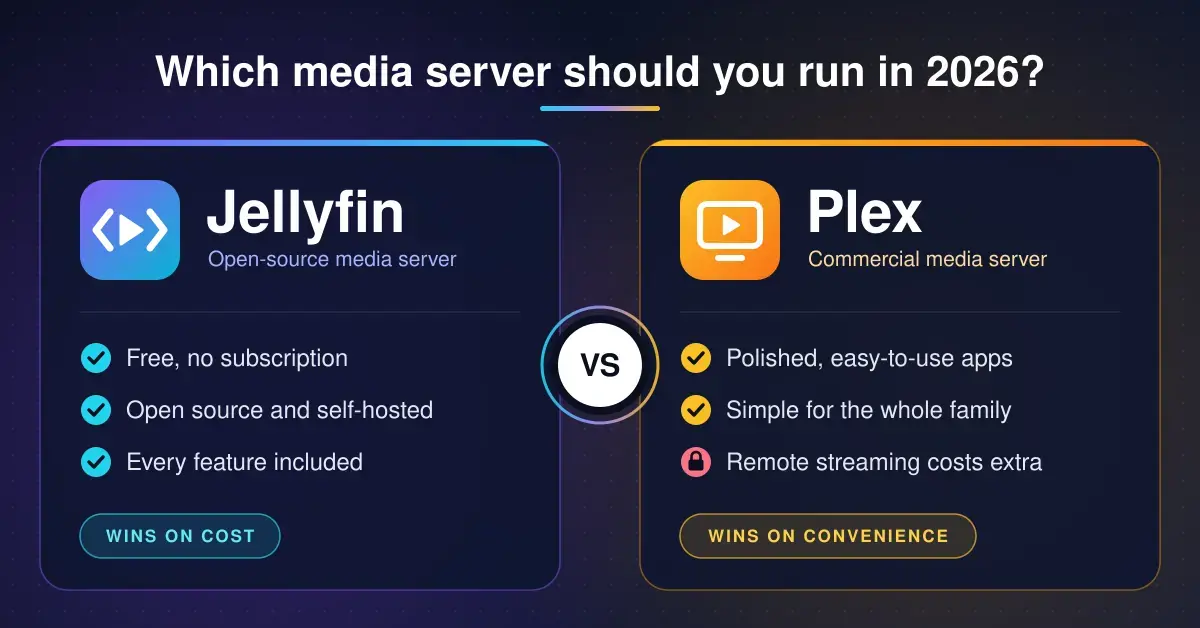
Choosing between Jellyfin and Plex comes down to a single trade-off: cost against convenience. Jellyfin is free, open source and ships with every feature switched on, while Plex is more polished and far easier for non-technical relatives — but since April 2025 it charges you to stream your own media away from home. Both are examples of media server software: an app that catalogues the movies, TV shows and music stored on your own drives and streams them to phones, smart TVs and web browsers, the way Netflix streams its own library. This guide compares the two for New Zealand households in 2026, with the current prices, the features that sit behind a paywall, and a clear recommendation at the end.
It is written for anyone setting up a media server for the first time, or wondering whether Plex’s recent price rises are worth paying. If you land on Jellyfin, our Jellyfin setup guide walks through the install step by step, and the home server guide covers the hardware it runs on.
Key points
- Both apps are free for streaming at home. Plex only charges once you stream away from home or want hardware transcoding, offline downloads or TV recording.
- Plex Pass costs US$6.99 a month or US$69.99 a year. The lifetime pass rose to US$749.99 on 1 July 2026, and a new five-year plan costs US$249.99.
- The Remote Watch Pass, for viewers whose server owner has no Plex Pass, went up to US$2.99 a month or US$29.99 a year on 1 June 2026.
- Jellyfin 12.0 is free and needs no company account, but you set up remote access yourself with Tailscale or a reverse proxy.
- Plex remains the easier choice for non-technical families, and one Plex Pass on the server covers everyone you share with.
What is the difference between Jellyfin and Plex?
The core difference is ownership and cost. Jellyfin runs entirely on your own hardware with no company account and no paid tier, so every feature is free forever. Plex also runs on your hardware, but it signs every viewer in through Plex’s own cloud servers and puts remote streaming, hardware transcoding and several convenience features behind a subscription called Plex Pass.
The two products come from different places. Jellyfin began in 2018 as a community fork of Emby, built and maintained by volunteers and released under an open-source licence, which means anyone can read, change and redistribute the code at no charge. Plex started in 2008 as a Mac port of the XBMC media centre (now known as Kodi) and grew into a slick commercial product, more recently adding free ad-supported live TV and on-demand movies alongside your personal library.
Underneath, both do the same everyday job well. Point either server at your folders of video and music and it will identify each title, download posters, plot summaries, cast lists and subtitles, group films into collections and TV files into seasons, and then stream them to almost any screen in the house. The differences that matter to your wallet and your patience are what happens when you leave home, how hard the software is to set up, and who holds your account details.
Comparison
| Feature | Jellyfin | Plex |
|---|---|---|
| Licence | Open source (free, GPL) | Proprietary: free tier plus paid passes |
| Account | Local users on your own server | Plex cloud account for everyone |
| Streaming at home | Free | Free, including the mobile apps since 2025 |
| Streaming away from home | Free, but you set up the access | Plex Pass on the server, or a Remote Watch Pass per viewer |
| Hardware transcoding, downloads, DVR | Free | Plex Pass only |
| Apps | Official apps for most TVs, consoles and phones | The most polished apps, on almost everything |
| Setup effort | More hands-on | Easiest, with automatic server discovery |
| Privacy | Nothing leaves your server | Accounts held in Plex’s cloud |
How much does Plex Pass cost in 2026?
Plex Pass costs US$6.99 a month or US$69.99 a year, and streaming your own media away from home now needs either that pass on the server owner’s account or a separate Remote Watch Pass for the person watching. Streaming inside your own home stays free on every Plex app, including the phone apps.
Plex changed its model on 29 April 2025. Plex Pass rose from US$4.99 to US$6.99 a month and from US$39.99 to US$69.99 a year, and the lifetime pass jumped from US$119.99 to US$249.99. At the same time, streaming personal media outside your home network stopped being free and moved behind a pass. The one upside was that Plex dropped the old one-off fee its mobile apps used to charge to unlock full playback, so watching at home on a phone became free.
Prices have kept climbing since. The Remote Watch Pass left its US$1.99 introductory price on 1 June 2026 and now costs US$2.99 a month or US$29.99 a year. On 1 July 2026 the lifetime Plex Pass tripled again, from US$249.99 to US$749.99, and Plex introduced a five-year recurring plan at US$249.99. Anyone who already owns a lifetime pass keeps it on the terms they paid; the increase only applies to new purchases. You can confirm the latest figures on the official Plex Pass and Remote Watch Pass plans page, and Plex explained the lifetime change on its new lifetime Plex Pass pricing blog post.
All of these are Plex’s US-dollar list prices. New Zealand customers who subscribe through the Apple App Store or Google Play may see different local pricing set by those stores, so check the exact figure at checkout before you commit.
Plex free vs Plex Pass: what you actually get
The free tier is more generous than people assume, so it helps to see exactly where the paywall starts. Home streaming, library management and the mobile apps are all free; the pass buys remote access, hardware transcoding, offline downloads, live TV recording and a handful of extras such as skip-intro.
| Plex option | What you get | Cost over five years |
|---|---|---|
| Free | Stream your own media at home on any Plex app; free ad-supported movies and live TV | US$0 |
| Remote Watch Pass | Stream from a friend’s or relative’s server when they have no Plex Pass | About US$149.95 per viewer (annual) |
| Plex Pass, annual | Remote streaming for you and everyone you share with, plus hardware transcoding, downloads, skip-intro and DVR | US$349.95 |
| Plex Pass, five-year plan | Everything in the annual pass, locked in for five years | US$249.99 |
| Plex Pass, lifetime | Everything in the pass for as long as Plex operates | US$749.99 (one-off) |
If you run the server and share it with family in other houses, one Plex Pass on your own account is almost always cheaper than buying a Remote Watch Pass each for three or more people, because your pass covers every viewer you share with at no extra cost.
Is Jellyfin really free?
Yes — Jellyfin is completely free, with no paid tier, no trial and no company account. Everything Plex charges for is included at no cost: remote streaming, hardware transcoding, offline downloads, live TV and recording, and user profiles for each family member. Because it is open source, there is nothing to buy and no upsell inside the app.
The project keeps moving, too. Version 12.0, released on 7 September 2026, added support for multiple versions of the same TV episode, split e-book and comic handling into dedicated providers with better metadata, improved recommendations, and rebuilt the database for speed. The full Jellyfin 12.0 release notes list the changes, and they are worth a read before upgrading because the new database format cannot be rolled back without a full restore.
The trade-offs are real and worth understanding up front. Jellyfin has no relay service, so watching away from home means you set up the connection yourself — usually by installing a mesh VPN such as Tailscale, or by running a reverse proxy with an HTTPS certificate. Neither is hard with a guide, but both take an hour and a little confidence; our VPN explainer covers the basics of how that kind of tunnel works. Relatives also need your server’s address or a one-time Quick Connect code to sign in, rather than simply typing an email and password. If you enjoy tinkering, none of that is a barrier; if you are the household’s reluctant IT department, it is the main reason people still pay for Plex.
Which is better for families and non-technical viewers?
Plex is the easier choice for grandparents, flatmates and anyone who just wants to press play. Everyone signs in with a Plex account, the apps discover your server automatically over the internet without you touching a router, and each viewer keeps a separate watch history and resume point. The Plex apps on smart TVs, Apple TV, game consoles and streaming sticks are consistently the tidiest and most reliable in this category.
Jellyfin reaches the same screens with official apps for Android TV and Google TV, LG and Samsung smart TVs, Roku, Xbox, Android and the web, listed on the Jellyfin client apps page. On an Apple TV, the free Swiftfin app or the paid Infuse player both connect to a Jellyfin server. Each family member gets their own user account with parental rating limits. For a household that mostly watches together on one or two TVs at home, Jellyfin is every bit as usable as Plex. For relatives scattered across the country who each want to log in from their own lounge, Plex is the smoother experience — if you are happy to pay for it. Either way, remote viewers are limited by your home upload speed, which you can check with our NZ speed test before you promise the family flawless 4K.
Transcoding, hardware and performance
Both servers transcode video on the fly — converting a file into a format and quality a particular device or connection can handle — and this is where the cost gap bites hardest. Jellyfin’s hardware transcoding, which offloads that heavy work to a graphics chip, is free. On Plex the same feature needs Plex Pass; without it Plex falls back to the main processor, which struggles badly with 4K and multiple simultaneous streams.
Both prefer an Intel processor with Quick Sync, Intel’s built-in video engine, and the Jellyfin project documents the details in its hardware acceleration guide. For most homes an Intel N100 or N150 mini PC, or an Intel-based NAS, will comfortably transcode several streams for either server. Both also run happily as a container on Proxmox VE if you want to keep other services on the same box. Our NAS storage guide compares the NZ models and flags which ones can hardware-transcode. And if a single stubborn file refuses to play in either app, VLC media player will almost certainly open it on the device in front of you.
Privacy, accounts and security
The privacy picture is the clearest win for Jellyfin. Every Plex user signs in through Plex’s own servers, which means your account details sit in Plex’s cloud — and Plex has had to ask users to reset their passwords after data breaches, most recently on 9 September 2025, when an unauthorised party accessed a database of emails, usernames and hashed passwords. Jellyfin keeps every account on your own server and sends nothing to a vendor, and because the code is open source anyone can inspect it for flaws.
That openness cuts both ways: with Jellyfin, security is your responsibility. Keep the software updated, use strong passwords, and never expose the server directly to the internet without HTTPS or a VPN in front of it. Do that and a self-hosted Jellyfin is a genuinely private way to run your media library.
Emby vs Jellyfin: where does Emby fit?
Emby is Jellyfin’s closed-source parent, and it sits in the middle of the two. Jellyfin forked away from Emby in 2018 when Emby moved to a closed-source model, so the two still share some heritage. Emby is free to start, but hardware transcoding, offline downloads and DVR need Emby Premiere, which costs US$4.99 a month, US$54 a year or US$119 for a lifetime licence, as listed on the Emby Premiere page.
Emby is a reasonable compromise — a little more polished than Jellyfin in places, a little cheaper than Plex — but for most people it lands awkwardly: it asks money for features Jellyfin gives away, without matching the breadth of apps and the hands-off simplicity that make Plex worth paying for. Unless you specifically prefer Emby’s interface, there is little reason to choose it over the free option or the polished one.
How do you switch from Plex to Jellyfin?
Switching is low-risk because nothing needs to move: Jellyfin can read the very same media folders Plex already uses, so you install it alongside Plex rather than replacing anything. Point a fresh Jellyfin library at your existing movie and TV folders, let it scan and fetch artwork, and you have a second front door to the same collection while you decide.
What does not carry across automatically is your watch history, ratings and playlists, because those live inside each server’s own database rather than in the files. A community tool called Jellyplex-Watched can copy watched status and progress from Plex to Jellyfin if that history matters to you; otherwise most people simply start fresh on Jellyfin and keep Plex running until the family has settled in. When you are confident, you set up remote access on Jellyfin, move everyone’s apps over, and retire Plex — or keep both, since running them together costs nothing but a little memory on the server.
Common mistakes when choosing a media server
- Buying a lifetime Plex Pass when you only ever watch at home. Home streaming has always been free on Plex; the pass mainly buys remote access and transcoding you may never use.
- Assuming Jellyfin works away from home straight out of the box. It does not have a relay, so budget an hour to set up Tailscale or a reverse proxy before you rely on it on the road.
- Paying for several Remote Watch Passes when a single Plex Pass on the server would cover every viewer you share with for less.
- Choosing an AMD-based NAS or mini PC for transcoding. Both servers get the best hardware transcoding from Intel Quick Sync graphics, so check the chip before you buy.
- Believing you must commit to one forever. Both apps can read the same media folders at the same time, so you can run Jellyfin alongside Plex for a week and let the household decide.
- Under-estimating your upload speed. Remote 4K needs real upstream bandwidth; test it first rather than promising the family something your connection cannot deliver.
Our verdict: Jellyfin or Plex in 2026?
For most New Zealand households, Jellyfin is now the better default. It is free, private, and covers the features Plex charges for, which matters more each time Plex raises its prices. Choose it if you watch mainly at home, are comfortable following a setup guide once, or simply object to a company account holding your library.
Choose Plex if relatives in other houses will watch often and you want the least possible support work: its apps are the most polished, its automatic server discovery removes the fiddly networking, and one Plex Pass at US$69.99 a year covers everyone you share with. Skip the US$749.99 lifetime pass unless you are certain you will lean on Plex for the best part of a decade — the annual or five-year plans carry far less risk. Best of all, you do not have to guess: point Jellyfin at your existing Plex folders, run both for a fortnight, and keep whichever one your household actually reaches for.
Plex, Emby and Jellyfin change their prices and features often. Every figure here was checked against the companies’ own pages in September 2026, and all prices are the companies’ US-dollar list prices. Nicegear is independent and carries no paid placements.
Sources
Frequently asked questions
Is Jellyfin better than Plex?
For most people who watch mainly at home, yes: Jellyfin is free, open source and includes hardware transcoding, downloads and remote streaming at no cost. Plex is the better pick if you want the most polished apps and the simplest setup for non-technical relatives, and you are willing to pay for a Plex Pass to get them.
How much does Plex Pass cost in 2026?
Plex Pass costs US$6.99 a month or US$69.99 a year. The lifetime pass rose to US$749.99 on 1 July 2026, and there is a five-year plan at US$249.99. These are Plex’s US-dollar list prices, so the amount you pay through the Apple or Google stores in New Zealand may differ.
Can I still use Plex for free?
Yes. Streaming your own media at home is free on every Plex app, as are Plex’s ad-supported movies and live TV. You need a Plex Pass or a Remote Watch Pass only to stream your own media away from home, and a Plex Pass for hardware transcoding, offline downloads and DVR recording.
Do my family need to pay to watch my Plex server remotely?
Not if you have a Plex Pass, because a server owner’s pass covers everyone they share with. If you do not have one, each remote viewer needs their own Remote Watch Pass at US$2.99 a month or US$29.99 a year to stream your library from outside your home.
Can I run Jellyfin and Plex at the same time?
Yes. Both servers can read the same media folders on the same machine without conflict, which is the easiest way to try Jellyfin without giving up Plex. Run them side by side for a week or two and keep whichever one suits your household best.




