Microsoft Teams is Microsoft’s all-in-one app for chat, video meetings, calling and file sharing, built around the Microsoft 365 ecosystem. It comes in a genuinely useful free version and several paid tiers, which makes “is it worth paying for?” the first question most New Zealand users ask. This review breaks down exactly what the free plan does and doesn’t give you, what the paid plans cost in New Zealand dollars in 2026, the features that matter day to day, and how Teams stacks up against Zoom so you can pick the right option instead of defaulting to whatever your employer already uses.
Key Facts
| Developer | Microsoft Corporation |
| Official download | microsoft.com/microsoft-teams/download-app |
| Licence | Proprietary (freemium: free tier plus paid plans) |
| Price (NZ) | Free; paid from NZ$6.50/user/month (annual) |
| Operating systems | Windows, macOS, Linux, iOS, Android, and any modern web browser |
| Download size | Desktop installer approx. 150 MB; browser version needs no install |
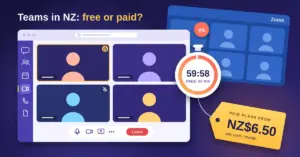
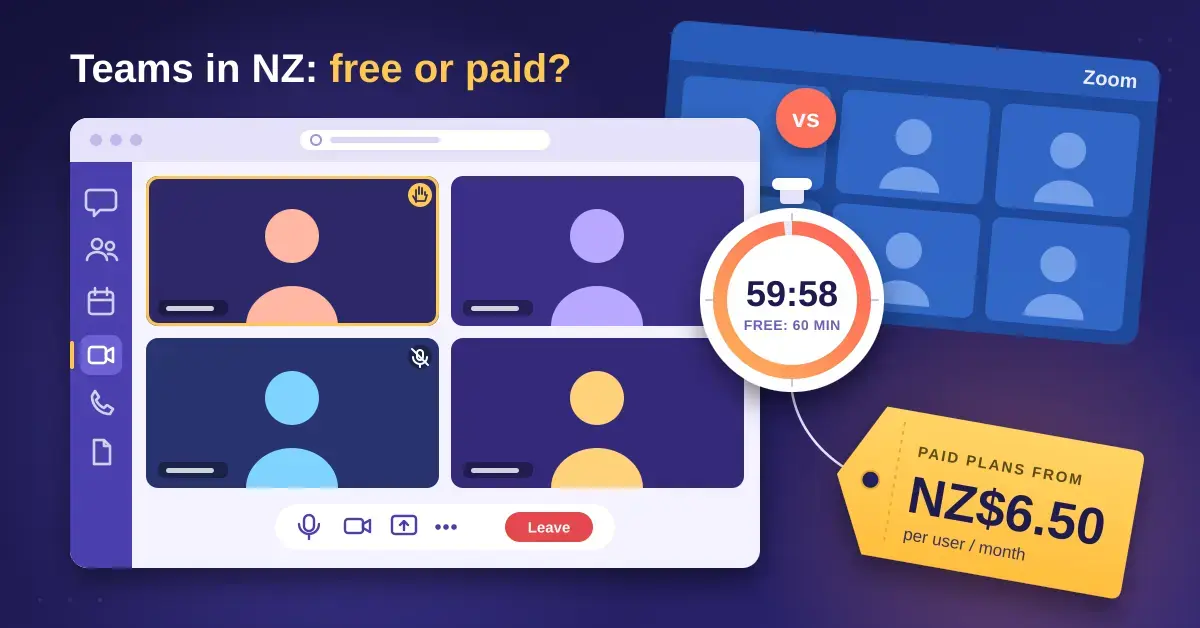
| Free plan limits | 60-minute group meetings, 100 participants, 5 GB storage |
What is Microsoft Teams?
Microsoft Teams is a collaboration and communication platform that combines instant messaging, audio and video calling, online meetings, and shared file storage in a single app. It runs on Windows, macOS, Linux, iOS and Android, and in any modern web browser, so you can join a meeting from almost any device without installing anything.
Teams replaced Skype for Business and, in 2025, the consumer version of Skype as well. If you are moving across from the old app, our explainer on what happened to Skype covers the migration path. Where Teams differs from a pure video tool is its depth: conversations live in persistent “channels” tied to a team or project, files are stored in the background on SharePoint and OneDrive, and the whole thing plugs directly into Outlook, Word, Excel and PowerPoint.
How Teams fits into Microsoft 365
Most paid versions of Teams are not sold on their own — they come bundled inside a Microsoft 365 Business subscription alongside Office apps, business email and cloud storage. That bundling is the single biggest thing to understand about Teams pricing: you are often paying for an entire productivity suite, not just a meeting app. A standalone option (Microsoft Teams Essentials) does exist for people who want the meetings and chat without the Office apps.
Microsoft Teams free vs paid: what you actually get
The free version of Microsoft Teams is enough for a lot of households, hobby groups and very small businesses. The paid plans add longer meetings, more storage, the full Office apps and business-grade administration. Here is the honest split.
What the free version includes
The free plan gives you unlimited one-to-one and group chat, group video meetings for up to 60 minutes with up to 100 participants, one-to-one calls of up to 30 hours, 5 GB of cloud storage per user, file sharing, tasks, polls and communities. Chats, calls and files are encrypted. For a family coordinating events or a two-person side business, that is a complete toolkit at no cost.
Where the free version falls short
The 60-minute cap on group meetings is the limit most people hit first. Importantly, the organiser’s plan decides the cap: if a free user schedules the meeting, it ends at 60 minutes even when everyone else has a paid subscription. One-to-one calls are not limited to 60 minutes. The free tier also leaves out the desktop Office apps, large cloud storage, webinars and town halls, meeting recording to the cloud, and the admin controls a real business needs. If any of those matter, you are looking at a paid plan.
Microsoft Teams pricing in New Zealand (2026)
Below are the headline Teams plans and their New Zealand prices, taken from Microsoft’s own New Zealand pricing page. All figures are per user per month on an annual commitment and exclude GST. Monthly billing costs more, and prices change — treat these as a 2026 snapshot and confirm on Microsoft’s site before you buy.
| Plan | Price (NZD/user/mo, annual) | Group meeting length | Max participants | Cloud storage | Office apps |
|---|---|---|---|---|---|
| Microsoft Teams (Free) | NZ$0 | 60 minutes | 100 | 5 GB | None |
| Microsoft Teams Essentials | NZ$6.50 | 30 hours | 300 | 10 GB | None |
| Microsoft 365 Business Basic | NZ$11.30 | 30 hours | 300 | 1 TB | Web & mobile only |
| Microsoft 365 Business Standard (with Copilot) | NZ$38.00 | 30 hours | 300 | 1 TB | Full desktop Office + Copilot AI |
A few things worth knowing. In 2024 Microsoft began selling some Microsoft 365 plans “without Teams” at a slightly lower price (for example, Business Basic without Teams at about NZ$8.70), so Teams is now an itemised line rather than an automatic inclusion. Microsoft’s top Business plan has also folded in Copilot, its AI assistant, which is why the Business Standard figure jumped in 2026.
Which paid plan suits you
Match the plan to what you actually need, not the longest feature list:
- Teams Essentials — you only want longer meetings, bigger rooms and a bit more storage, and you already have Office (or use free/open-source apps). The cheapest way off the 60-minute cap.
- Business Basic — you want Teams plus a professional email address, 1 TB of OneDrive and the web/mobile versions of Word, Excel and Outlook, but can live without the installed desktop apps.
- Business Standard — you need the full installed Office suite on your computer, plus Copilot. This is the “everything” tier for a working business.
Organisations with more than 300 people, or that need meetings for up to 1,000 participants, move onto enterprise plans (Microsoft 365 E3 or E5). Those tiers also unlock webinars and town halls that stream to large audiences. If you are weighing whether you even need the Office apps, our rundown of open-source alternatives to Microsoft Office is worth a read before committing.
Add-ons: Teams Phone, Premium and Copilot
Teams can also replace a traditional office phone system. Teams Phone Standard (about NZ$16.20 per user per month) turns Teams into a business phone with a real number, and calling plans that include domestic minutes cost more again (around NZ$35.60 per user per month for domestic calling). If you are comparing this against a dedicated phone service, see our guide to VoIP providers in New Zealand. There is also Microsoft Teams Premium (about NZ$16.20 per user per month), an add-on that layers on advanced AI meeting recaps, live translation and extra meeting security.
How Microsoft Teams compares to Zoom
The short version: Teams wins when your life already runs on Microsoft 365, and Zoom wins when you mostly want fast, reliable video meetings with outside people. They overlap heavily, but they are built around different centres of gravity — Teams around ongoing teamwork, Zoom around the meeting itself.
Microsoft Teams vs Zoom
| Feature | Microsoft Teams | Zoom |
|---|---|---|
| Free group meeting length | 60 minutes | 40 minutes |
| Free max participants | 100 | 100 |
| Free 1:1 calls | Up to 30 hours | Unlimited |
| Entry paid plan | Teams Essentials ~NZ$6.50/user/mo | Zoom Pro ~US$14.16/user/mo (annual) |
| Paid meeting length | Up to 30 hours | Up to 30 hours |
| Standard paid participant cap | 300 | 300 (Business) |
| Office / productivity apps | Bundled with Microsoft 365 | Standalone (no office suite) |
| Best for | Microsoft 365 users wanting chat + files + meetings together | Simple, reliable video calls with external guests |
Where Teams wins
Teams is hard to beat on value if you were going to buy Microsoft 365 anyway, because the meeting tool effectively comes free with the Office apps and email you were paying for. Its free plan also allows 60-minute group meetings versus Zoom’s 40, and chat, files and meetings all live in one place rather than scattered across apps. Deep links into Outlook and Office mean a meeting, its notes and its files stay together.
Where Zoom wins
Zoom is widely seen as simpler and more reliable for joining meetings, especially for guests who do not use it often — the “click the link and you’re in” experience is smoother, and external participants rarely stumble. Zoom’s free plan allows unlimited one-to-one meetings with no time pressure, and many people find its interface less cluttered than Teams. For a business whose main need is client video calls rather than internal collaboration, Zoom is often the cleaner fit. Our full Zoom review breaks down its plans and NZ pricing in detail. Note that Zoom publishes prices in US dollars, so compare like-for-like after currency and GST.
What about Google Meet?
Google Meet is the third major option and the natural choice if your organisation uses Google Workspace instead of Microsoft 365, for the same “it’s already bundled” reason Teams suits Microsoft users. Its free tier caps group meetings at 60 minutes, like Teams. If you are in the Google camp, our Google Meet review covers its free limits and pricing.
Microsoft Teams features worth knowing
Beyond chat and meetings, several Teams features make a real difference once you commit to it:
- Channels and teams — conversations are organised by project or topic, so discussion and files stay together instead of drowning in a single chat thread. A team can have up to 1,000 channels.
- Meeting recording and transcripts — paid plans can record meetings to the cloud and generate searchable transcripts; recordings cap at four hours or 1.5 GB each.
- Background blur, Together mode and live captions — standard polish for video calls, available even on lower tiers.
- Webinars and town halls — structured events for larger audiences on business and enterprise plans (town halls can stream to up to 10,000 attendees). Note that the older Teams “live events” feature retired on 30 June 2026 in favour of the newer events experience.
- App integrations — Planner, Forms, Loop and hundreds of third-party apps slot into the Teams sidebar.
For better call quality, a decent camera matters more than any software setting. If you work from home, our picks for the best webcams for working from home cover options for every budget.
Is Microsoft Teams secure and private?
Microsoft Teams encrypts data in transit and at rest, supports multi-factor authentication, and inherits the compliance tooling of Microsoft 365, which is why it is trusted by government, health and education organisations. Admins can control guest access, retention and who can do what. Meetings are not end-to-end encrypted by default the way a one-to-one Signal call is, though Teams does offer optional end-to-end encryption for one-to-one calls.
The practical privacy points for everyday users: your organisation’s admin can, in principle, access chat and file content for compliance reasons, and meeting recordings and transcripts are stored in the cloud. Treat Teams as a work tool owned by your employer, not a private messenger. For personal accounts, the same Microsoft account security advice applies — a strong, unique password and MFA. If you are not already using one, a password manager makes that painless.
Common mistakes people make with Microsoft Teams
Teams is powerful, but a few avoidable mistakes trip up new users and small businesses:
- Paying for Business Standard when Essentials would do. If you already have Office apps or use free alternatives, you may be buying the entire suite just to escape the 60-minute meeting cap. Essentials is a fraction of the price.
- Letting a free account host important meetings. Because the organiser’s plan sets the time limit, a long client meeting hosted on a free account dies at 60 minutes. Have someone on a paid plan schedule it.
- Treating every chat as a channel (or vice versa). One-off messages belong in chat; ongoing project discussion belongs in a channel. Mixing them is the top reason people call Teams “confusing”.
- Ignoring storage limits. The free tier’s 5 GB fills up fast if you share videos and large files. Know your limit before you rely on it.
- Assuming guests need a licence. External people can join Teams meetings free from a browser — you do not need to buy them a seat.
Who should use Microsoft Teams?
Microsoft Teams is the right choice if your workplace, school or business already pays for Microsoft 365 — the integration and bundled pricing make it the obvious tool, and the free version is excellent for families and tiny teams. It is less compelling if you only need occasional video calls with outside clients, where Zoom’s simplicity wins, or if you live in Google Workspace, where Meet is already included. The key is to buy the tier that matches your needs: start free, step up to Essentials for longer meetings, and only pay for a full Microsoft 365 plan when you genuinely want the Office apps and business email that come with it.
Sources
Frequently Asked Questions (FAQ)
Is Microsoft Teams free to use?
Yes. The free version of Microsoft Teams offers unlimited chat, group video meetings of up to 60 minutes with up to 100 participants, one-to-one calls of up to 30 hours, and 5 GB of cloud storage per user. It is enough for families, community groups and very small businesses; paid plans add longer meetings, more storage, the Office apps and admin controls.
How much does Microsoft Teams cost in New Zealand?
In 2026, paid plans start at about NZ$6.50 per user per month for Teams Essentials (annual billing, excluding GST). Microsoft 365 Business Basic is around NZ$11.30 and Business Standard with Copilot about NZ$38.00. The higher tiers bundle in business email, 1 TB of storage and the Office apps, so you are paying for more than just the meeting tool.
Why do Microsoft Teams meetings end after an hour?
Group meetings on the free plan are capped at 60 minutes, and the organiser’s subscription sets that limit. If a free-plan user schedules the meeting, it ends at 60 minutes even when other attendees have paid accounts. One-to-one calls are not affected. Upgrading the organiser to any paid plan extends meetings to up to 30 hours.
Is Microsoft Teams better than Zoom?
It depends on your setup. Teams is better value and more capable if you already use Microsoft 365, because chat, files, meetings and Office all live together. Zoom is often simpler and more reliable for quick video calls with external guests and offers unlimited one-to-one meetings for free. Neither is universally “best” — match the tool to how you work.
Can I use Microsoft Teams without buying Office?
Yes. Microsoft Teams Essentials is a standalone plan that gives you longer meetings, up to 300 participants and 10 GB of storage without the Office apps. The free version also works on its own. You only need a full Microsoft 365 subscription if you want the installed Word, Excel, Outlook and PowerPoint apps alongside Teams.